WordPress.org blog: WordPress 7.0 Beta 1
WordPress 7.0 Beta 1 is ready for download and testing! This beta release is intended for testing and development only. Please do not install, run, or test this version of WordPress on production or mission-critical websites. Instead, use a test environment or local site to explore the new features.
How to Test WordPress 7.0 Beta 1
You can test WordPress 7.0 Beta 1 in any of the following ways:
| Plugin | Install and activate the WordPress Beta Tester plugin on a WordPress install. (Select the “Bleeding edge” channel and “Beta/RC Only” stream.) |
| Direct Download | Download the Beta 1 version (zip) and install it on a WordPress website. |
| Command Line | Use this WP-CLI command: wp core update --version=7.0-beta1 |
| WordPress Playground | Use a 7.0 Beta 1 WordPress Playground instance to test the software directly in your browser. No setup required – just click and go! |
The scheduled final release date for WordPress 7.0 is April 9, 2026. The full release schedule can be found here. Your help testing Beta and RC versions is vital to making this release as stable and powerful as possible. Thank you to everyone who contributes by testing!
How important is your testing?
Testing for issues is a critical part of developing any software, and it’s a meaningful way for anyone to contribute – whether or not you have experience. Details on what to test in WordPress 7.0 are available here.
If you encounter an issue, please share it in the Alpha/Beta area of the support forums. If you are comfortable submitting a reproducible bug report, you can do so via WordPress Trac. You can also check your issue against this list of known bugs.
Curious about testing releases in general and how to get started? Follow along with the testing initiatives in Make Core and join the #core-test channel on Making WordPress Slack. WordPress 7.0 will include new features that were previously only available in the Gutenberg plugin. Learn more about Gutenberg updates since WordPress 6.9 in the What’s New in Gutenberg posts for versions 22.0, 22.1, 22.2, 22.3, 22.4, 22.5 & 22.6.
What’s new in WordPress 7.0?
WordPress 7.0 boasts numerous upgrades in the editing and admin experience, delivering enhanced real time collaboration, refined customizability, new dashboard styles, and an expanded developer toolbox for people who create, design, and build with WordPress every day.
Working as a team just got easier with the ability for multiple users to edit together in real time, while visual revisions allow a visual comparison between page versions, adding agility to the creation and review process. Working with patterns has been simplified, making layout updates and content changes more intuitive, while view transitions smoothly move you from screen to screen as you click.
New and improved blocks and design features in 7.0 make sites more customizable, with video embed backgrounds in the Cover block, a responsive-enabled Grid block, and new Icons, Breadcrumbs and Heading blocks. An updated Navigation block makes menu changes easier and more reliable in fewer steps. Responsive, mobile-friendly controls in 7.0 allow you to hide or reveal blocks based on screen size, while client-side media handling speeds up media processing. The Font Library screen for managing installed fonts is now enabled for all themes, so site editors are always able to browse, install, and organize fonts.
For developers, it’s now easier to build modern experiences while staying aligned with Core principles. The new WP AI Client in WordPress 7.0 brings a layer into Core that allows leveraging of AI models from any provider within the WordPress framework. This means plugins and themes can tap into any AI model to expound on its endless options. 7.0 offers even more versatility with the Client Side Abilities API that introduces a standardized way to register and run “abilities” in the browser, supporting richer, more consistent workflows. Additionally, 7.0 introduces PHP-only block registration with auto-generated inspector controls, adding a new dimension to block creation, while Block Bindings updates for pattern overrides expands support to custom dynamic blocks, giving block creators more options.
Needless to say, this release offers a wide range of flexibility to creators, teams and developers, while bringing a visual refresh to the admin experience you know and love with a fresh default style.
Work together in real time
Building on the momentum started in WordPress 6.9, the ability for teams to create and edit together is more refined and robust in 7.0. With this version of WordPress multiple users can edit and collaborate on the same post or page in real time, with data syncing and stabilized notes for smoother teamwork and a more streamlined editing and review process.
- Real Time Collaboration: Teams can now edit posts and pages together live from multiple locations, with offline editing and data syncing enabled, and a new default HTTP polling sync provider with options for plugins or hosts to include websocket support. With this collaborative content creation workflow, teams can brainstorm more effectively and boost productivity. For the beta period, real-time collaboration is opt-in in order to get broader feedback and testing.
- Notes: 7.0 introduces real time syncing of notes that helps facilitate collaboration, a keyboard shortcut for new notes, and a series of quality-focused fixes that bring more stability to the Notes feature.
A Refined Admin Experience
WordPress 7.0 gives the wp-admin experience a boost with a fresh default color scheme, and a cleaner, more modern looking dashboard, while keeping the interface familiar. The upgraded dashboard enhances the editing experience with new visual revision comparisons, and smooth transitioning between screens.
- Visual Revisions: Working with revisions is even better in 7.0 with the added ability to make visual comparisons to revision versions within the editor.
- View transitions: Cross-document view transitions in the dashboard offer visual continuity with seamless movement from screen to screen.
Customizing content with ease
Creators have more flexibility in 7.0 with new tools for content and design, enhanced editing controls, and attention to mobile friendliness.
- Responsive Editing Mode: Block visibility is now more responsive and mobile-friendly, with the ability for blocks to be displayed or hidden based on screen size.
- Pattern Editing and contentOnly interactivity: WordPress 7.0 introduces pattern-level editing modes, a tree view for buttons and list blocks, and the ability to opt out of the default content only mode. The new Spotlight mode helps you isolate content in patterns and notes, while the Isolated Editor mode can be used for editing symbols and reusable pieces like synced patterns, template parts, or navigation.
- Block supports and design tools: 7.0 includes text line indent support, text column support, aspect ratios for wide and full images, dimension width and height support, and dimension presets, tools and controls.
New blocks and design options at your fingertips
7.0 delivers a series of new and improved blocks and block features, a streamlined navigation workflow, and more versatile design options like video embeds as section backgrounds.
- Navigation Block: Navigation workflow is now more intuitive and clear, with improved editing and presentation. 7.0 introduces customizable navigation overlays as template parts, including mobile version overlays that can be hidden or revealed based on custom breakpoint settings.
- Heading Block: Heading levels are now available as block variations, giving more control over page hierarchy and design.
- New blocks: 7.0 makes building pages more diverse with new Breadcrumbs and Icons blocks.
- Cover block embedded videos: Video embeds can now be used as a background in the cover block, opening up opportunities for sleeker and more creative designs.
- The Grid block is now responsive-enabled allowing grid-based layouts to adapt more smoothly across screen sizes.
- The Gallery block now has lightbox support that lets the user click through and view each gallery image.
Developer’s toolbox
Working with WordPress on the backend is now more robust for developers, with new and enhanced API features that support flexibility and lay a foundation for future advancements. The Client Side Abilities API provides a client-side registry for WordPress capabilities that allows you to tap into new and innovative website options. WordPress 7.0 offers even more by introducing the Web Client AI API to Core, enabling access to generative AI models in one central interface.
- Web Client AI API: The new AI client and API acts as a command center for accessing and communicating with generative AI models, with providers remaining external to WordPress Core, and Abilities API integration.
- Abilities and Workflows API: With the new client side abilities package users have access to new and hybrid abilities, filter and search functionality for abilities, and an improved command palette and UI.
- Blocks and patterns created on the server: WordPress 7.0 boasts the ability for PHP-only blocks and patterns to be generated server-side and auto-registered with the Block API.
- DataForm: Introducing a new details layout, new controls (combobox, adaptiveSelect), and updated trigger for panel layout (dedicated edit button). Additionally, the initial iteration for validation is complete: all controls have support, and all layouts display error messages.
- DataViews: DataViews has a new activity layout, and a foundation has been laid to be able to register 3rd party types in future releases.
- CodeMirror update: CodeMirror has been updated to version 5.65.40, aiding more flexible extensibility and library options.
Media processing in the browser
WordPress 7.0 introduces Client-side media processing, leveraging the browser’s capabilities to handle tasks, like image resizing and compression, for smoother image processing. This enables the use of more advanced image formats and compression techniques, and reduces demand on the web server; providing a more efficient media handling process for both new and existing content, and supporting smoother media workflows.
With so many options and enhancements in WordPress 7.0 Beta 1, this is still only the beginning. You can expect future releases to be even better.
Just for you: a Beta 1 haiku:
As sun kisses moon,
Beta 1 ignites in bloom…
Seven-oh lands soon.
Props to @ellatrix, @jeffpaul, @annezazu, @chaion07, @zunaid321, @audrasjb, @mukesh27, @ankit-k-gupta, @oandregal, @westonruter, @karmatosed, @bph for reviewing and collaborating on this post!
I Found the 9 Best WordPress Construction Themes (30+ Themes Tested)
When you run a construction or contracting business, your website needs to work just as hard as you do. But many construction WordPress themes make simple tasks, like adding real project portfolios, service pages, and a quote form, more complicated than they should be.
When those pages aren’t shown clearly, visitors can have a hard time finding what they’re looking for or getting in touch. Over time, this can make your business seem less professional and lead to fewer inquiries.
This is why you should choose the right WordPress theme for your website. At WPBeginner, we’ve tested many construction themes, so we know which ones are fast, easy to customize, and built to highlight real projects and services.
In this guide, I’ll share the best WordPress construction themes you can use to build a professional website that helps you attract clients and get more quote requests. 🏗️
Quick 3 Picks: Best WordPress Construction Themes
In a hurry? Here’s a quick overview of my top 3 WordPress construction theme picks:
| 🥇 First choice | 🥈 Second choice | 🥉 Third choice |
|---|---|---|
| aThemes Sydney | SeedProd | Elegant Themes Divi |
 |
 |
 |
| 🔎 Popularity: 100,000+ active installs | 🔎 Popularity: 1M+ active installs | 🔎 Popularity: 2M+ active installs |
| 🌟 Rating: 700+ 5-star reviews on WordPress.org | 🌟 Rating: 4,500+ 5-star reviews on WordPress.org | 🌟 Rating: 20,000+ reviews on Trustpilot |
| 30+ professionally-designed starter sites | 350+ site kits and starter templates | 370+ website and page templates |
| Works with WooCommerce out of the box | No-code WooCommerce builder | Seamless WooCommerce integration |
| Pre-made website sections | 90+ premium page blocks | Built-in website elements |
| Works with page builders like Elementor | Built-in page, website, and theme builder | Works with Divi Builder and other page builders |
| Read more » | Read more » | Read more » |
Why Does Your Theme Matter for a Construction Website?
Your WordPress theme plays a big role in whether visitors trust your business and decide to request a quote or contact you.
A good construction theme helps by offering:
- 🧰 Construction site-focused pre-built sections – Construction themes often include sections for services, project galleries, FAQs, contact or quote request forms, and Google Maps. These let visitors quickly see what you offer and how to reach you.
- 📱 Mobile responsiveness – Many people search for contractors on their phones, sometimes while standing on a job site or comparing options nearby. A mobile-friendly theme makes it easy for them to call you or request a quote right away.
- 🧑💻 Easy editing for non-technical staff – You or your team can easily add new projects, update services, or rotate testimonials as your work grows, without hiring a developer.
- ⚡ Speed and performance – A slow website can push potential clients away. Fast-loading pages help with SEO and keep visitors around long enough to fill out a contact or quote form.
- ⚙️ Work with popular WordPress plugins – A good theme integrates smoothly with form builders, booking tools, and live chat plugins, making it easier for visitors to ask questions and become leads.
Behind the Scenes: How I Test and Review WordPress Construction Themes
To choose the best WordPress construction themes for this showcase, I installed and tested each theme on a demo site to see how it performs in real-world use.
I focused on how well each theme would work for an actual construction business – from showcasing projects to getting more quote requests.
Here’s what I looked for:
- Clear navigation menu – I evaluate the navigation layout and site structure to ensure visitors can find services and project galleries quickly.
- Strong call-to-action areas – I review how easy it is to add buttons or sections that encourage visitors to request a quote, call the business, or send a message.
- Mobile responsiveness – I make sure the theme looks good and works properly on phones, tablets, and desktops, since many clients browse on mobile.
- Speed and performance – I test how fast the pages load because a slow site can hurt SEO and cause potential clients to leave.
- Page builder support – I check whether the theme works well with popular page builders so you can create custom pages without touching code.
I also considered different needs and skill levels – whether you’re a solo contractor, a growing construction company, or an agency building sites for clients. This way, there’s an option for different budgets, experience levels, and business goals.
Why Trust WPBeginner?
At WPBeginner, we’ve spent over 17 years building, testing, and improving WordPress websites for all kinds of businesses, including service-based and construction websites.
That hands-on experience helps us understand what a good construction theme really needs, such as clear service pages, strong project galleries, mobile-friendly layouts, and easy ways for visitors to request quotes or get in touch.
Every theme in this list was personally tested with real construction website needs in mind. Along with construction-specific features, we look at page speed, ease of editing, and overall user experience.
We take our reviews seriously, so you can trust our recommendations. You can learn more about how we do this in our editorial process.
Now, let’s take a look at the 9 best WordPress construction themes you can use for your website.
1. Sydney – Best Overall WordPress Construction Theme
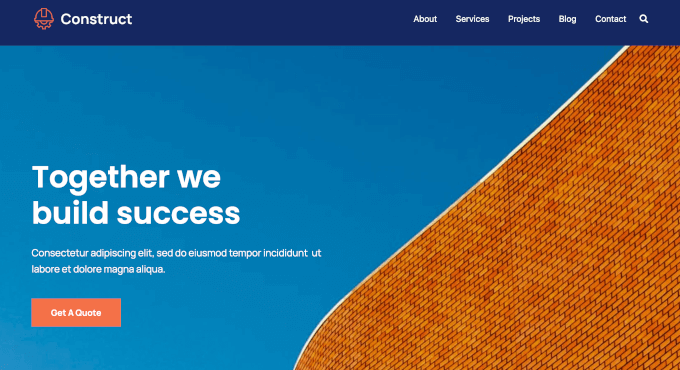
aThemes Sydney is a beginner-friendly WordPress theme with ready-made construction layouts, Elementor compatibility for drag-and-drop editing, and fast loading.
We have thoroughly tested aThemes Sydney to see how it compares to other solutions. To read more about our experience, see our complete Sydney review.
My Experience
After installing Sydney, I liked that it comes with over 30 starter sites, including several made for construction and contractor businesses.
I imported a construction demo using the one-click importer, and it took under two minutes. It set up a full site with a homepage, services page, about page, contact page with a map, and the ‘Get a Quote’ call-to-action (CTA) button.
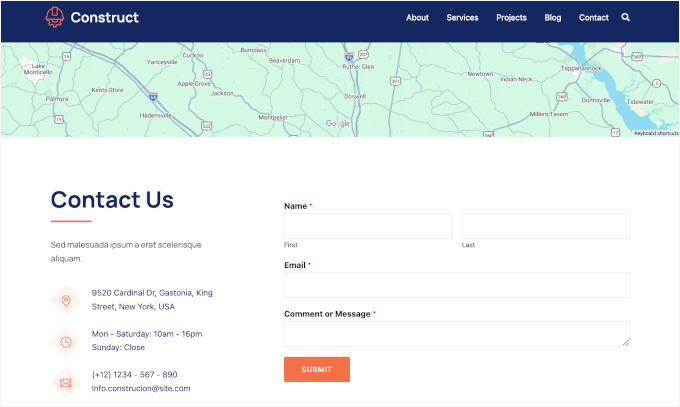
Customizing the site was easy because the homepage already includes sections for featured work and company mission.
And with the Elementor integration, I could simply drag and drop elements to adjust everything without code. I could also create a custom layout for a “Commercial Construction” service page and reuse it for other services.
Plus, I found that adding project photos was smooth using the built-in gallery block. I found that an image gallery works well for showcasing past work.
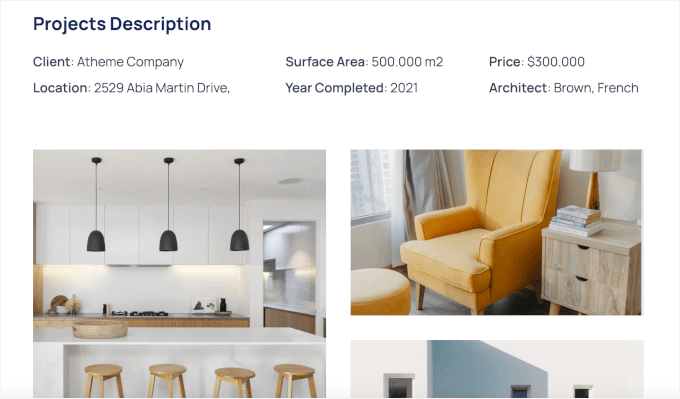
Header and footer customization was also simple. I added a phone number and a “Request a Quote” button to the header so visitors could reach me from any page. Widget areas made it easy to add things like contact forms and business hours.
During testing, the theme felt lightweight and fast, and the mobile version adjusted automatically without extra setup.
The main downside is that advanced designs and extra starter sites are locked behind the Pro version. The free Sydney version works well for a basic construction site, but you’ll feel limited if you want more layout options or design variety.
✅ What I like about Sydney:
- 30+ importable starter sites with construction layouts
- Elementor compatibility for drag-and-drop editing
- Template builder for custom page layouts
- Pre-built sections for services, projects, and testimonials
- Customizable headers and footers
- Lightweight and fast-loading
🤔 What I don’t like about Sydney:
- Advanced features require the Pro version
⭐ Why I recommend Sydney: I strongly recommend Sydney because it’s beginner-friendly and gives you ready-made construction layouts. You can customize without code and launch quickly.
🧑💻 Get the Sydney theme today!
2. SeedProd – Best for Custom Construction Landing Pages
SeedProd stands out for its AI-powered website builder, which lets you generate a complete custom construction website in less than 60 seconds – no coding required. This makes it one of the fastest ways to get a professional construction site online with WordPress.
Using its AI Theme Builder, you can describe your business, choose your industry, and SeedProd automatically creates a full website layout for you.
You can then use the drag-and-drop builder to easily customize pages like your homepage, landing pages, and even “Request a Quote” pages or funnels.
Some of our partner brands have used SeedProd to custom-build their websites. See our detailed SeedProd review to see how it compares to traditional WordPress themes.
My Experience
I’ve used SeedProd before for landing pages, and my favorite part has always been the built-in AI tools. For this roundup, I specifically tested the full AI Theme Builder to see how well it works for a complete construction website.
The setup was impressively fast. In under a minute, I had a fully structured construction site that already looked polished and professional.
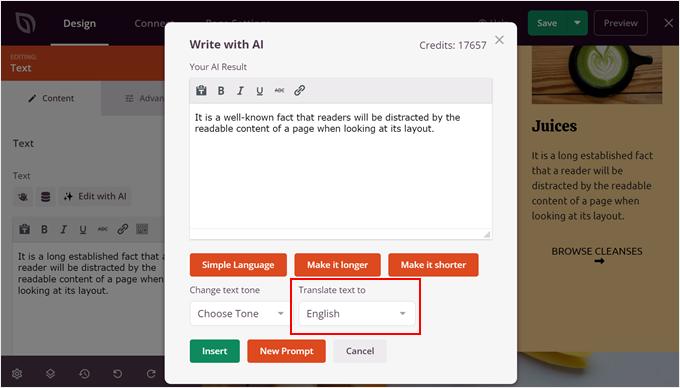
And if you struggle with writing, the AI writer can instantly create professional “About Us” content or service descriptions. There’s also an AI translator that can turn your site into multiple languages, which is great for reaching more local customers.
This is a big win if you want to get online quickly without spending hours designing layouts or writing content from scratch.
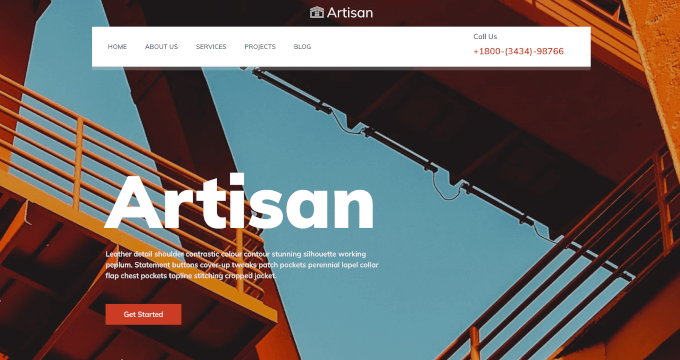
After testing the AI builder, I also explored SeedProd’s Artisan construction site kit. It comes with a ready-made homepage, services page, contact page, and more. I especially liked the floating navigation bar – it instantly made the site feel modern.
Importing the template was quick, and all pages appeared in my dashboard ready to edit.
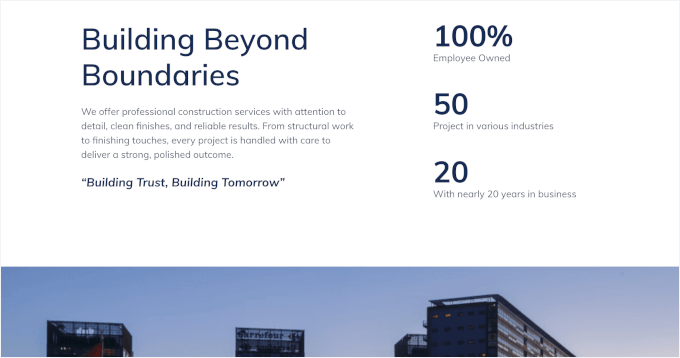
The pre-built homepage layout was well thought out, with clear sections for a short company intro, a strong call-to-action, and company stats for social proof. All these elements make the site feel professional and credible right away.
The drag-and-drop editor felt fast and intuitive. Since it’s a front-end builder, I could see changes in real time while adjusting layouts, text, and images.
For example, I built a simple quote request funnel. The homepage has a call-to-action button that links to a dedicated quote form page, created using SeedProd’s form blocks.
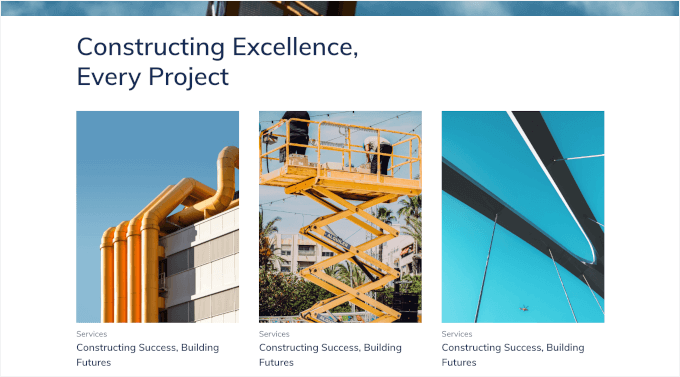
Adding a completed projects section was just as easy. I dropped in an image gallery block, uploaded photos, and arranged them into a grid without switching screens.
I also set up a sticky header with a custom logo, menu, and phone number so visitors could contact the business from anywhere on the site.
One thing to note: you’ll need the Plus plan or higher to use the full AI Theme Builder. The free version is limited to landing pages, so upgrading is necessary if you want to build a full construction website.
✅ What I like about SeedProd:
- Full AI-powered website, theme, and landing page builder
- Drag-and-drop visual builder for real-time front-end editing
- Construction-focused templates and site kits
- Custom homepage and quote funnel creation
- Built-in responsive layouts
🤔 What I don’t like about SeedProd:
- Requires Plus plan or higher for full theme builder
- No traditional WordPress theme customizer
⭐ Why I recommend SeedProd: With SeedProd, you get the speed of AI with the flexibility to build a site that looks exactly the way you want. Plus, you can fully customize every part of the design without writing any code.
3. Divi – Best for Design Flexibility and Layout Library
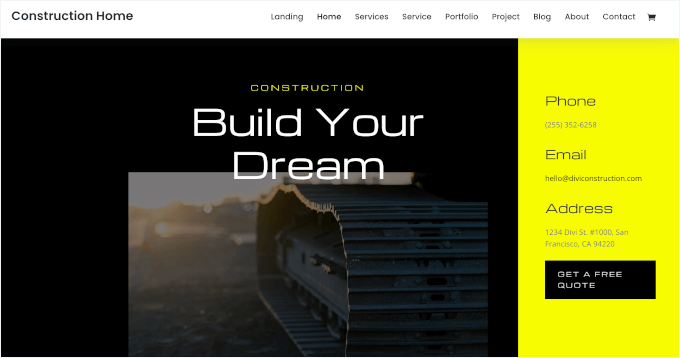
Divi is a multi-purpose, premium-looking WordPress theme. It’s a great option for construction firms and renovation companies that want a polished design with lots of layout flexibility.
It uses its own visual Divi builder and comes with construction-specific layouts you can import and customize. Check out our complete Divi review to learn what makes it so popular.
My Experience
When testing out Divi, I picked the dark theme version to test if this style fits construction sites where showcasing projects visually is important.
This starter site came with an about page, services page, portfolio page, and blog page. I also liked the split-style homepage, which makes it easy to highlight your contact details and a quote call-to-action.
The blog page includes an email newsletter signup form followed by a contact form with business details. It’s a smart setup for capturing leads and making it easy for visitors to reach out.
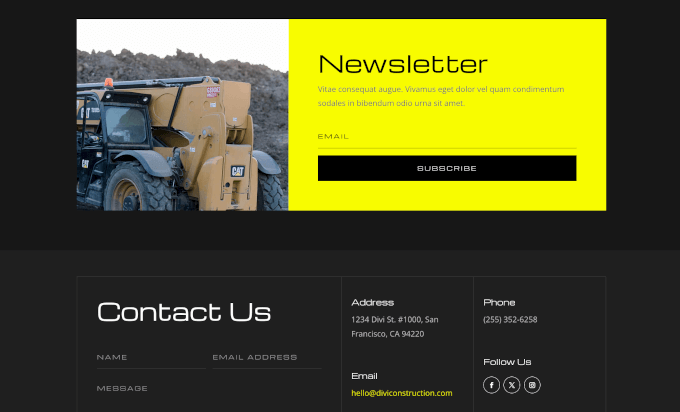
For other forms, like quote requests, you can build it using a contact form plugin and embed it through the Divi builder.
Design customization is one of Divi’s strong points. Adjusting colors, fonts, and spacing was straightforward, and I had full control over how each section looked. It was easy to match the site to a specific branding style without running into design limits.
Then, I built a project portfolio using Divi’s gallery module. I uploaded photos of completed jobs and displayed them in a grid.
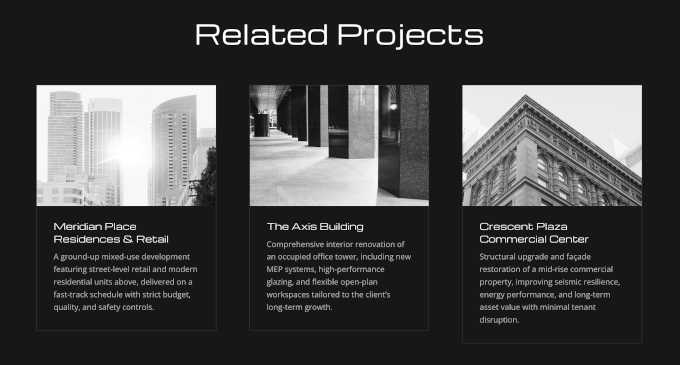
I also added a “Related Projects” section to show clients similar work that matches the scale and style of the project they’re interested in.
However, Divi is premium-only. The builder is powerful, but the number of settings can feel overwhelming at first, especially for beginners.
✅ What I like about Divi:
- Built-in Divi visual builder with front-end drag-and-drop editing
- Construction-ready layout packs
- Reusable sections and templates
- Advanced design controls for colors, fonts, and spacing
- Fully responsive layouts
🤔 What I don’t like about Divi:
- Premium-only theme with no free version
- Steeper learning curve than simpler themes
⭐ Why I recommend Divi: Divi offers complete design freedom and professional results. You can build a custom construction site that looks exactly how you want.
4. OceanWP – Great for Feature-Rich Construction Sites
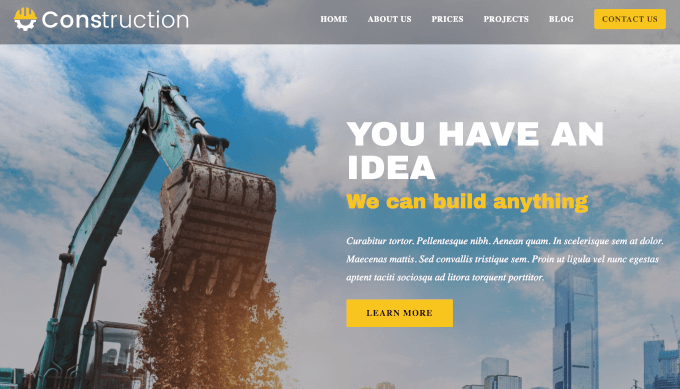
OceanWP is a popular free WordPress theme with flexible customization. It works well for growing construction companies and contractors who want more layout control, including multiple header styles and flexible page structures.
It’s fully compatible with Elementor and other page builders and offers a construction starter demo. Read our full OceanWP review for a closer look at its features.
My Experience
I started by installing the free version of OceanWP. The theme felt lightweight from the start, and pages loaded quickly during my tests.
Upon first look, I appreciated that it includes a customizable pricing table on the homepage, which makes it easier for potential clients to quickly compare available options.
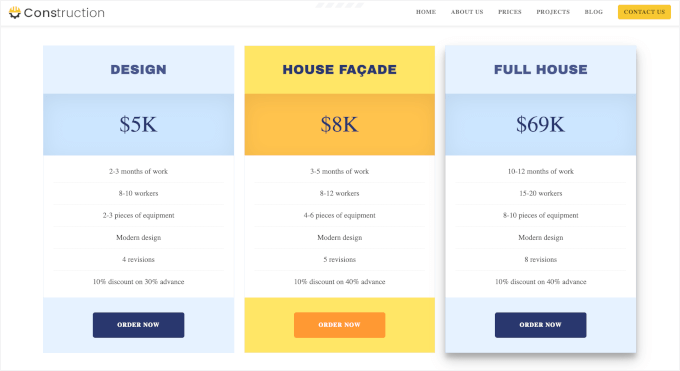
Plus, the theme offers multiple header styles. I tested a few options and chose a transparent, sticky navigation menu so visitors could see my contact button on every page.
I also liked the flexible layout options. I could choose full-width, boxed, or sidebar layouts for individual pages, which helped control how content was displayed.
Customizing the sidebar and widget areas was simple. I added recent posts and a calendar, making it easy for visitors to explore more of the company’s work and see project timelines.
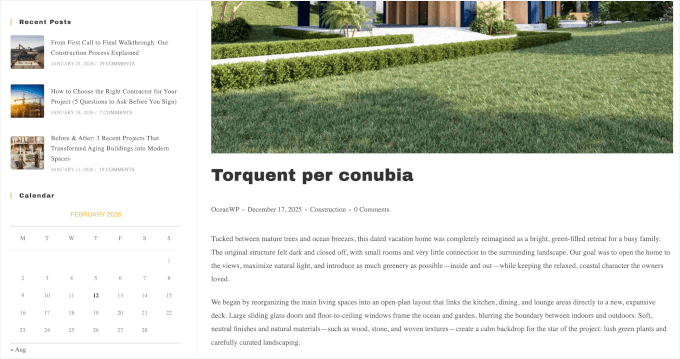
In addition, there’s gallery and lightbox support, which is well-suited for showcasing projects. Just remember to compress your images before uploading them so your site stays fast.
The main drawback is that construction demo sites are only available in the Pro version. If you want a ready-made construction layout, you’ll need to upgrade. Some advanced features also require paid extensions, which add a few extra steps.
✅ What I like about OceanWP:
- Free core theme with advanced customization
- Construction demo templates available
- Multiple headers and layout styles
- Gallery and lightbox support
- Flexible page layouts
- Elementor compatibility
🤔 What I don’t like about OceanWP:
- Some features need extensions
- Can feel complex for absolute beginners
⭐ Why I recommend OceanWP: OceanWP is free and flexible, with strong page builder support. You can upgrade later if you want construction demos.
🧑💻 Get the OceanWP theme today!
5. Ultra – Flexible Multi-Purpose Theme for Agencies and Builders
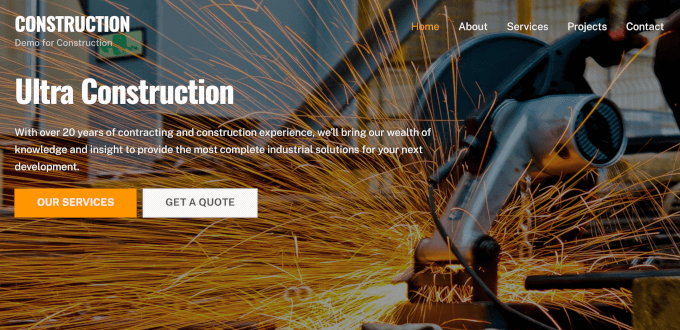
Ultra is a multi-purpose WordPress theme that can be easily used to build an agency-style site with strong visuals and structured service pages. It’s a good fit for construction agencies, design–build firms, and contractors.
This theme includes the Themify Builder and also works with builders like Elementor. You can import a construction demo and customize it easily.
My Experience
After installing Ultra, I browsed the demo sites and found several construction layouts. I imported one that included a homepage, services page, and project portfolio.
When the Themify builder opened on the front end, the drag-and-drop interface felt smooth once I understood how modules worked.
I added parallax scrolling to the homepage hero section. As visitors scrolled down, the background image moved at a different speed, which created a modern visual effect without needing custom code.
The animation effects were also easy to apply. I set project images to fade in as visitors hovered over them, which made the portfolio section feel more dynamic.
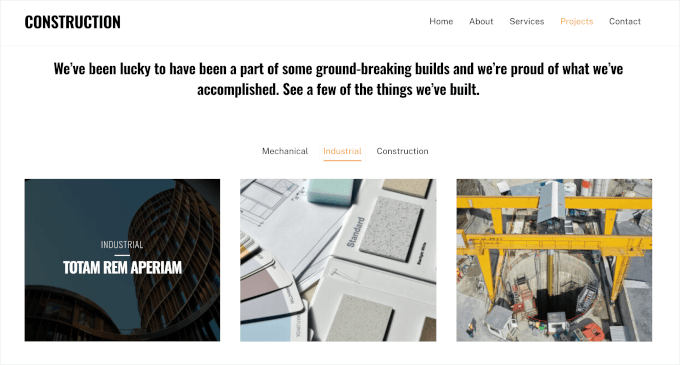
Ultra includes sliders and visual sections that work well for showcasing a before-and-after. There’s also a lightbox support, and it displayed cleanly on both desktop and mobile.
The theme works with construction and other essential WordPress plugins. I tested it with a contact form plugin and a booking plugin, and both integrated without conflicts.
One downside is that the Themify builder has a learning curve. It’s not as intuitive as Elementor at first, so beginners might need time to get comfortable. Also, if you add too many animation effects, the site can slow down, so you need to use them carefully.
✅ What I like about Ultra:
- Built-in Themify drag-and-drop builder
- Construction-ready demo sites and layouts
- Compatibility with popular page builders like Elementor
- Works with construction and business plugins
- Parallax scrolling and animation effects
- Fully responsive design
🤔 What I don’t like about Ultra:
- Themify Builder has a learning curve
- Animation effects can slow down sites if overused
⭐ Why I recommend Ultra: I like that Ultra adds visual polish with animations and parallax effects. Your project portfolio can stand out without custom development.
🧑💻 Get the Ultra theme today!
6. Neve – Lightweight & Fast for Local Construction Businesses
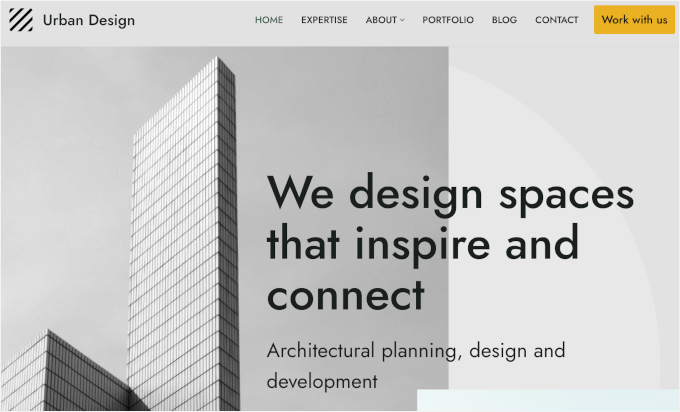
Neve is a lightweight WordPress theme. This makes it a good option for small to mid-sized construction businesses and architecture studios that care about speed, SEO, and a modern layout.
It integrates smoothly with Beaver Builder and Elementor. It also includes architecture starter sites and uses a mobile-first design for fast loading.
My Experience
During testing, I installed Neve and immediately noticed how light the theme felt. Pages loaded faster than many other WordPress themes I’d tested. I browsed the starter site library and imported a construction layout, which finished in under a minute.
Neve’s design was clean and straightforward, with a simple font that kept everything easy to read. The homepage came packed with the service section, latest projects, mission statement, and CTA sections, which work well for lead generation.
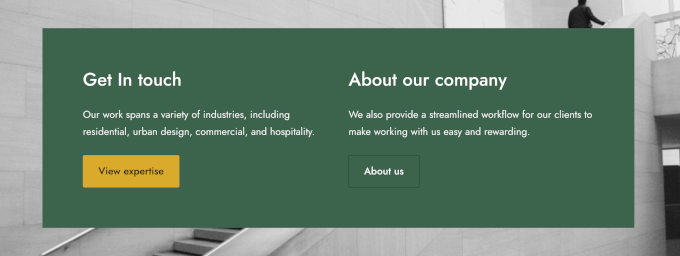
Then, I used the WordPress customizer to tweak colors, fonts, and button styles, and the changes showed up right away.
The SEO-friendly structure helped with page speed. Neve uses clean code and minimal JavaScript, which means faster load times and better performance in speed tests.
One limitation is that Neve doesn’t offer as many advanced customization options as premium themes like Divi. Some starter sites also require the Pro version to unlock. Also, Neve isn’t built for animation or parallax effects if you need those specific features.
✅ What I like about Neve:
- Lightweight and fast-loading theme
- Construction and business starter Elementor and Beaver Builder support
- Mobile-first responsive design
- Clean, SEO-friendly layouts and structure
🤔 What I don’t like about Neve:
- Some starter sites require Pro version
- Fewer advanced customization options than premium themes
- Limited animation and visual effects
⭐ Why I recommend Neve: If you want a fast and simple solution with strong page builder support, Neve is a good option. You can launch a professional construction site quickly.
7. Technico – Industry-Focused Theme for Construction Companies
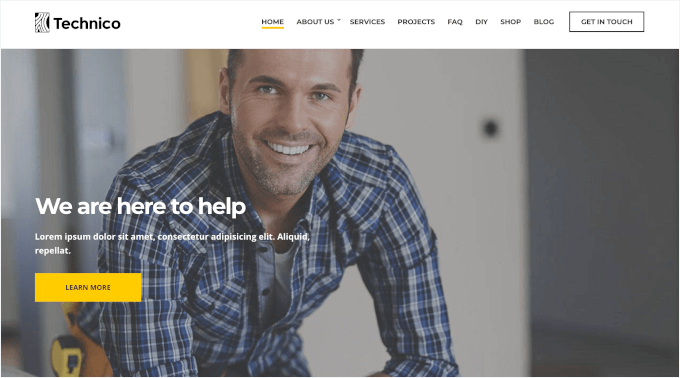
Technico is a WordPress construction theme designed for construction companies, contractors, engineering firms, and building service providers who want minimal setup.
It’s compatible with Elementor and similar builders, includes ready-made construction pages, and uses responsive layouts so your services and projects look good on any screen.
My Experience
I started my Technico testing by exploring the template, which includes a homepage, portfolio, FAQ page, DIY page, blog, and even a shop layout.
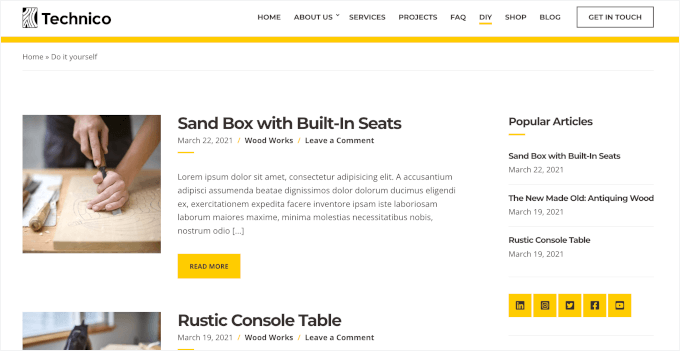
The ready-made DIY page is a really nice addition if you publish educational content, such as home improvement tips, maintenance guides, or project walkthroughs. The blog layout supports thumbnails and excerpts, which makes posts easy to scan.
The homepage layout was practical and business-focused. It came with service sections, featured projects, team profiles, pricing tables, and a clear call-to-action.
There are also widget areas and sidebars, making it easy to add contact forms or extra content where needed.
For project showcases, Technico includes image gallery support in its portfolio layouts. I also tested the built-in shop page, which comes with product filters and works well if you sell tools, materials, or furniture directly from the site.
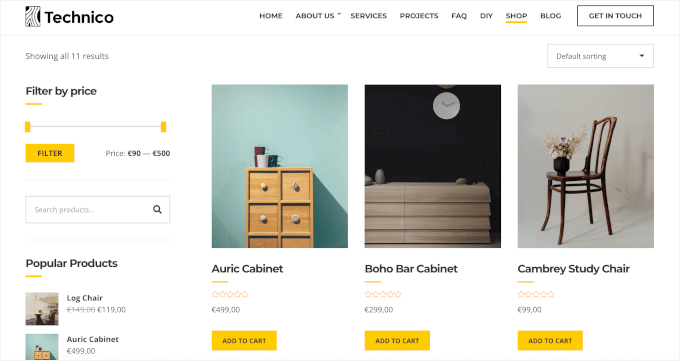
The main drawback is that Technico is premium-only. It also comes with a lot of built-in sections, so it may feel like overkill if you don’t plan to use features like the DIY section or shop.
✅ What I like about Technico:
- Industry-focused layouts designed for construction businesses
- Ready-made pages, including portfolio, FAQ, DIY, blog, and shop
- Practical homepage sections for services, teams, pricing, and CTAs
- Built-in online store layout with filtering options
🤔 What I don’t like about Technico:
- No free version
- Designed for feature-rich sites, which may not be necessary for simpler construction websites
⭐ Why I recommend Technico: Technico is a good fit if you want a complete construction website out of the box, especially if you plan to publish educational content or sell services and products alongside your portfolio.
🧑💻 Get the Technico theme today!
8. Inspiro – Best for Visual Construction Portfolios

Inspiro is a strong WordPress theme choice for construction and remodeling companies that rely on visuals and portfolios to showcase their best work. It works with Elementor and other page builders and offers a construction-focused starter site.
My Experience
Upon installing Inspiro, I really liked the video-style hero section because it gives the homepage a strong first impression.
I also noticed that the homepage layout was well thought out. It included a service grid, featured projects, company stats, blog post highlights, and CTA sections.
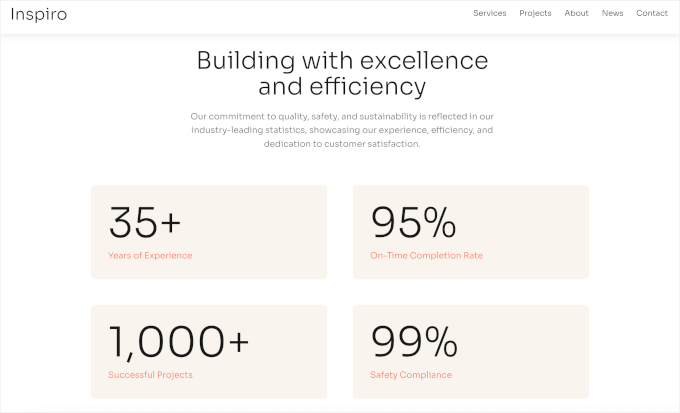
I tested the parallax effect on an image separator, and it added a subtle depth without feeling overdone. I also liked that Inspiro’s portfolio system supports both images and video.
If you want to add video-based project entries, though, I recommend embedding videos from YouTube or Vimeo instead of hosting them directly on WordPress. This keeps the site lighter and avoids performance issues.
To understand why this is critical for your site’s performance, see our guide on why you should never upload a video to WordPress.
I found that adding a contact form was straightforward. I placed it on the contact page along with a map, which works well for construction businesses that want to highlight their service area or office location.
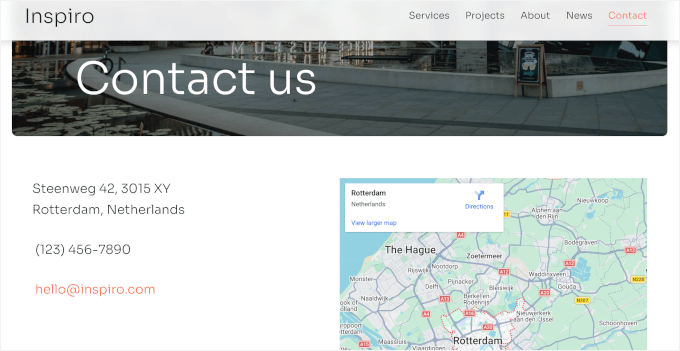
The main downside is that if you host videos directly on your site, pages can feel slower, especially on shared hosting.
✅ What I like about Inspiro:
- Clean, visual-first design for showcasing projects
- Construction demo with a strong homepage layout
- Built-in portfolio with image and video support
- Parallax effects add depth without extra plugins
🤔 What I don’t like about Inspiro:
- No free version
- Video-heavy pages can slow things down if videos are hosted locally
⭐ Why I recommend Inspiro: If your construction business relies on photos and videos to sell your work, Inspiro makes it easy to build a polished portfolio without overcomplicating the setup.
🧑💻 Get the Inspiro theme today!
9. Astra – Popular, Fast Theme With Construction Starter Templates
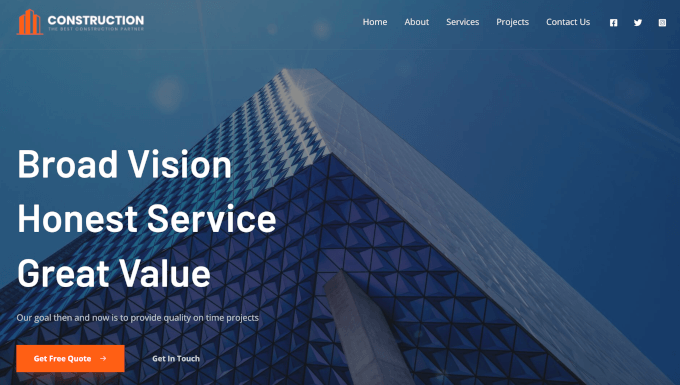
Astra is a beautiful WordPress theme for building any kind of website, including for contractors and construction companies. It’s a great option for those who want a fast-loading, widely used theme that’s easy for customize.
Read our full Astra review to see why it’s one of the most popular WordPress themes.
My Experience
In my testing, I installed Astra, selected a construction layout, clicked import, and within minutes, my site was live. The homepage felt polished immediately – it gave me a welcome message, testimonials, and team member sections that I could edit right away.
Adding a quote request form was easy using a form builder, and Astra’s clean structure kept it displaying correctly. I also tested the booking plugin integration so clients could schedule consultations directly, and it worked without issues.

Plus, Astra works smoothly with a multilingual plugin, which is helpful for contractors serving diverse communities.
I found that customizing layouts and typography was simple. I adjusted heading fonts, button styles, and spacing using the WordPress customizer, and everything updated instantly. The lightweight design kept pages fast even after I added images, forms, and additional sections.
One thing to watch out for is that the free version works well for basic sites, but you’ll hit limits if you want more design flexibility or additional templates.
✅ What I like about Astra:
- One-click import construction starter sites
- Fully compatible with Elementor and other page builders
- Works smoothly with form, booking, and translation plugins
- Lightweight and fast-loading design
- Customizable layouts and typography
- Responsive and mobile-friendly across devices
🤔 What I don’t like about Astra:
- Advanced features are locked behind paid plans
- Free version has limited design options
⭐ Why I recommend Astra: I found Astra to have a good balance of speed and customization. It has a lot of starter templates, including construction, plumbing, and roofing businesses. Plus, it integrates perfectly with essential WordPress plugins.
🧑💻 Get the Astra theme today!
🧑💻 Alternatives: You may also want to check out Avelon, Brickz, Constructo, Wilmër, and BuildGo. They offer different layouts and design styles for construction websites. Some focus on online portfolios, while others are built around business layouts.
Which is the Best WordPress Theme for Construction Websites?
Choosing the best WordPress construction theme depends on your specific needs, but here are my top picks:
- Sydney is my #1 choice because it offers a dedicated construction starter site that is easy to set up. It strikes the perfect balance between professional design and ease of use.
- SeedProd is the best option easy to create unique landing pages and lead funnels using its AI websites builder and customization templates.
- Divi is a great choice if you want complete visual control. It comes with a vast library of layouts and powerful design tools, making it ideal for agencies and detailed portfolios.
If you are just getting started, I recommend trying the free version of Sydney to get your site online quickly.
FAQs About Construction Websites
Many business owners have questions about building their first construction website. Here are some of the most common questions we hear from our readers:
What is the best free WordPress theme for construction?
You can use free versions of themes like Sydney, SeedProd, and OceanWP to build a professional construction website. These are great options for small businesses that want a professional site without upfront costs, and you can always upgrade later as you grow.
Do I need a page builder for a construction WordPress theme?
You don’t have to use a page builder, but it makes things much easier. Many construction themes like Sydney, OceanWP, and Neve are designed to work with builders like Elementor and SeedProd, letting you edit pages visually without touching code.
Can I add a project portfolio to my construction website?
Yes, most construction themes make it easy to showcase your past work. For example, Sydney, Divi, Inspiro, and OceanWP include layouts or starter sites designed for project galleries and portfolios.
You can use these sections to show completed projects, add images, and explain the work you’ve done to build trust with potential clients.
Are construction themes mobile-friendly?
Yes, modern construction themes are built to be mobile-responsive. This means your website automatically adjusts to look good on phones, tablets, and desktops.
Will construction themes work with multilingual or translation plugins?
Most well-built construction themes work with popular translation plugins like WPML and TranslatePress. SeedProd even has an AI translation feature, making it easier to create multilingual construction websites if you serve clients in different languages.
Best WordPress Guides for Construction Websites
I hope this guide has helped you find the best WordPress themes for your construction site.
But building a professional construction website goes beyond choosing the right theme. Here are some helpful WPBeginner guides to improve your site and attract more clients:
- How to Start a WordPress Blog (Step-by-Step Guide for Beginners)
- Best WordPress Plugins for Business Websites
- How to Add a Contact Form in WordPress
- Best WordPress Page Builders Compared
- How to Speed Up Your WordPress Site (Ultimate Guide)
If you liked this article, then please subscribe to our YouTube Channel for WordPress video tutorials. You can also find us on Twitter and Facebook.
The post I Found the 9 Best WordPress Construction Themes (30+ Themes Tested) first appeared on WPBeginner.
WordCamp Central: Introducing WordCamp Mukono 2026: Sustainable Growth, Building a Lasting WordPress Future
The WordPress community in Uganda is pleased to introduce WordCamp Mukono 2026, scheduled for March 13 & 14, 2026, at Murs Country Resort, Kigunga, in Mukono, Uganda.
Guided by the theme “Sustainable Growth – Building a Lasting WordPress Future,” WordCamp Mukono 2026 will bring together over 300 attendees including WordPress users, contributors, code wranglers, developers, designers, educators, and business owners to explore how sustainable practices can strengthen the WordPress project, local communities, and the broader open-source ecosystem.
A Focus on Sustainability and Long-Term Impact
The 2026 theme reflects a growing emphasis within the WordPress project on sustainability not only in technology, but also in people, communities, and contribution pathways. Sessions and discussions will focus on:
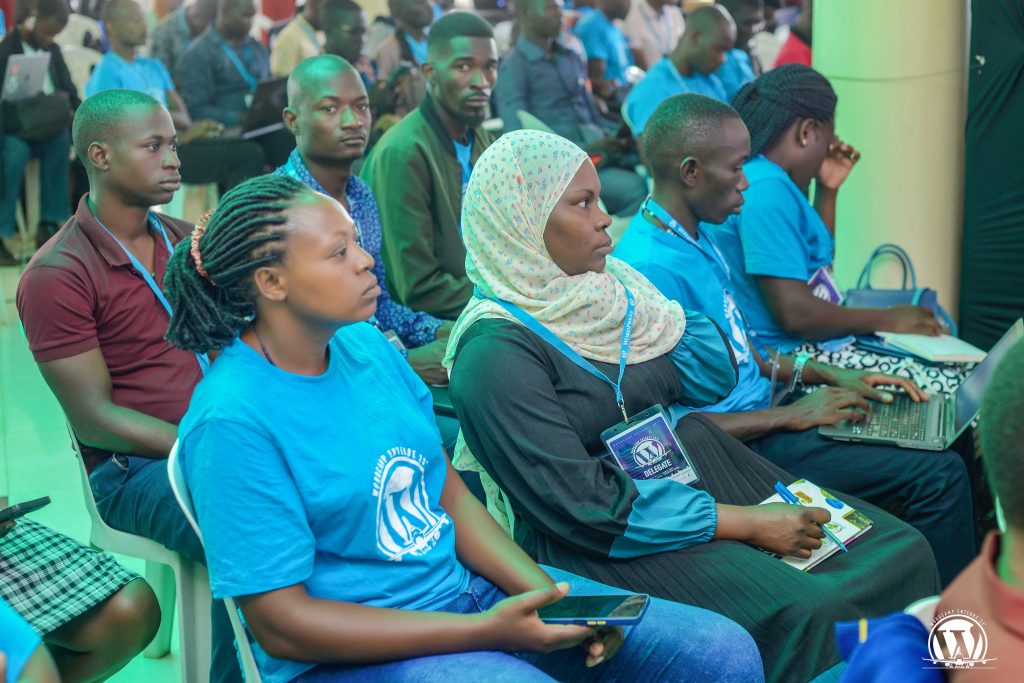


- Sustainable WordPress businesses and client practices
- Long-term community building and leadership development
- Performance, security, and maintainable WordPress solutions
- Inclusive contribution and mentorship in open source
- Content, accessibility, and responsible digital publishing
- AI tools and practices for both individuals and businesses
- An Educational track for Students and Educators
The program is designed to support both new and experienced WordPress users, offering practical insights alongside opportunities for deeper engagement with the WordPress project.
This year includes a lot of Community building activities, programs and strategies to support and grow open source communities.
Strengthening the Local and Regional WordPress Community
WordCamp Mukono has become a key gathering point for WordPress users in Mukono, Uganda, and the wider East African region. The 2026 event continues this trajectory by prioritizing local voices, first-time speakers, and contributors who are actively growing WordPress adoption through education, translation, support, and community leadership.
By hosting the event in Mukono, the organizing team reinforces WordPress’s mission to democratize publishing and ensure that open-source opportunities are accessible beyond major urban centers.
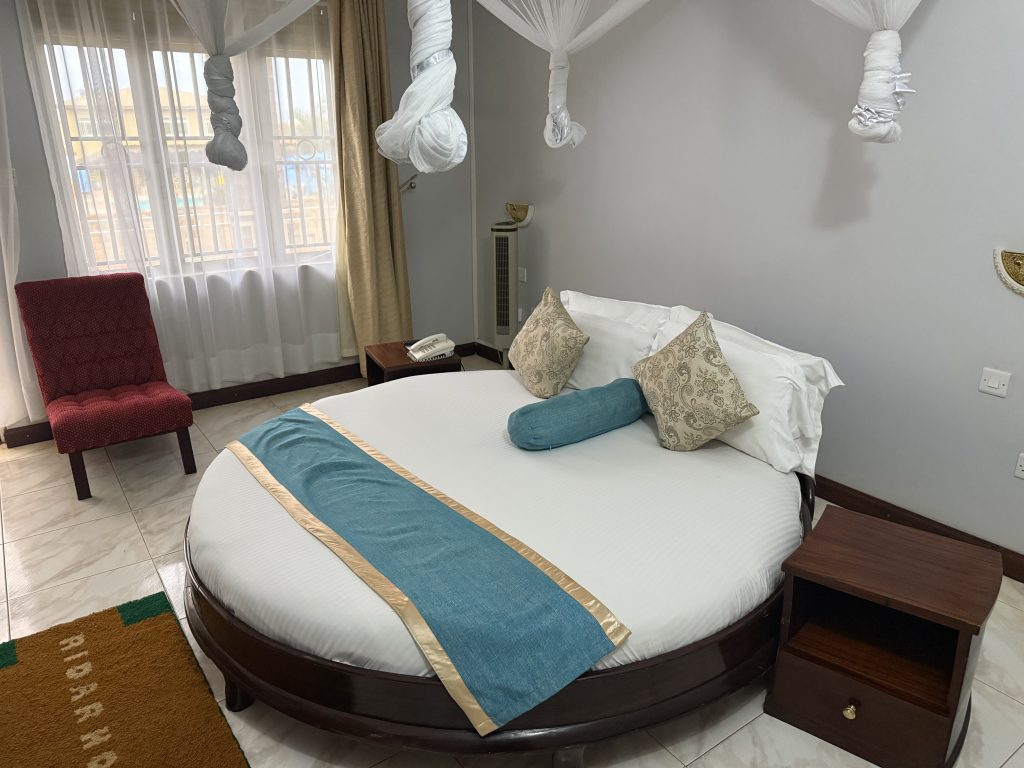
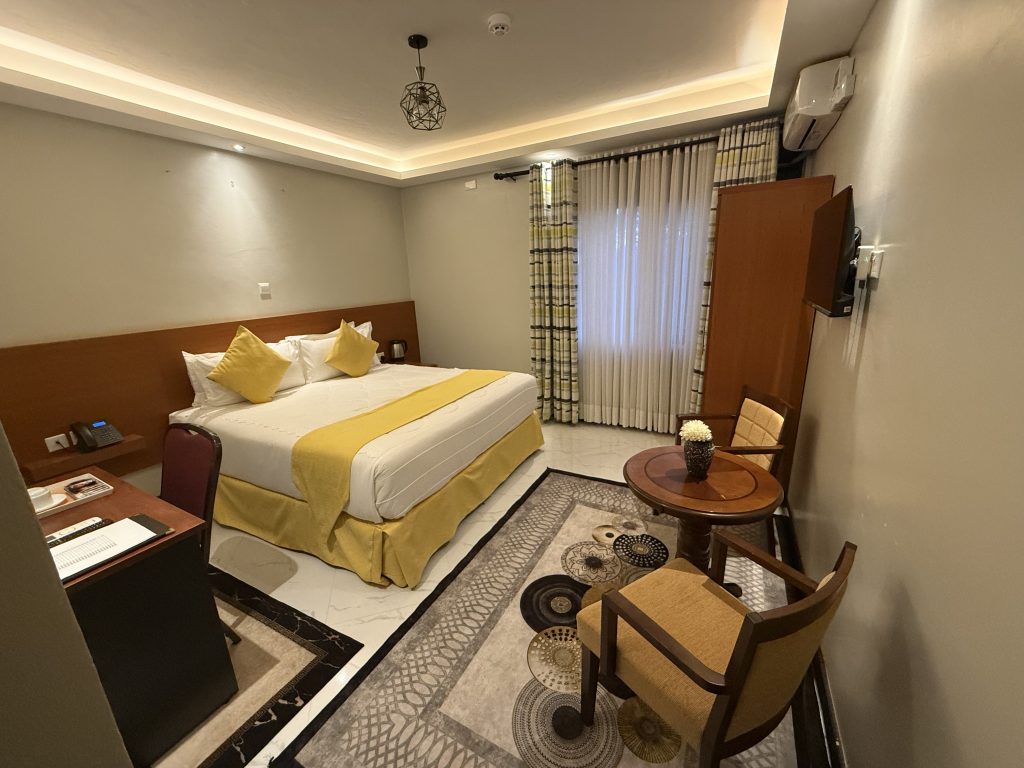
WordCamp Mukono 2026 will be hosted at the spacious and prestigious Murs Country Resort in Kigunga, Seeta, Mukono Municipality. The venue offers a variety of amenities and services that make it a beautiful home for WordCamp Mukono.
Accommodation Options at WordCamp Mukono
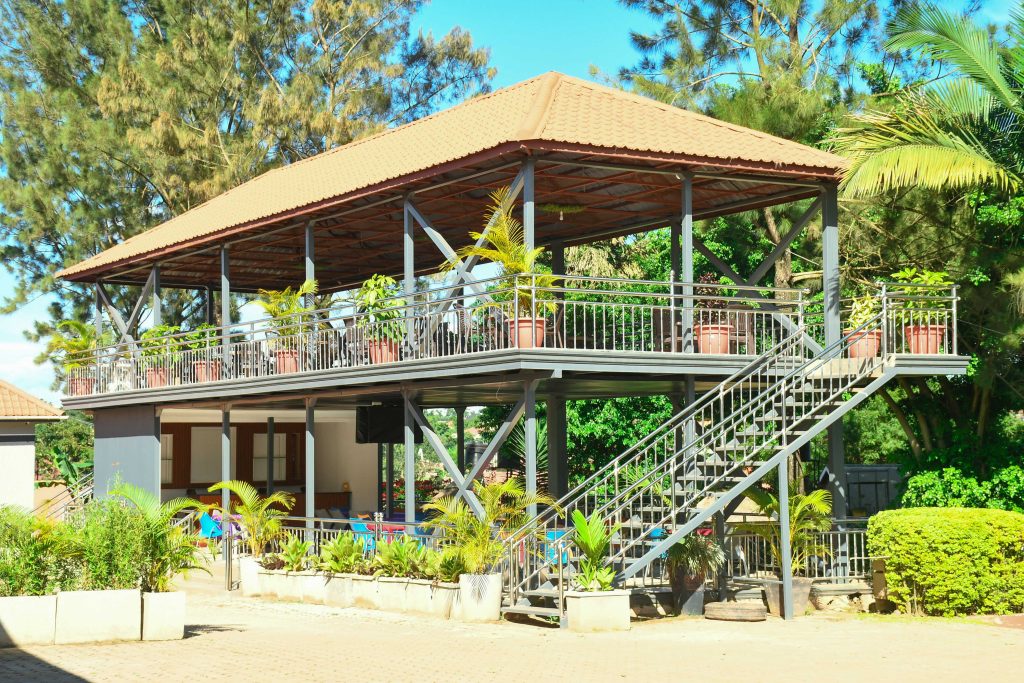
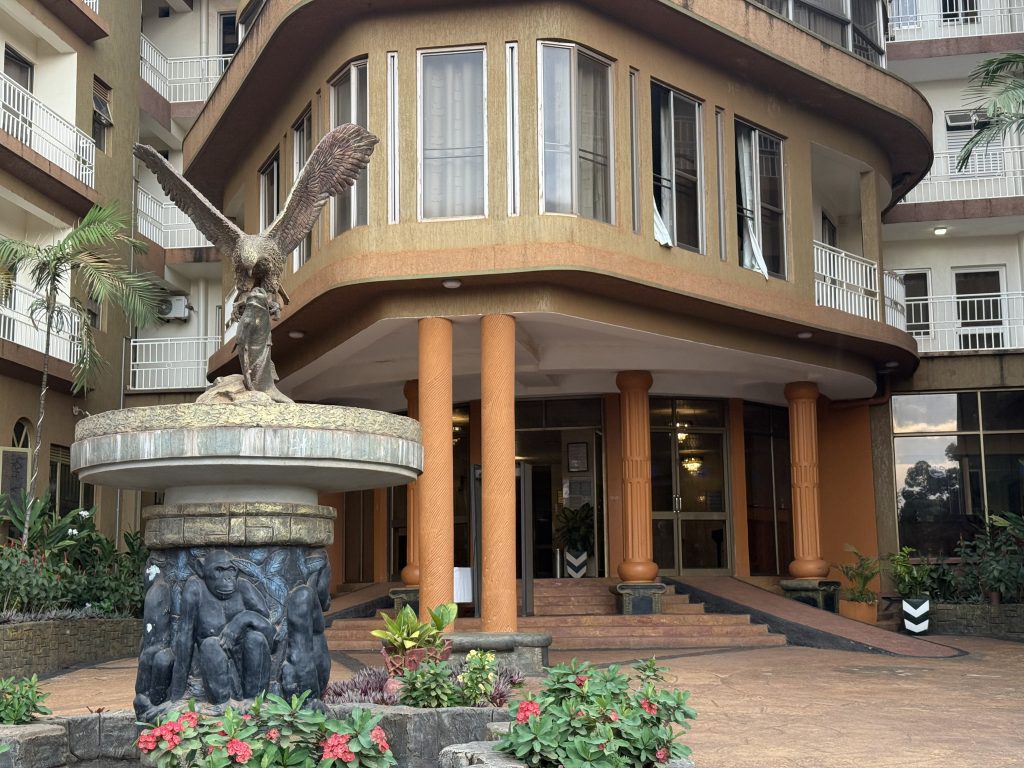
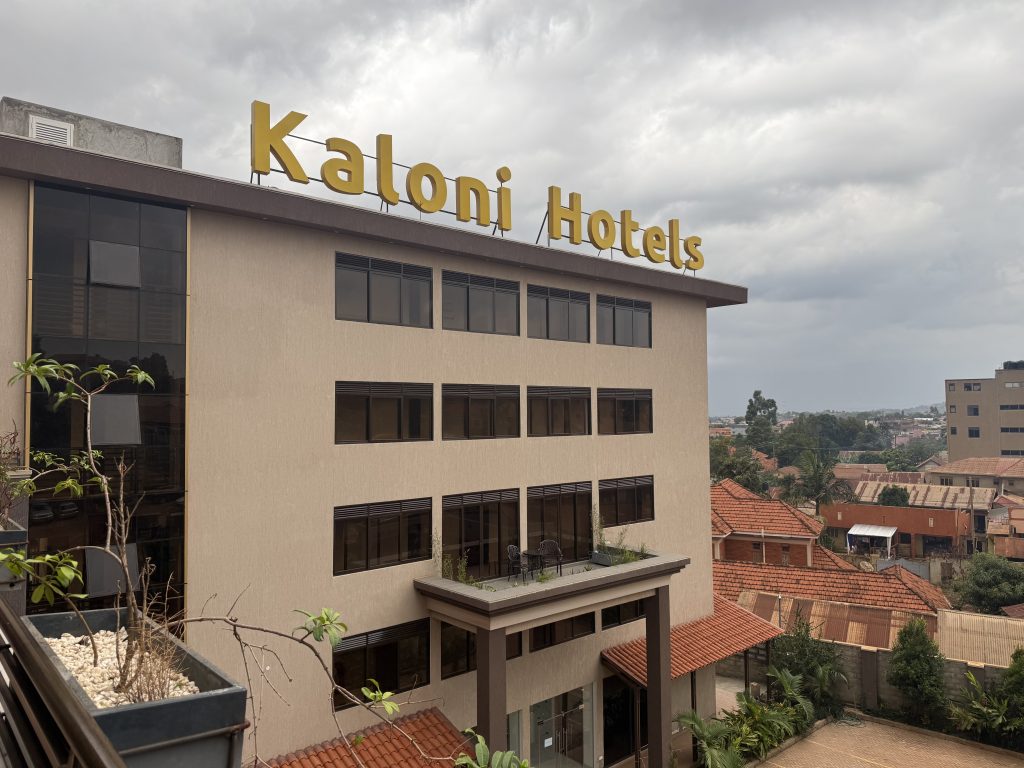
WordCamp Mukono has spoken to several hotels and Accommodation options around the Host venue including the host venue itself and Accommodations have been made available for all attendees.
Details have been shared on the website. Feel free to secure your pick as you see fit.

An Official, Community-Led WordPress Event
WordCamp Mukono 2026 is an official WordPress event, organized by a dedicated team of local volunteers and run as a non-profit. Like all WordCamps, the event is built on the principles of openness, inclusivity, and collaboration.
Over two days, attendees will participate in talks, workshops, and networking opportunities designed to foster meaningful connections and long-term contributions to WordPress.
Get Involved



Calls for speakers are open to any one with a brilliant idea they would want to share, and the sponsor call is also open. An event of this magnitude can only be made possible by the many generous individuals who contribute to open source and community initiatives. The volunteer call is now closed, and the event is already taking shape.
Ticket Sales are now open for this great experience and are the main talk on the streets. Community members from Uganda, the East African region, and beyond are encouraged to take part and contribute to an event focused on building a sustainable future for WordPress. Have no excuse! Book your space now!
Community partners are also allowed to sponsor people to get this great experience by buying a ticket for them. Sponsoring them fully or partially. Contact the Team for details
More details can be found on the official WordCamp Mukono website and on WordCamp.org as they become available. Kindly also check the Blog Section for live updates on the event.
Open Channels FM: Communicating Transparently Around Challenges
Communication isn’t just about communicating around the good things, the shiny things.
Open Channels FM: How AI Is Changing the Way Developers Work
The rise of AI tools is revitalizing programming for developers, making coding enjoyable, but also increasing workload and emphasizing the need for visibility in contributions.
Open Channels FM: An Inside Look at Building Consistent Brand Experience in the Digital Ecosystem
In this episode, Adam Weeks interviews Jessica Malamud, who discusses Elementor’s significant rebranding efforts to better reflect its innovation and community engagement, focusing on elements like design, storytelling, and brand consistency.
Matt: WP & AI Updates
There’s so much fun stuff happening, first the new assistant launched on .com, covered by TechCrunch and in this video.
Also some cool Claude stuff launched.
James has a nice write-up of the other dozen things that are going on, it’s fun to see the AI parts of WordPress moving at AI-speed. We just need to loop back to some of the older screens and give them some love.
#205 – Matt Cromwell on Redefining WordPress Product Growth in a Crowded Ecosystem
Transcript
[00:00:19] Nathan Wrigley: Welcome to the Jukebox podcast from WP Tavern. My name is Nathan Wrigley.
Jukebox is a podcast which is dedicated to all things WordPress. The people, the events, the plugins, the blocks, the themes, and in this case, redefining WordPress product growth in a crowded ecosystem.
If you’d like to subscribe to the podcast, you can do that by searching for WP Tavern in your podcast player of choice, or by going to wptavern.com/feed/podcast, and you can copy that URL into most podcast players.
If you have a topic that you’d like us to feature on the podcast, I’m keen to hear from you and hopefully get you, or your idea, featured on the show. Head to wptavern.com/contact/jukebox, and use the form there.
So on the podcast today we have Matt Cromwell. Matt has been an influential figure in the WordPress ecosystem for many years. He co-founded GiveWP, led its growth, and continued his journey as part of the StellarWP leadership after it was acquired.
Recently, Matt has shifted gears, launching something new. It’s called Roots and Fruit, and is an agency dedicated to helping WordPress product businesses thrive. In recent years, WordPress has gone through a period of flux. There’s been shifting stats about WordPress’s market share, tightening budgets, and increasing competition from both within and outside the.org plugin repo. Despite these changes, Matt remains optimistic about the opportunities for product makers, especially as WordPress evolves alongside emerging technologies like AI.
Matt starts off by sharing his background, his experience with GiveWP, and the unique perspective he gained navigating growth, crisis, and the challenges facing plugin developers. We then talk about how the WordPress product space has matured. Why building a plugin, or theme, and hoping users will simply discover it is no longer enough, and how focusing on the customer journey, branding, and marketing is more crucial than ever.
Matt is now positioning himself as a mentor and guide for solo founders and product teams, helping them prioritize growth efforts, refine their product experience, and avoid the scattered approach that many developers fall into. He brings practical insights from years of hand-on experience, and explains why a successful WordPress product business relies on process, diligence, and wise prioritization, not just code and hope.
If you are building digital products in WordPress, and want to learn how to make them stand out in a crowded, competitive ecosystem, this episode is for you.
If you’re interested in finding out more, you can find all of the links in the show notes by heading to wptavern.com/podcast, where you’ll find all the other episodes as well.
And so without further delay, I bring you Matt Cromwell.
I am joined on the podcast by Matt Cromwell. Hello, Matt.
[00:03:22] Matt Cromwell: Hi. Happy to be here.
[00:03:24] Nathan Wrigley: Matt and I have chatted many times. In fact, we were having a nice chat just before we realised that the time was going to get away from us. So we’ve diverted and pressed record. We were getting into AI, but we’re going to park that because that’s a whole different episode. Well, maybe not. Maybe there’ll be bits of that leaking into this episode.
[00:03:39] Matt Cromwell: It’ll come up.
[00:03:39] Nathan Wrigley: I’m sure it will. But as I say, Matt’s been on the podcast before. He has had a significant sort of reshaping of his career in the recent past. And so we’re going to talk a little bit about what the new direction is, and where he’s going to be focusing his efforts in the near to long term.
But Matt, just before we begin, do you want to tell us a little bit about you and what you’ve been doing in the WordPress space these many years?
[00:04:01] Matt Cromwell: Absolutely. Thanks so much. I’m Matt Cromwell. I am was, it’s hard to figure out how to introduce myself anymore. I was co-founder of GiveWP and sold that product in 2021 to Liquid Web and stayed on and came on the leadership team of what became StellarWP, and took all the things I learned from Give and got to apply them across lots of products, in an excellent learning journey.
Recently exited back this last fall, 2025, and went on a journey of discovering in what I want to do, and found that I could not prime myself away from the keyboard enough and decided that now’s the time I get to invest my time and efforts and energy in the WordPress product ecosystem like I always have. So I built a new agency called Roots & Fruit, which I have basically said is your fractional chief growth officer agency. I just launched a couple weeks ago and it’s going well. So that’s what I’m doing. That’s how I say it.
[00:05:02] Nathan Wrigley: Yeah, I love the domain, by the way. The minute I saw that, I think I got where you were going without even having read a word. Roots & Fruit sort of says it all, doesn’t it? It’s the growth to the actual harvesting at the end. And so we will get into that.
Can I just ask you though, we’ll begin this way because we’ve had several years now of flux in the WordPress ecosystem. You have charted the growth of many products in the WordPress space. You’ve been involved in them personally, and you’ve seen the journeys of other founders and what have you.
Do you have the same level of optimism that the Matt Cromwell, let’s say from the year 2020, when everything was going gangbusters, that 35% went to 38%, went to 40%, and on it went. Do you have the same level of optimism? Do you think there still is fruit to be harvested in the WordPress space in 2026?
[00:05:59] Matt Cromwell: Absolutely I do. There’s a lot of caveats in there, I have to say. Being at GiveWP, we had a unique perspective when it came to things like a pandemic. It was like an internal thing where we were afraid of becoming ambulance chasers, okay? Because, especially in the US, when a crisis would come, suddenly our sales would go through the roof. And it’s because when bad things happen, people need to do fundraising. And the worst thing we wanted to do was start capitalising on trauma or things like that.
And so when COVID came along, we were like, woah, this is going to be significant. And it was. It was a very significant thing. But we had been through the motions, so we knew that it was going to have a downside on the tail end of it, sales-wise. And I think a lot of folks understood that conceptually as well. But we had experienced it a lot.
But what a lot of folks found out on the tail side of COVID was that the downside was worse than it was pre COVID. A lot of folks felt that, even GiveWP to some extent and several of the Stellar products were like, oh, we’ve leveled out, we’ve come down off of the COVID high, and actually it feels a little bit worse than it was before. Budgets got tight in terms of businesses and agencies, nonprofits, things like that. There’s lots of circumstances to those things. But over the last year or so, a lot of product companies have started to see things start to slowly climb again.
But in the WordPress space, I think it’s important that everybody also look at our ecosystem in the bigger ecosystem of just the web. On the web there are small to medium to large companies launching all the time with huge amounts of success. Just a couple years ago, nobody knew what Lovable was. Now it’s a billion dollar company. Things like that do happen and they happen regularly. That to me means there is still lots of appetite for the kinds of solutions that we are trying to bring to the world through the web. And we can be part of that solution.
Now, the conversation you and I had a little bit before was more about like, what about WordPress and the threat or the opportunity of AI? I do think the way in which WordPress Core has been tackling AI and trying to bring tooling into WordPress Core is making sure that WordPress itself as a platform has not only a future, but it has a lucrative future. I think the way that they’re going about it is really smart and really intelligent, and it is going to actually build the platform in a way that makes AI understand how to build with WordPress better than anything else out there.
WordPress is the most, one of the most documented, open source projects in the world, and it’s been open source this whole time, and AI loves that kind of stuff. So it just has been able to scrape the WordPress database, the WordPress code, all the WordPress documentation over years and years and years. AI now knows WordPress really, really, really well. So I think there’s lots of opportunity.
[00:09:07] Nathan Wrigley: Yeah, no, it’s really great because you covered a lot of ground there. I should say, dear listener, at this point, maybe go and have a look at Matt’s domain. I mentioned it, but I’ll just read it into the record. So it’s Roots with an S. Roots and fruit singular, .com, rootsandfruit.com. So go and check that out. Maybe pause the podcast if you’re at a screen and.
[00:09:28] Matt Cromwell: Singular and plural.
[00:09:29] Nathan Wrigley: Both. Yeah, you’ve managed to get all the goodness in there. Go and pause the podcast and have a little poke around and you’ll get some intuition as to what Matt is doing over there.
I’m going to sort of sidestep a little bit though, because I want to frame this question slightly differently, and that is to, I’ll frame it like this. I, as a consumer of WordPress things, I’ve spent the last 15 or so years pottering around, having a problem, then going to Google and discovering that there’s typically a WordPress plugin or theme or what have you, for that. And then I go to their website and perhaps there’s two or three websites that I might be juggling and thinking which one is superior for the needs that I have. And then I purchase something, you know, I go and I buy a premium version of something or maybe download the free version to give it a test.
But the point is, I have this really abstracted concept of what it is. I’m buying a commodity. So I buy the finished thing and it comes as a zip file, and I typically don’t interact with a human being. And that’s the interesting bit that I want to get into to begin with, is the human behind all of this, which was you for many years.
And so can we just explore that a little bit? What is the stuff that somebody like you, when you were with GiveWP, but maybe now the clients that you are going to be servicing, what is their day involved with? What do these people do? What are the anxieties they have? What is the stuff that makes up a plugin or theme developer’s life and business?
[00:10:55] Matt Cromwell: Generally speaking, product folks are nerds, love to be behind the screen. And they like this kind of industry, specifically because they don’t have to be the person dealing with the customer as much. That distance that goes between the screen basically, is something that gives them a sense of safety, where they get to focus on the work that they love and they enjoy, without having to deal with the noise of the people.
The exception to that are all the folks that are highly motivated to help with technical support. And I love those people. Those are my people. My focus as a founder was more on the customer support and marketing side of things, so I enjoyed being more of the face of things for our brands over the years.
But the allure there is both being able to have that separation from the noise of the public, but also having a little bit of the security of what might be called mildly passive income. And that’s the big difference between folks who are running an agency and folks who love to run product. Agencies are service oriented folks. They have to be with the customer and the client all the time. You are paying for hours. You’re being paid for the time that you put in, in many ways. With agency service work, there’s ways to get away from just purely time-based charging, but by and large.
In the product space, you’re not being paid for the time you put in. You’re being paid for the product, and for the outcomes that the customer experiences. And that’s what you bought Nathan, when you went and bought a utility or a tool or whatnot. You weren’t looking to hire a person, you were looking for a specific outcome on your website, and you felt that that one product could provide you that outcome. And once you had that outcome, you’re happy.
And that’s exactly why product shops are, in my mind, have to be customer oriented first because all of the success, all of the success of the product, of the marketing, of the business, all starts with whether or not the customer is happy.
[00:13:05] Nathan Wrigley: Yeah. We have this expression in the English language which is, a rising tide carries all boats. And essentially what it means is, when there’s this sort of groundswell of growth, everything touching it grows. And I think we had that in all sorts of ways recently, over the last decade or so.
The mobile phone app ecosystem, that just was taking off and all the developers over there were doing incredibly well. Same with the WordPress space. Just year on year growth. And so there was this notion, which you reference on your website quite a lot, of build it and they will come. And that phrase essentially is, okay, I am one of those people. You said, nerds.
I’m going to build a product, and I have a complete expectation that I am part of that rising tide. I’m one of the boats. I’ll build this thing, I’ll mention it a few times on social media, and this thing that I’ve spent hours and hours doing will take off and I will be able to have some kind of passive income from it.
Now, I don’t know when you started saying that those days were gone, but you are definitely saying those days are gone. Why are those days gone? What happened? What changed to make it so that the rising tide carries all boats analogy, possibly no longer fits?
[00:14:17] Matt Cromwell: It depends on the context. I mean, it fits in several different ways. But when it comes to product in the WordPress space nowadays, we used to depend so much on the wordpress.org plugin, or theme, directory as a primary outlet for discoverability. I want people to find that I exist and that I am a solution for their problems, and this is where you find me.
The plugin directory in particular, when we launched GiveWP, I think there were 30,000 plugins at the time, or approaching 30,000. And now there’s over 60, and they are growing every day more or less. They grow and they shrink. They get rid of plugins too, actually. But that does increase the amount of surface area where you have to break through in order to be found. If you try to be an AI alt text generator right now, good luck. There are three dozen of those that got shipped yesterday. It’s crazy.
But even more so than just the noise and the volume on the plugin directory, it’s also that the consumers that are building their websites, they are not thinking about WordPress as much anymore. They’re building with WordPress, but they kind of don’t care that it’s WordPress. They’re just building a website. They have specific outcomes and they know that there are lots of products out there that can serve their needs, and they don’t care if it’s a SaaS, or a platform, or a plugin, or a theme. They don’t care. They’re just going to look for that outcome and they’re going to plug it into their website in one form or another, if that solution is pluggable.
And that space, the SaaS space in particular, has gotten a lot more crowded and a lot more competitive for being applied directly to the WordPress customer. So we’re not just competing WordPress to WordPress, we’re competing WordPress to the rest of the whole world.
[00:16:18] Nathan Wrigley: Yeah, that’s interesting. So my analogy, when I said a rising tide carries all boats, what I’m imagining 10 years ago is that there was a really nice looking harbor with a few little boats. And the tide came up and these little boats just bobbed along and they all rose up. Whereas now it feels like the harbor is just chockablock. There’s boats cheek by jowl with other boats. They’re slamming into each other. And instead of it being a gentle rise, it’s stormy, clouds. The sea is choppy all over the place, and everything is sort of bumping into each other.
In other words, it’s saturated. If you are going to be doing the alt text plugin for AI, well, there were six that came out this morning. There’s going to be nine more by the time we close the doors this evening. Whatever it is that you are doing in the WordPress space, chances are somebody’s already done it. They may already have an existing audience. They may already have paid subscribers.
So this all sounds very bleak. It sounds like we’ve got no way out of this. But your endeavor, what you want to turn your attention to in the years to come, is to persuade people that’s not the case. So what is the rainbow? What is the shining light on the horizon? How would a plugin developer, a theme developer, somebody in the WordPress space, how do they cut through all of this and get noticed?
[00:17:28] Matt Cromwell: Yeah. A lot of things have changed over the years, but I would say the majority of things, when it comes to digital products, have not changed. And that’s really the brass tacks of what it takes to be a winning product on the web in general. SaaS companies have known this for a really long time because they didn’t have the obvious distribution channel of wordpress.org that we have.
So they knew if they were going to ship a product, they’re going to have to market it a ton. In the SaaS space, there’s very, very, very few just handy developers who are like, hey, I just built this cool thing, I’ll just put it out there. And then all of a sudden it just goes off like crazy. It doesn’t work that way, and they know it. And so they partner up with marketers.
And in the WordPress space, for way too long, we got lazy because we had the .org distribution channel. And we assumed that we could build it and people would come. And that’s not like one hundred percent wrong. The directory is still a good tool, and it’s still helpful, and I love the freemium model for products in general. But the thing that WordPress product folks in particular have to learn is to learn how to be a product business, not a code business.
And that’s even more significant now that everyone is learning that code was never the product, because now nobody is building with code anymore. The humans do not build the code anymore. The machines build the code. And you’ll find lots of marketers or CX folks who are building their own apps now as well because they’re savvy enough to use the tools to be able to generate the code that they need and that they want.
[00:19:11] Nathan Wrigley: Can I just pause for a second there Matt, is that all right? Just because there’s a couple of things that you said, and clearly for you it’s common knowledge. You know, you’ve been in and out of this all the whole time. You painted a strong definition there between a product and code. What’s the boundary between those two things? I mean, I think I can encapsulate, I just want to be clear that the audience know. What’s the difference between product and code businesses, if you know what I mean?
[00:19:33] Matt Cromwell: Let’s go back to when you said, I’m building my website and I have a problem that needs to be solved, and I see this plugin and it solves my problem. And I installed it, or I bought it and I installed it and it worked. That process that you went through, all of those things that you said, you never once said, I inspected the code to figure out if it was good enough or not. You never once said that. All of the things that convinced you to use that product had nothing to do with the code at all.
You went to the website and there was marketing involved that told you that we know what your problem is, and we know how to solve it. And there was a checkout experience that was calm and soothing enough and giving you enough confidence that they’re not just stealing your money. Then you installed the product and there was a user experience involved that made you feel like it’s actually going to solve your problem, and then it did actually solve your problem. All of those things cannot happen without code, but that is what a product does. And that’s a product experience, is the whole entire customer journey that happens from discovery, to purchase, to adoption is what a product is actually made of.
[00:20:43] Nathan Wrigley: So I’m going to infer from that then that from the year 2026 and onwards, what you are saying is that the focus now needs to be on the product. More than ever, the product and the way that you market the product and the way that you pitch the product, and all of the things that wrap around the sales process and the discovery process of the product. That’s where a significant amount of the effort needs to go once the code is in place. Have I parsed that correctly?
[00:21:11] Matt Cromwell: Yeah, I might even go at it from the perspective of the customer because you only understand the product when you look at that whole thing through the lens of the customer. If you think about everything from, oh, I can build that, I just need to pipe these APIs and do this kind of thing, and then you get the outcome, it’s like, well that’s not really what the customer’s ever going to experience.
They’re going to experience a website first. They’re going to try to have trust first. Look at the whole thing through the customer lens and then you’ll start to understand your product. I mean, you’ll understand your brand in the first place. A lot of WordPress folks don’t think about brand particularly well either. They just name it like Advanced Custom Fields. Now, I love that product. It’s a great, but it’s one of those things where like, let’s just name it what it is. Okay, I guess.
[00:22:04] Nathan Wrigley: So this is really interesting. So presumably then, if product is the way forward, it feels like you have now kind of invented a new career angle for yourself where you are going to hopefully kind of helicopter yourself in, or be helicoptered in, to businesses who maybe have got this product bit missing. You know, there are bits of that they, I don’t know, maybe they feel that they’re weak on that, or that past endeavors haven’t really worked out. Or maybe they’re at the first step of that journey and they just want to try and figure out what direction they should point themselves in to have some success.
So that’s kind of interesting. That’s the role that you are going to be taking on in the future. And I can see you nodding. Dear listener, he’s nodding away, so that’s good. But, do you have like a one size fits all template here, or is the endeavor very much to be, okay, I’m going to go in, have a long listen, figure out how you differ from the other people that are on my roster? There’s not really a question in there, but I’m kind of asking you how you are going to position yourself for the different clients that you’re no doubt going to be taking on.
[00:23:06] Matt Cromwell: Yeah, yeah, Well, one thing I’ll caveat a little bit is I’m trying to position myself towards two related audiences. The primary one, for the fractional CGO, is the teams. Product shops that are a team of people. A small team, medium sized team. They’ve built something, it’s successful, they are paying employees, but they’re looking for that next level up, in order to start growing into what they hope to be, more sustainable growth in the long term.
The other one is what I call the solo lab, where I am trying to position more towards solo individual founders who are by themselves and maybe just got their product out the door and are trying to grow from the ground up. That’s more of like a coaching environment and it’s a group environment and things like that. But both of them are, it’s not that there’s a, I don’t believe really in playbooks. I don’t believe in silver bullets. I believe in process and diligence.
And that’s what I am trying to bring in both of those circumstances is I help the solo folks understand the type of activities that they have to force themselves to do. The solo folks typically are very dev oriented. They know how to build more things. And if you ask them to write a blog post, they’re like, okay, I’ll do that tomorrow and tomorrow never comes. You know, helping them to focus on the work that they have to do to grow their product.
While the teams, it’s more generally about, they have founders who have done all the things. They have been the dev, they have been the HR lead, they have been the marketer, they have been the support guru. They’ve done all of it, and they’re just tired. And they need the growth but there’s just a missing gap. They need somebody to kind of put on the hat of, you are going to be responsible for finding growth in this team, so that that founder can focus more on other parts, the things that energise them more.
[00:24:59] Nathan Wrigley: I’m curious as to whether or not, when you were doing the busy work of being at GiveWP and then StellarWP, whether you drew the intuitions that you are now going to be helping people with. Whether you were aware of this in your head, or it was just the busy work that you were doing. You know, day in, day out, you do this task and over the decade or more that you were doing it, you just kind of perfected it. And, okay, when this thing arises, I do this thing. And when this thing arises, I do this thing.
Now I expect you’re in that curious position where you are having to lift yourself away from the whole process, stare back at it, and sort of examine how you would do it with a third party. Again, there’s no real question there, but I’m curious as to how different that is for you being the outsider, but relying on the insider knowledge that you must have acquired over time.
[00:25:49] Matt Cromwell: Yeah. I think that’s one of the reasons why I felt a certain amount of confidence in moving in this direction is because I’m helping people that are in the position I was in years ago. I’ve been there and I have done that, and I have absolutely failed. And I don’t have a perfect record or a perfect playbook, but I know what it’s like, and I have done the hard work to see successes.
I think what also makes my experience a little bit unique is that I had the experience of GiveWP and I honestly, going into being acquired and working at Liquid Web, I had that whole feeling of like, what if I’m a one hit wonder? What if I like did a great job with Give, but I try to apply this anywhere else and it just is like, well you got lucky with Give, that doesn’t work anywhere else? And it turns out that most of the things that I learned can be applied to other products with success as well. It does give me a fair amount of confidence that I do believe I can be helpful with these other shops.
[00:26:50] Nathan Wrigley: You’re not sort of saying there’s a formula, you know, that kind of snake oil mentality. But there are wise things to do and less wise things to do. Let’s just put it that way. And by repeating the wise things over and over again, you give yourself kind of a fighting.
[00:27:05] Matt Cromwell: Yeah, and there’s a process and there’s also the ability to form smart priorities. That’s, I think, a lot of what I’m trying to help provide is being able to help founders learn how to say no to a lot of things. Because sometimes, especially when it comes to anything that’s growth oriented or marketing oriented, we see a million opportunities. And so then we start dabbling in all the things because we don’t know what else to do.
We’re like, oh, there’s like, I can go and jump into Reddit and find a whole bunch of leads, or I can like spend a bunch of time on LinkedIn, or I could write a whole bunch of really good emails, or I can maybe do a paid ad campaign. And then we start doing just like a million small things. But that doesn’t lead to growth, you know? So the ability to prioritise around growing rather than noise and activity.
[00:27:57] Nathan Wrigley: I think it’s just really nice to be able to put down the scatter gun. You know, that thing that you’re firing tiny pellets in a million different directions. But you put the scatter gun down because somebody says, put the gun down because that’s not effective, and here’s why it’s not effective, and here’s some things that you could do to try which might be more effective.
There’s just something nice in listening to the words of wisdom coming out of somebody else’s mouth who’s obviously been there, done that. It’s kind of hard to put that into words, but just knowing that somebody’s got your back, and that somebody’s been through that before. And the million, gazillion little things that you are trying without a great deal of success are things that you can put away and listen to your advice.
I feel that you’ve hit a real vein of, well, let’s go fruit. You’ve got that in the title of your business. And the reason I say that, and I’ve said this in this podcast a few times before, it really does feel like there are an awful lot of people who have done the code side of things in our ecosystem. They are, as you’ve described, you know, you used the word nerd or something like that. They have built this thing with very little thought for the business side of it because WordPress, for many people, has been like this sort of hobby thing, this passive income thing, this side gig kind of thing. But they don’t know how to do it. And I get email, no doubt you get email, and certainly will be getting email, about this kind of thing. And so I feel that there is a real undercurrent of people who hopefully will tap into your service. Let’s hope so anyway.
[00:29:29] Matt Cromwell: Yeah, let’s hope so. So far, so good. I’ve already secured a couple folks.
[00:29:33] Nathan Wrigley: In which case, we’re sort of around the half an hour mark, which is exactly perfect. So I will just point the people to the domain once more. It is rootsandfruit.com. Go check that out. Where would we find you, apart from the contact us form, which no doubt exists on that website? Where might we find you elsewhere online, Matt?
[00:29:52] Matt Cromwell: I have been on LinkedIn a lot. So look for Matt Cromwell on LinkedIn. You can also look for Roots & Fruit on LinkedIn. That’s kind of where I prefer, but I’m also on the nefarious x.com as learnwithmattc.
[00:30:06] Nathan Wrigley: Well, good luck with the new adventure, Matt. I really hope it works out well and, yeah, speak to you soon.
[00:30:12] Matt Cromwell: Thanks.
On the podcast today we have Matt Cromwell.
Matt has been an influential figure in the WordPress ecosystem for many years. He co-founded GiveWP, led its growth, and continued his journey as part of the StellarWP leadership after it was acquired. Recently, Matt has shifted gears, launching something new. It’s called Roots and Fruit, and is an agency dedicated to helping WordPress product businesses thrive.
In recent years, WordPress has gone through a period of flux. There’s been shifting stats about WordPress’ market share, tightening budgets, and increasing competition from both within and outside the .org plugin repo. Despite these changes, Matt remains optimistic about the opportunities for product makers, especially as WordPress evolves alongside emerging technologies like AI.
Matt starts off by sharing his background, his experience with GiveWP, and the unique perspective he gained navigating growth, crisis, and the challenges facing plugin developers. We then talk about how the WordPress product space has matured, why building a plugin or theme and hoping users will simply discover it is no longer enough, and how focusing on the customer journey, branding, and marketing is more crucial than ever.
Matt is now positioning himself as a mentor and guide for solo founders and product teams, helping them prioritise growth efforts, refine their product experience, and avoid the scattered approach that many developers fall into. He brings practical insights from years of hands-on experience, and explains why a successful WordPress product business relies on process, diligence, and wise prioritisation, not just code and hope.
If you’re building digital products in WordPress and want to learn how to make them stand out in a crowded, competitive ecosystem, this episode is for you.
Useful links
How to Add a Markdown Version of Your WordPress Site (The Easy Way)
If you want your website to show up in AI search results, then you need to make sure that tools like ChatGPT and Claude can easily read your content.
AI crawlers and agents prefer Markdown over HTML because it uses fewer tokens (units of text used to process information) and is much easier for them to analyze.
If your site isn’t optimized for this, then you might be missing out on valuable traffic from AI citations. The good news is that you don’t need to learn code or rely on complex enterprise setups to fix it.
In this guide, I will show you how to add a Markdown version of your WordPress site using the exact method we use here at WPBeginner.
Quick Summary
Adding Markdown support for your website helps AI tools like ChatGPT and Claude better understand and cite your content. With AIOSEO, you can automatically generate these clean Markdown versions for your posts just by enabling a single setting.
The plugin handles everything in the background when AI systems request your content via .md URLs. This makes sure you get maximum visibility in AI search results without needing to learn code or change how you write.
This is what I will cover in this tutorial:
Why Convert WordPress Content to Markdown?
Converting your WordPress content to Markdown helps AI systems like ChatGPT, Claude, and Perplexity better understand and share your articles. When these AI tools can easily read your content, they’re more likely to reference and cite your work in their responses.
While your visitors still see your beautifully designed site, AI systems get a clean, streamlined version of your content without any unnecessary code bloat.
This efficiency matters because AI systems have limits on how much information they can process at once. By providing a Markdown version, you make it easier for them to analyze and understand your entire article.
Here are the key benefits of creating a Markdown version of your WordPress website:
| Benefit | Why It Matters |
|---|---|
| Improve AI Visibility | Markdown’s clean structure makes it easier for AI to parse, understand, and cite your content. |
| Reduce Token Usage | Markdown uses 80% fewer tokens than HTML, allowing AI to process more of your content without hitting limits. |
| Future-Proof Your Site | Optimizes your site for AI agents, which are becoming a primary way people find answers. |
| Stay Competitive | Aligns your site with modern standards supported by major tech companies like Cloudflare. |
| No Extra Work | The conversion happens automatically, so you don’t need to change how you write or publish posts. |
The timing couldn’t be better for this change. Matt Mullenweg, co-founder of WordPress, recently shared his thoughts on the WordPress.org blog, saying:
We should immediately make every URI available with a vary/markdown equivalent. Not just documentation, including our forums, directories, bug trackers, etc.
Matt Mullenweg
Cloudflare has also launched Markdown for Agents, a feature that converts HTML to Markdown on-the-fly during AI requests. This highlights how important Markdown has become for making sure your content gets discovered and cited by AI systems.
By adding Markdown now, you’re positioning your site to benefit from this shift in how people find and consume online content.
How to Set Up and Configure AIOSEO for Markdown Conversion
AIOSEO is the best WordPress SEO plugin for optimizing your website for SEO and AI visibility. It lets you automate on-page optimization, sitemaps, and AI-ready Markdown content without writing any code.
Once configured, AIOSEO will dynamically generate a Markdown version whenever an AI system requests it by adding .md to your post URL.
This means your content is always available in both formats: the regular HTML version for human visitors and a clean Markdown version for AI systems.
Plus, everything happens automatically in the background. You don’t need to manually convert anything or change how you write content.
Expert Tip: We use AIOSEO on WPBeginner to manage our SEO. To read more about our experience, see our complete All in One SEO review.
Step 1: Install and Activate AIOSEO
First, you’ll need to install and activate the AIOSEO plugin on your WordPress site. If you’re new to installing plugins, then you can follow our step-by-step guide to install a WordPress plugin.
It’s important to note that you will need at a paid AIOSEO plan to access the Markdown conversion features. While the free version includes basic llms.txt support to help bots find your site, it does not include the advanced llms-full.txt or the automatic Markdown generation capability.
Once you’ve installed and activated AIOSEO, you’re ready to configure the Markdown settings.
Step 2: Enable and Configure Markdown Conversion Within AIOSEO
After activating AIOSEO, you’ll need to enable the Markdown conversion feature.
First, log in to your WordPress dashboard and navigate to All in One SEO » Sitemaps.
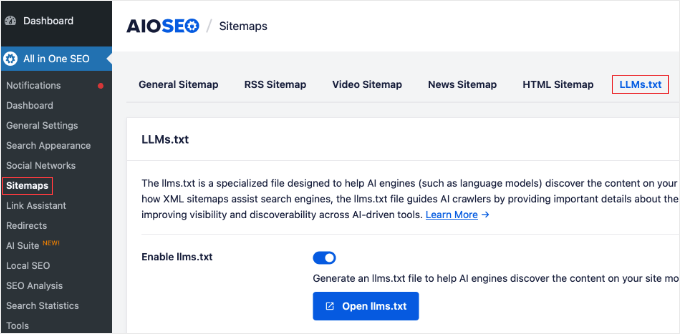
Once you’re on the Sitemaps page, click the ‘LLMs.txt’ tab at the top. This is where AIOSEO keeps all the settings related to AI systems and Markdown conversion.
You’ll see three toggle switches that need to be enabled. Turn on the toggles for ‘Enable llms.txt’, ‘Enable llms-full.txt’, and ‘Convert Posts to Markdown’.
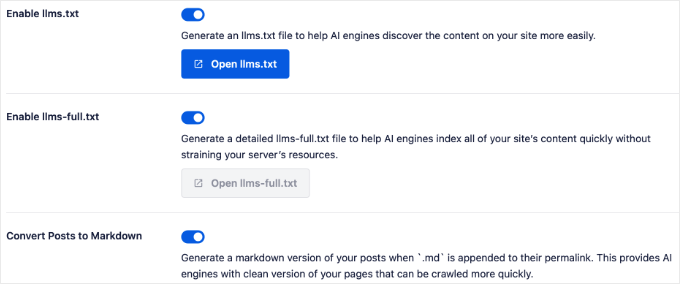
The llms.txt files help AI bots map your content, while the ‘Convert Posts to Markdown’ toggle activates the dynamic conversion feature.
Finally, click the ‘Save Changes’ button at the top or bottom of the page to store your settings. Since AIOSEO creates these files virtually, you don’t need to wait for any files to generate.
In the next section, I’ll show you exactly how to verify that your Markdown conversion is working correctly.
How to Verify Markdown Generation
After setting up AIOSEO’s Markdown conversion, you’ll want to make sure everything is working correctly. Verification is simple and only takes a minute.
The easiest way to verify that Markdown generation is working is to visit any published post or page on the front end of your website. Simply open one of your articles or pages like you normally would.
Once you’re viewing the post, look at the URL in your browser’s address bar. Now, click at the end of the URL and type .md after it.
For example, if you’re viewing a post at:
https://yoursite.com/my-latest-article/
then you would change it to:
https://yoursite.com/my-latest-article.md
Then press ‘Enter’ to load the page.
If everything is configured correctly, then you should see a plain-text version of your content in Markdown format instead of your normal styled webpage. The Markdown version will look quite different from your regular post.
Expert Tip: Don’t worry if the Markdown version looks ‘broken’ compared to your website. It is supposed to look like plain text. AI systems prefer this clean format because it does not have the heavy design code that human visitors see.
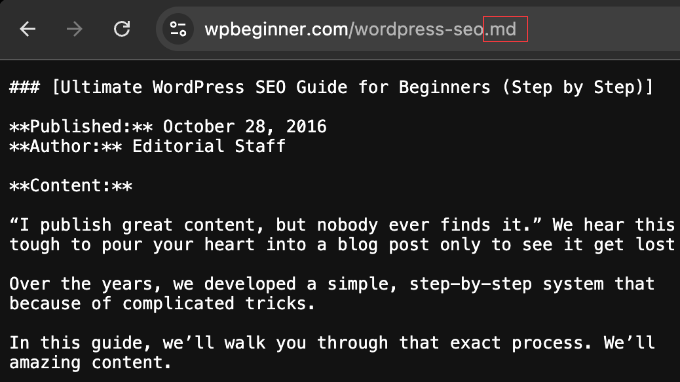
You’ll see plain text with simple formatting markers like # for headings, ** for bold text, and - for bullet points. This is exactly what AI systems see when they request the Markdown version of your content.
Note: Depending on your browser settings, the .md file might automatically download to your computer instead of opening in a new tab. If this happens, you can simply open the downloaded file with any text editor (like Notepad or TextEdit) to verify it looks correct.
I recommend testing a few different posts to make sure the conversion is working consistently across your site. Try testing a regular blog post, a page, and maybe a post with images or formatting to see how AIOSEO handles different content types.
If you see your Markdown content displaying, then congratulations! Your setup is complete and working properly.
Troubleshooting Steps
If you see a 404 error or your regular webpage layout, then you likely need to flush your permalinks. This is a common requirement when adding new URL structures in WordPress.
Simply go to Settings » Permalinks and click the ‘Save Changes’ button without changing anything else. This forces WordPress to recognize the new .md URLs.
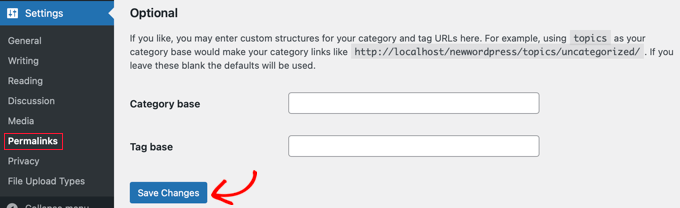
If the Markdown URLs still don’t work, then double-check that you enabled the ‘Convert Posts to Markdown’ toggle and clicked ‘Save Changes’. If the setting is correct, then the issue is almost certainly caching.
Make sure to clear your WordPress cache and your browser cache. This makes sure you aren’t viewing an old version of the page stored by your hosting provider.
Cloudflare’s Markdown for Agents
While AIOSEO provides an excellent built-in solution for Markdown conversion, it is worth mentioning another option: Cloudflare’s Markdown for Agents feature.
Expert Tip: We use Cloudflare on WPBeginner for security and to speed up our website. To learn more about how we use it, see why we switched from Sucuri to Cloudflare.
Cloudflare recently announced this feature as part of its service. Like AIOSEO, Cloudflare also converts your HTML to Markdown on-the-fly whenever an AI system requests it.
However, Cloudflare handles this conversion externally, before traffic even reaches your WordPress dashboard. If you’re already using Cloudflare’s CDN services for your WordPress site, then you might have access to this feature depending on your plan.
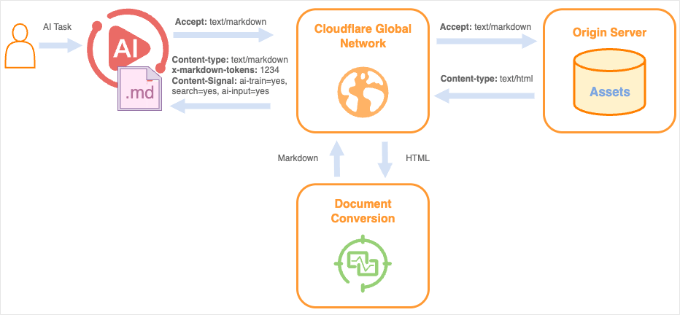
Here at WPBeginner, we actually use both approaches to get the best of both worlds.
We use Cloudflare’s Enterprise plan for our website firewall and CDN to speed up our global delivery. However, we rely on All in One SEO (AIOSEO) for the actual Markdown conversion.
We chose AIOSEO for this task because it gives us complete control of our content regardless of our hosting setup. This makes sure that our articles look exactly how we want them to when AI bots crawl them, without relying on external server-side changes.
For most users, I recommend sticking with AIOSEO’s built-in Markdown conversion. It is easier to set up, works on any hosting plan, and keeps your content settings right inside your WordPress dashboard.
Bonus: How to Optimize Your Content for AI Discovery
Now that you’ve set up Markdown conversion, you’re already ahead of most websites. However, there are a few additional tips you can follow to make your content even more discoverable by AI systems.
First, focus on creating a clear structure using proper H2 and H3 headings. AI systems rely on these headings to understand the hierarchy of your content, so make sure they are descriptive and break up long sections into digestible chunks.
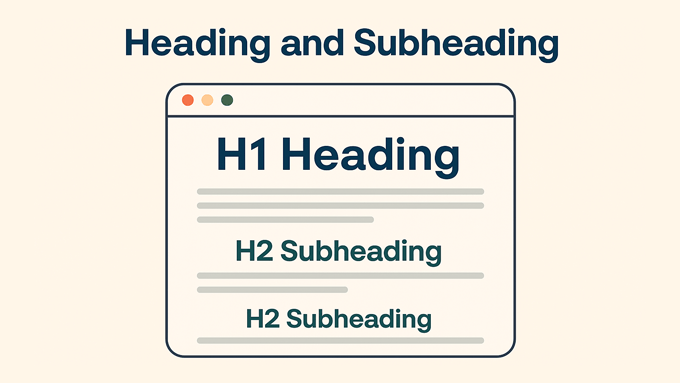
Beyond structure, you can boost AI discovery by adding Schema markup, FAQ sections, and E‑E‑A‑T signals like author bylines. These elements provide context that helps AI trust and reference your content.
For a complete guide on this topic, see our beginner’s guide on Generative Engine Optimization for WordPress. It covers everything from how AI search works to specific optimization steps you can take right now.
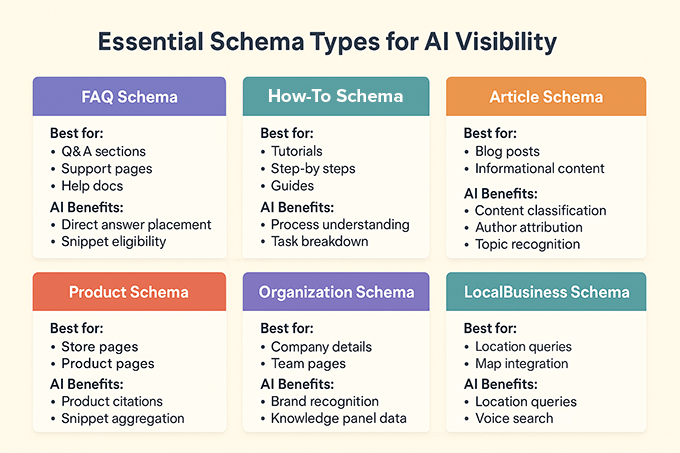
Another powerful strategy is creating an llms.txt file. Think of this file as a roadmap that tells AI crawlers, “Here is the most important content on this site and where to find it.”
While the Markdown feature makes sure AI can read your content, the llms.txt file makes sure they can find it. It helps you prioritize your best articles, guides, and resources so AI bots don’t waste time on irrelevant pages.
If you want to learn more about this, then I recommend reading our tutorial on how to add llms.txt in WordPress. It walks you through the entire process and explains how to prioritize your content for AI discovery.
Remember, the goal isn’t to write for AI. It’s to create high-quality, well-organized content that serves your human audience first. When you do that, AI systems will naturally be able to process and cite your content more effectively.
Frequently Asked Questions About Markdown Conversion
You might still have questions about how Markdown conversion works or how it affects your WordPress site. Here are answers to the most common questions I receive about adding Markdown to WordPress.
How does Markdown let AI interact with my content?
Markdown lets AI interact with your content by providing a clean, structured format that AI systems can easily parse and understand.
Unlike complex tags and styling code, Markdown uses simple text markers that make it easier for AI tools to extract meaning and context from your articles.
Do I need to customize which content types are converted to Markdown?
No, AIOSEO handles this automatically. The plugin dynamically generates a Markdown version for all your public posts and pages whenever an .md URL is requested, so you don’t need to configure settings for individual post types.
Will converting to Markdown impact my site’s SEO?
The Markdown versions are separate from your regular HTML pages, so your traditional search rankings remain unchanged.
AIOSEO also correctly handles the technical SEO details (like canonical tags) to make sure Google knows the HTML version is the original, so you don’t have to worry about duplicate content issues.
In fact, Markdown can boost your visibility by making your content more accessible to AI systems.
How can I check that my Markdown files are generated correctly?
You can check that your Markdown files are generated correctly by visiting any published post or page on your site and appending .md to the URL in your browser’s address bar.
If the Markdown conversion is working, then you’ll see a plain text version of your content with simple formatting markers instead of your styled webpage.
What is the benefit of using Markdown over HTML for AI systems?
The benefit of using Markdown over HTML for AI systems is that Markdown is simpler and more lightweight, using about 80% fewer tokens than HTML.
This allows AI systems to process and understand your content more efficiently with less extra work. This increases the likelihood that they’ll include your content in their responses and citations.
Additional Resources
I hope this article helped you learn how to add a Markdown version of your WordPress site.
You may also want to see our other guides on optimizing your content for the AI era:
- What Is llms.txt? How to Add llms.txt in WordPress
- Beginner’s Guide to Generative Engine Optimization for WordPress
- How to Use AI for SEO in WordPress
- Best WordPress SEO Plugins and Tools That You Should Use
- Is AI Content Bad for WordPress SEO? (Expert Insights & Tips)
- 5 Ways to Use AI in WooCommerce (Save Time & Make Money)
If you liked this article, then please subscribe to our YouTube Channel for WordPress video tutorials. You can also find us on Twitter and Facebook.
The post How to Add a Markdown Version of Your WordPress Site (The Easy Way) first appeared on WPBeginner.
Matt: Boris Cherny
I really enjoyed this conversation with the creator of Claude Code.