Matt: Something Big
Think back to February 2020.
If you were paying close attention, you might have noticed a few people talking about a virus spreading overseas. But most of us weren’t paying close attention. The stock market was doing great, your kids were in school, you were going to restaurants and shaking hands and planning trips. If someone told you they were stockpiling toilet paper you would have thought they’d been spending too much time on a weird corner of the internet. Then, over the course of about three weeks, the entire world changed. Your office closed, your kids came home, and life rearranged itself into something you wouldn’t have believed if you’d described it to yourself a month earlier.
Matt Shumer has written the post about this AI inflection point I wanted to write and send to friends, so I’m just gonna link to his and suggest that you read it. Hat tip: Toni.
The only thing I’d add is that there will be more demand for some of these things being automated, and tremendous consumer surplus created, so I think my view is a bit rosier than the tone this leaves you with.
WPTavern: #204 – Russell Aaron on the Hidden Settings Page You Never Knew Existed options.php
[00:00:19] Nathan Wrigley: Welcome to the Jukebox Podcast from WP Tavern. My name is Nathan Wrigley.
Jukebox is a podcast which is dedicated to all things WordPress. The people, the events, the plugins, the blocks, the themes, and in this case, the hidden settings page you never knew existed, options.php.
If you’d like to subscribe to the podcast, you can do that by searching for WP Tavern in your podcast, player of choice, or by going to wptavern.com/feed/podcast, and you can copy that URL into most podcast players.
If you have a topic that you’d like us to feature on the podcast, I’m keen to hear from you and hopefully get you, or your idea, featured on the show. Head to wptavern.com/contact/jukebox and use the form there.
So on the podcast today we have Russell Aaron. Russell is a longtime WordPress enthusiast, power user since 2004, and developer since 2011. He’s organized WordCamp Las Vegas, played a key role in the Las Vegas WordPress meetup group for years, and is dedicated to helping beginners find their feet in the WordPress world. Support has been his main focus throughout his career, always keeping the needs of newcomers in mind.
If you’ve ever wondered about the lesser known corners of the WordPress admin, today’s episode will be right up your street. Russell introduces a hidden feature, the little explored options which is accessible from your site’s WP admin area. Many seasoned users, including myself, have never heard of it, but this page exposes the entirety of your WordPress options table in an editable format. We talk about what this page does, why it exists, and the ways it can be both helpful and hazardous.
Russell shares his own use cases, how it can be useful for plugin development and database management, but we also discuss concerns around its discoverability, and the risks of making changes without understanding the consequences.
It’s a short episode, but there’s a lot in here for anyone curious about WordPress’ inner workings, or eager to learn about hidden tools that most people don’t stumble upon. So if you fancy poking around behind the scenes, or have ever wondered what might be right under your nose in WordPress, this episode is for you.
If you’re interested in finding out more, you can find all of the links in the show notes by heading to wptavern.com/podcast, where you can find all the other episodes as well.
And so without further delay, I bring you. Russell Aaron.
I am joined on the podcast by Russell Aaron. Hello Russell.
[00:03:02] Russell Aaron: Hello. Thank you.
[00:03:03] Nathan Wrigley: You are very welcome. I didn’t know Russell until just a few minutes ago, but we’ve probably spent, I don’t know, 20 minutes or so already, just shooting the breeze. And I’m getting to know you a little bit. But it’s an absolute pleasure to have you on the podcast today.
I put a tweet out, or whatever you call it on X these days, a couple of days ago, asking if anybody had an interesting topic. And what you are going to hear about today is what Russell came back with, and I had no idea this thing existed. So let’s get into that in a minute, but it’s very curious. Stay tuned.
But Russell, would you mind just telling us a little bit about your, what I now know is a long and storied history with WordPress. Just tell us all about yourself.
[00:03:40] Russell Aaron: Sure. My name is Russell Aaron. Nice to meet everyone. I’m a WordPress enthusiast and a fan, first and foremost. That is what keeps me coming back to WordPress every day. I’ve been a power user since 2004. I’ve been a developer since 2011. I organised WordCamp Las Vegas 2015 and then our meetup, I was a co-organiser from 2011 all the way up to 2018 or so. So I’ve been around, I’ve spoken at many WordCamps and stuff like that.
I’ve worked at all the places, all the things. I mean, you know, yet another WordPress developer shop is just like the plugins, yet another, whatever. But I’ve mostly been doing support for my entire WordPress career. And I always like to take things back, even though I’ve been using it for X amount of years, I still like to learn what it’s like to be a beginner walking into WordPress. Because no matter what, we always have beginners coming in and they need help. They need to be pointed, where to go, who to see. And I kind of own that side of the world when it comes to like what I do. I’m very beginner friendly.
[00:04:52] Nathan Wrigley: Do you still get the same excitement? I remember the first time I ever opened up WordPress, which was probably something like 2014, something like that. So I was definitely not right at the beginning. I was much later to the party than a lot of people. But I’d been using Drupal and Magento and things like that.
I remember getting really excited, like genuinely looking around thinking, oh, and it can do this. And then, you know, a week later, oh, and it can do this. And on and on that went. At some point, that level of curiosity, it never really left me, but I kind of managed to learn the things I needed to learn. But then that was just because I was doing stuff that I needed to do.
But if you’re in a role where you communicate with customers, presumably that’s a never ending conveyor belt of new things that you’re constantly having to learn, because some curious person comes up and says, I’ve broken it in this way, and you’ve got to figure all that out. So long question, but are you still excited about it?
[00:05:42] Russell Aaron: I’ve had this saying, and I say it every day when I sit down is, the hardest thing I have to do is log into WP admin. From there, I’ll figure everything else out. Make a backup is number one. Second thing is, the hardest thing I have to do is log into WP Admin. And you know what really gets me excited is, you know, you have a blog, I have a blog, and essentially we do the same thing, but underneath the hood, how we got to the same point, those are different paths. You use this caching plugin, I use this caching plugin. You use Yoast, I use Rank Math. So the different configurations and stuff like that, that’s what keeps me coming back. And that’s why I’m in support.
[00:06:22] Nathan Wrigley: Yeah, this almost kind of infinite permutations of ways that you can do WordPress. And I guess if you’re like me and you’re just using it on a few sites, that’s fairly trivial. But if you, like you, you’re having to support every possible permutation, oh.
Okay, so as I said, I went out on X and I suggested that if anybody would like to get in touch and put themselves on the WP Tavern Jukebox Podcast, fire me a message back. And very quickly Russell came to me with this. And I have no idea, I had no idea that this was even a thing.
Like I said, I’ve been using WordPress for over a decade. I didn’t know there was a page that you can navigate to, once you are logged into the WP Admin. So, okay, we’ve logged in, and then if you append options.php to the end of your WP admin URL, so example.com/wp-admin/options.php. Maybe pause the podcast. If you’re logged in, go there, click return, then move away from the keyboard.
[00:07:24] Russell Aaron: Yeah, don’t touch it.
[00:07:25] Nathan Wrigley: Don’t touch the keyboard. I didn’t know this existed. Tell us, what the heck is this?
[00:07:31] Russell Aaron: I mean, just like you, you know, I’ve been knee deep in WordPress and installing it when it was the famous five minute install, you know, and Custom Post Types before they were cool. And still, same thing is, it was something that was shown to me a very, very long time ago. But what I like to imagine is that WordPress, when it first got started, it was always user forward, so they wanted to show you either what was on the page or what was in the Post. And so options PHP, or wp-admin/options with an s, you have to add the s, but .php, it basically spits out your entire options table.
So from your database, it spits out your entire options table onto one page. And I mean, depending on how big your options table is, you can have a very small page or, you know, I’m still scrolling. I can doom scroll on my options page and just keep going. But it’s one of those things that I believe was there from the beginning to help you see maybe some information that’s in your database and then, you know, like you could tweak things. And then a database admin, or whatever tools you have on your host to see your database, you know, stuff like that came out. And I think it’s one of those legacy features that’s just always been there, but it gets ignored all the time.
[00:08:58] Nathan Wrigley: No kidding. I mean, basically I’m looking at, not a vanilla WordPress website, but I’m looking at a WordPress website with a third party block-based theme, and maybe four plugins. And the four plugins are not that heavy, as far as I’m concerned. But it says, so I navigated to that in that website. And the page is just entitled, all settings. And then underneath that is the warning. So I shall read that out because this is important.
[00:09:21] Russell Aaron: That should be giant H1. Like, I don’t know what a 235 pixel font looks like, it should be that.
[00:09:28] Nathan Wrigley: Blinking as well. It says, this page allows direct access to your site settings, you can break things here. Please be cautious. And then it’s just two columns. On the left it’s just the name of the key. And then on the other side, the value. And so it’s just a list of things on one side, a list of things on the other. Now obviously the key is uneditable. It just shows it to you. But more or less, now that’s not entirely the case, but more or less every value is editable, meaning that, I don’t know, if some of this was particularly important. Let’s start at the top. I’ve got the admin email. You know, if I change that I’m going to lock myself out if I don’t remember what I’m doing.
[00:10:07] Russell Aaron: Or emails are going to go to the wrong place.
[00:10:08] Nathan Wrigley: Emails are going to go to the wrong place. And then it goes down, and you’ve basically dumped yourself in the options table. So it’s like you’re in, I don’t know, some sort of database manager, phpMyAdmin or something like that. But there it is inside of WordPress.
Now you mentioned it’s probably a legacy. Do you think it should be here anymore? Because so much of this is exposed in such an easy to fiddle way, that it strikes me that somebody could easily go in here, not really know what they’re doing, amend something, delete something, click return, and bork the website entirely.
[00:10:43] Russell Aaron: I mean, it’s not a bad idea. If you have a database plugin and it’s active, and for whatever reason that lets some kind of intrusion in, yeah, somebody could get into that information and start wreaking some havoc. And so it would be one of those things where, maybe it should be optionable or maybe it should be stepped into a plugin itself.
But I mean, I’m also not against it either. For what it’s done, I’ve never really heard of this page being the cause for whatever malware or whatever Core file is being overwritten. Like it’s usually, knock on wood, it’s usually a plugin that allowed some kind of intrusion or just a bad code that allowed something, and it’s never really been like, well, this site was hacked and it went to this file.
So it seems to be okay. But it’s probably, what I would say is it’s the biggest difference. Because like when you write a plugin and you submit it to wordpress.org, they’re going to go through it with a fine tooth comb and they’re just going to make sure that things are working. They want a tool tip or they want some kind of explanation of like, what this field does. But you go here to this page and it’s just kind of key, pair, and it doesn’t say like, well, this value comes from here, or changing this. Like, there’s no information on it whatsoever, you know? It’s one of those things where like, I see WordPress has a default standardisation of how they want things done, but then you come to this page and none of it’s there.
[00:12:14] Nathan Wrigley: Yeah, so as an example, so if you scroll down, I’ve just literally scrolled down and there’s hundreds and hundreds of entries. And I’ve ended up at fresh_site. Now that has zero, a value of zero. I have no idea what that does. I don’t know what would happen if I turned the zero into a one, but there it is. Right above it is finished updating comment type. That’s got a one. And you are right, there’s absolutely no text in any of the fields to give you any indication.
[00:12:43] Russell Aaron: Other than like site URL like, you know, you kind of know what that is. But everything else, yeah. Unless you kind of know what that key, or what that pair is supposed to be, yeah, you really have no idea.
[00:12:53] Nathan Wrigley: And there’s no way of knowing that other than presumably going out and finding it. And so that in itself is quite curious. Just the idea that this entire list of things doesn’t give you some sort of helping hand to kind of say, okay, this one in particular, be mindful of this one. This one’s very important, or at least, here’s what it does. There’s none of that. So it’s just curious.
[00:13:13] Russell Aaron: Well, I mean even with the Core post types that come with the Core install, they have that documented. I think there’s seven now, Core post types. And out of seven of those, three are hidden, you know? You have the menu stuff. And even that, I wouldn’t expect it, but I would say that when you install just a very basic install WordPress, you set it up for the first time, no themes, no plugin, you just spun it up.
At least that page should say all the default stuff that’s there. When the database gets created, wp-options table is created, these values go in. I would maybe hope that a default thing of just says like, this is a default field, or this is a default option that gets installed and here’s what it does. But again, there’s just none of that.
[00:13:59] Nathan Wrigley: No, no. So again, caveat emptor. Right at the top, obey the warning. Don’t modify anything in here.
[00:14:04] Russell Aaron: Right. Mind the gap, that’s for sure.
[00:14:06] Nathan Wrigley: Well, I say don’t modify anything. Presumably it’s there so that things can be modified. And so I guess my question to you is, you’ve brought this to my attention, have you found a use for this? Have you ever been in there and, is it like a daily thing that you are fiddling with? What’s the purpose?
[00:14:22] Russell Aaron: I can tell you my use case. And I think for me, it’s not being lazy, but I don’t want to have a SQL program running on my computer, or I don’t want to have phpMyAdmin up, and I have to refresh and go to page two to find my option or whatever. What I like is that I have been rebuilding some of my plugins. And some of my plugins set options. And so when you deactivate my plugin, I have a uninstall.php file that should remove information from the database, right?
So that’s where I go to check, is my plugin doing its job? Well, let’s go look for this option name. And if I uninstalled and deactivated my plugin and it’s fully gone, but I still see whatever option name, I know my uninstall PHP file didn’t do its job. That’s the biggest use case I have.
I have a local site for everything that I develop, like my personal website, I have a local site. All my .org plugins, I have a local site for that where I do development. And that’s the same thing is, I use that option thing and okay, did I set my option? Do I see it? Okay, there it is. Here’s what I see it in the database. Here’s what I can query against. Like, it gives you all that information. All you have to do is one refresh. You don’t have to rebuild your database or go searching through it in like a MySQL kind of program. It’s all just spit out there and you really just, you know, find search and stuff like that. That’s my use case for it.
[00:15:58] Nathan Wrigley: Yeah, there’s no search or filter anything in there. You would have to use the browser search to find the thing that you need. But that’s a really interesting use case of it. And also, thank you for having that feature in your plugins whereby you actually remove the data in the database that, obviously, at the point of uninstall is no longer required. I know why people leave that stuff there, but also it’s quite nice that you make it so that it doesn’t remain.
[00:16:21] Russell Aaron: That’s one of those interesting arguments. If I accidentally deactivate WooCommerce, I don’t want my stuff gone. So that shouldn’t have it, but my tiny little plugin that I built for a contest 10 years ago, it should probably remove it’s stuff.
[00:16:34] Nathan Wrigley: So obviously you can see that, but again, there’s no way of searching for things. You’d have to manually search through the browser and what have you. Now, the curious thing is, I’ve never stumbled across this, and I’ve clicked every single link in a WordPress install. There’s no doubt I’ve clicked every link multiple times over and over again. Presumably this is not linked from anywhere within the WP Admin at all. And yet when you land on it, the sidebar, the WP admin sidebar ends up at settings, so the settings is highlighted.
[00:17:05] Russell Aaron: And settings is expanded.
[00:17:08] Nathan Wrigley: Settings is expanded, but it’s not, you know, it’s not a child item which suddenly appears. It’s just settings. So is that true? It’s not linked anywhere.
[00:17:15] Russell Aaron: Not that I have found anywhere. Other than people like you and me talking about this, it’s not very spoken about. It’s kind of one of those things where if you know then you know, or if somebody like myself is a developer, they can say, oh yeah, hey, there’s this other thing. But other than that, I mean, it tends to be skipped over from a beginner perspective.
Like you said, you’ve been using WordPress for 10 plus years at least. Never been there before. Didn’t even know this thing existed. Now you’re kind of like, what else is there that I don’t know.
[00:17:48] Nathan Wrigley: That is exactly where my head has gone, is what else is there that I don’t know about? You know, other curious things that are there.
[00:17:53] Russell Aaron: Is there a gold pot at the end of the rainbow? We don’t know.
[00:17:57] Nathan Wrigley: Yeah, some little Easter egg that I never spotted that’s somewhere buried in a menu. Yeah, that would be kind of cool.
[00:18:01] Russell Aaron: What if you go to that page and there’s a coupon code for Gravity Forms and it says like, free updates for life because you visited here.
[00:18:09] Nathan Wrigley: Yeah, that’s a great idea. Yeah, okay, so developers hijack this page and add those. No, don’t. Don’t do that. But you were saying earlier that the fact that nobody is really talking about it, I suppose that leads us into the idea that, it’s not really a problem. If this was exposing problems that, let’s say for example, I don’t know, hackers were leveraging, I don’t know quite how they would do that, but you know what I mean. Then presumably this would’ve been pulled out years and years ago because it would be easy to remove this. But presumably it doesn’t have a great attack surface. It’s not widely known about. This is the first time I’ve heard about it, so there it is. It’s going to stay, I presume.
[00:18:47] Russell Aaron: I always make the joke that it’s the largest form in WordPress.
[00:18:51] Nathan Wrigley: Yeah, it really is.
[00:18:53] Russell Aaron: I mean, that’s all it is. It’s a giant form that pulls data. And, you know, you can hit save at the bottom. So it’s the biggest non Gravity Form that you can have in WordPress.
[00:19:03] Nathan Wrigley: Do you know if it’s possible for, so for example, the site that I’m logged into, I am an administrator. That’s the account that I’ve got. So the level of permissions is equal to administrator. I’m wondering how far this goes down. So, for example, I don’t know, if I’m a contributor or a subscriber or an editor, I’m guessing that this wouldn’t be available, but I don’t know if you know the answer to that.
[00:19:24] Russell Aaron: It’s only, you have to have the manage options permission, which I think is tied to administrator, and I think that’s about it.
[00:19:32] Nathan Wrigley: So in that sense it is also, I suppose, fairly secure because it’s hidden behind an administrator account. And by the time an administrator account.
[00:19:41] Russell Aaron: If logged in and administrator is true, yeah.
[00:19:43] Nathan Wrigley: Right. So you can more or less kill the site if you wish to, of your own volition by going to the, and I’m doing air quotes, the normal settings anyway.
[00:19:51] Russell Aaron: At that point, you can’t complain. You’re an admin. You did it yourself, you know.
[00:19:54] Nathan Wrigley: Do you know if, this isn’t something curious that sort of hopped in like the last five years, six years, something like that? Do you know if this has a history which goes back right to the beginning of WordPress?
[00:20:06] Russell Aaron: I would be curious to go figure out when this file was introduced. I want to say, like, if I had to guess, I think it’s at least in 2.0. It might go further back. 2.3 is when I started using WordPress. So I mean, as far as I know, I think it’s that far, but I haven’t actually dove back to see like, when it was introduced.
[00:20:28] Nathan Wrigley: Have you ever used it and killed a site accidentally?
[00:20:33] Russell Aaron: Yes.
[00:20:33] Nathan Wrigley: Oh, you have. Oh, go on, tell us. What did you do?
[00:20:35] Russell Aaron: So, I see this argument all the time where it is, you know, too many plugins, slow your site down or whatever. There’s actually an option in your database and it, you know, when you activate a plugin, there’s this wide array, it says akismet-1, so it’s active. And then it says jetpack-0, so it’s not active.
And so it tells you what’s an active plugin and what’s not. And I’ve gone in there and I’ve thought, oh, I’ll just change this value or, can I activate a plugin just by changing this value? And it’s one of those things where, whoops, probably forgot a comma or forgot a period somewhere. I mean, it’s very finicky. I mean, it’s the same thing as editing your database. If you go in there and you make a mistake in your database, it’s going to blow up the site. Same thing with this.
[00:21:30] Nathan Wrigley: Yeah, the curious thing about the database, I suppose though, is that obviously not many inexperienced people presumably would be given an administrator account. So there’s that.
[00:21:38] Russell Aaron: Hopefully.
[00:21:38] Nathan Wrigley: But also they’re never, well, okay, alright. Yeah, I’ll take that back immediately. Well, okay, in an ideal world, an administrator account would not be given to somebody inexperienced. Plus the fact that almost nobody, until now, knew that this whole thing existed. And I bet I get loads of emails saying, we’ve known about this, Nathan, forever. It’s just you that didn’t know about it.
[00:21:59] Russell Aaron: No, this is one of those things where like, you show up to WordCamp US and it’s like, what do you know that I don’t know? And you go, have you ever been to options.php? And then people are like, wait, what? It’s one of those things where like, look at the big brain on Russ, it’s one of those kind of things.
[00:22:16] Nathan Wrigley: There’s a cabal of just me and you now, and then anybody who’s listened to this podcast. But also, the inexperienced user, presumably wouldn’t have the access to the tooling to use a database tool. So that’s why I find this so amazingly curious, that essentially you’ve just completely listed out everything in an editor. I mean, I could understand it if it just showed what the content of that.
[00:22:37] Russell Aaron: Just read only?
[00:22:37] Nathan Wrigley: Right, just show what it is and then you could go into a database tool and amend it if you needed to. But the fact that almost everything is editable and saveable, that is the bit that I find so curious.
Do you know of other things like this, or is this the only one? What I mean by that is, any curious, hidden Easter egg, strange things inside of WordPress, or is this the one and only?
[00:22:59] Russell Aaron: Sure, sure. I mean, as far as I know, I mean there’s other block visibility controls and stuff like that, that aren’t really displayed anywhere. It’s not like you can make those adjustments. But I mean, as far as I know, you know, like that’s all controlled by either the code in a plugin, or by a Core file, or it’s in the options. So I mean, you have both worlds right here. You have a Core file in WordPress showing you your database. This is kind of where it all is.
I would also say that I’ve spent many moons looking for my Gravity Forms license or, why is this not updating or whatever? And this is one of those things where, if you’re looking in a database, it’s all kind of black and white, squished, and it’s like tiny little tables that are off color. At least with this, there’s a margin, there’s some padding around things, there’s some gaps. So it’s kind of more user friendly than a database would be.
[00:24:00] Nathan Wrigley: Actually that’s a curious way of thinking about it, isn’t it? Because you’re right. If you do go into.
[00:24:05] Russell Aaron: You go into phpMyAdmin you’re kind of like.
[00:24:07] Nathan Wrigley: It’s not pretty. There are definitely some tools that you can have that make a database a pleasure to look at, but most of the ones that we’re all familiar with, that we use day in, day out, you’re right, they’re hard to use. Also, they have curious dropdowns and inadvertently, you click return on something and suddenly you’ve dropped the table entirely, and we’re in a bit of trouble. So this is at least easy to see.
I think we’ve probably used up all the oxygen in terms of this. I’m going to encourage you to go and have a poke around.
[00:24:34] Russell Aaron: It’s multi-site as well too, so if you go to a multi-site, you can’t see, like if you go into the backend, it’s per site. So it’s not every database option for the multi-site. But if you go into just the actual network site, yeah, then you could see all that there.
[00:24:50] Nathan Wrigley: So I’m going to encourage people to go and have a little poke around, but I’m also not going to encourage you, don’t fiddle with anything. Just leave every single field exactly as you saw it. It’s example.com, so your domain.com, whatever that would be /wp-admin/options, with an S so plural php.
Go and have a look, and I’d be very curious, if you’ve got anything that you think is interesting in there, or indeed you’ve also found something in the same way that Russell has which is unexpected and unknown. I’d be very curious to hear about that, and maybe we can get you on a podcast episode as well.
So, Russell, thank you so much for enlightening me. What a peculiar episode that was. I really appreciate it.
[00:25:30] Russell Aaron: I appreciate you putting it out there. Like, blow my mind, what do you have? And I’m glad that I can at least register that in some sort of of way.
[00:25:38] Nathan Wrigley: There’s always something new, and this definitely was something new. Thank you, Russell.
[00:25:41] Russell Aaron: Thank you.
On the podcast today we have Russell Aaron.
Russell is a long-time WordPress enthusiast, power user since 2004, and developer since 2011. He’s organised WordCamp Las Vegas, played a key role in the Las Vegas WordPress Meetup group for years, and is dedicated to helping beginners find their feet in the WordPress world. Support has been his main focus throughout his career, always keeping the needs of newcomers in mind.
If you’ve ever wondered about the lesser-known corners of the WordPress admin, today’s episode will be right up your street. Russell introduces a hidden feature, the little explored options.php page, which is accessible from your site’s wp-admin area. Many seasoned users, including myself, have never heard of it, but this page exposes the entirety of your WordPress options table in an editable format.
We talk about what this page actually does, why it exists, and the ways it can be both helpful and hazardous. Russell shares his own use cases, how it can be useful for plugin development and database management, but we also discuss concerns around its discoverability, and the risks of making changes without understanding the consequences.
It’s a short episode, but there’s a lot in here for anyone curious about WordPress’ inner workings or eager to learn about hidden tools that most people don’t stumble upon.
So, if you fancy poking around behind the scenes, or have ever wondered what might be hiding right under your nose in WordPress, this episode is for you.
Useful links
Open Channels FM: The Overlooked Backbone of Open Source: Voluntary Work Amid Modern Pressures
In a tech-centric era, volunteer-driven open source projects face a precarious future. As pressures mount, these unsung heroes risk burnout, jeopardizing our digital safety and stability. How long can they hold on?
Open Channels FM: AI Meets Woo: The Future of Ecommerce is Already Here
In this episode of Do the Woo, hosts Katie and James discuss WooCommerce and AI with guest James LePage, exploring new features, tools, protocols, and the future of e-commerce.
HeroPress: WordPress and Its Community: Designing a Life of Freedom – WordPress y su comunidad: el diseño de una vida libre
Este ensayo también está disponible en español.
This is my story with WordPress, a tool that changed the way I work and how I connect with the world.
The Starting Point: From Sociology to Design
I am often asked how someone with a degree in Sociology ended up specializing in web design and development. My answer is always the same: what you study at twenty does not have to determine your profession forever.
I studied Sociology because I wanted to understand human behavior and social structures. That background helps me enormously today when I analyze user behavior on websites, applying scientific rigor and both quantitative and qualitative techniques that I learned during my studies.
My true passion for technology began much earlier, driven by my love for writing stories as a child. I discovered that computers were “magic”: you could write, erase, and correct without crossing things out. That fascinated me.
I spent countless hours in front of the computer, learning on my own. In 2001, one of my brothers moved to the United States, and my parents installed internet at home so they could communicate with him. At that time, most families in Spain did not yet have internet access at home, so I was lucky. You had to connect using a 56 Kb modem that made a very distinctive noise, and you could not use the phone while you were online. Those were the days.
That same year, I designed my first website for an NGO that my uncle had just founded. I built it using MS FrontPage, with tables, and with the Trebuchet font—one of the few typefaces you could reliably use at the time, and which I found more interesting than Verdana or Tahoma. Some traces of that website can still be found on the Wayback Machine. There were no animated GIFs, although I must admit it did have a visitor counter.
While I was studying for my degree, I worked in an internet café, surrounded by children playing Counter-Strike and immigrants making their first video calls to see their families from Spain.
There, I began designing in a self-taught way: logos, flyers, and even the sign for the storefront. I learned how to use design software to send files to print, struggling with color conversion, font embedding, and all the quirks of print design.
After graduating in Sociology, I joined a foundation as an intern in the Creativity and Systems department. My first task was laying out a 400-page employment guide. I spent nearly ten years there as an editorial designer, specializing in branding and employer branding, helping companies become more attractive to potential candidates.
I also had the opportunity to design my first websites and web applications. I learned how to collaborate with developers and understood what developer handoff really means, as well as the specific challenges of interaction design, which is very different from print design.
However, after almost a decade, I felt I had hit a ceiling. I needed independence and wanted to start my own business.
Discovering the WordPress Community in 2016
In 2016, I decided to register as a self-employed professional. I already knew web design, but in order to offer a better service to my clients, I decided to learn web development. I completed a specialized master’s degree in WordPress, where I learned PHP, MySQL, AJAX, JavaScript, and more.
I quickly understood that WordPress was the most valuable content management system for giving clients independence. I did not want my clients to depend on a developer just to change a simple piece of text on their website.
At first, WordPress was just a free and open-source tool to me. While looking for WordPress courses to continue learning, I discovered the WordPress Madrid Meetup in 2017. At one of those meetups, I learned that WordCamp Madrid was about to take place, so I attended my first WordCamp.
At WordCamp Madrid, I signed up for Contributor Day at the translations table led by Fernando Tellado. I remember the excitement of translating my first strings for a caching plugin and the thrill of seeing my name appear shortly afterward in the contribution history. That day, I understood that WordPress was not just code: it was people.
A few weeks later, I attended a WordPress Meetup in Collado Villalba and realized that I also had something to contribute. The following month, I was already giving my first talk, about workation.
From Attendee to “WordCampaholic”
My involvement went from zero to one hundred. In 2017, I gave my first talk at a WordCamp, at WordCamp Santander. In 2018, I set myself the challenge of speaking at every WordCamp in Spain. The Spanish WordPress community is very active, and in 2018 and 2019 there was almost one WordCamp every month—and I attended all of them. I have given more than 70 unique talks around the world, from Ukraine to Colombia, and I have taken the stage at WordCamp Europe twice.
Today, I am proud to be the fifth person worldwide with the most talks published on WordPress.tv, the first in Spanish, and the first woman globally in this ranking.
For me, sharing knowledge at WordPress events is a way of giving back to the community everything it has taught me. I do it out of love for this project and out of the conviction that diversity is essential for the prosperity of our community. In a sector where female role models are sometimes scarce, I try to encourage other women to step onto the stage.
Geographic Freedom and the Concept of “Workation”
Working on WordPress websites has allowed me to maintain geographic freedom. I have visited more than 40 countries—sometimes on vacation, and other times on workation: working while vacation.
I now take advantage of my travels to attend community events and reconnect with friends. WordPress allows me to travel with purpose, connecting with people from different cultures—something my background in Anthropology taught me to value deeply.
A Family Called Community
In the WordPress community, I have found a family.
In 2017, during a retreat in Chiclana de la Frontera organized by Ibon Azkoitia, I met many of the main figures in the Spanish WordPress community at the time. Among them, I met my partner, Pablo Moratinos. Since 2019, we have co-hosted the podcast Un billete a Chattanooga, where every Monday we share our passion for design and online business. We have also worked together on client projects and other side projects such as 3ymedia School.
I went from being an attendee eager to learn more about WordPress to organizing the WordPress Torrelodones Meetup every month and leading WordCamp Torrelodones in 2023 and 2024.
Being an organizer is demanding and “expensive” in terms of time and energy, but the reward of seeing more than two hundred friends come to your town to learn together is priceless. Organizing a WordCamp teaches you transversal skills: team management, conflict resolution, and the importance of delegation.
I continue to contribute as a volunteer because I firmly believe in the democratization of the web, and because contributing itself enriches me professionally.
I have participated in mentorship programs to learn how to design block themes for WordPress Core; I contribute to the Design Team by improving UX and UI and by leading the design table at more than 30 Contributor Days; in the Community program, I participate as an Event Supporter; in the WordPress.tv team, I upload videos from WordPress events; in the Photos team, I share my photos so others can freely use them on their websites; in the Plugins team, I collaborate on a free plugin; I contribute to Spanish translations—and I am always looking for ways to improve my contributions and give even more back.
The Future: Design, Data, and Artificial Intelligence
Professionally, WordPress is the foundation of my business at anacirujano.com. My approach is strategic,data-driven design: I analyze user behavior to align user needs with business goals and design solutions focused on conversion.
My visibility within the community led me to become a brand ambassador for Piensa Solutions in 2023 and 2024, a collaboration that allowed me to continue promoting free and open-source software.
In 2025 and 2026, I am collaborating with WordPress.com, creating design-related content in Spanish, writing high-traffic articles for their blog, delivering webinars with thousands of views, and attending events to share knowledge about design and WordPress.
I also continue to innovate. I am a co-founder and designer of Ploogins, an application that adds features to WordPress using artificial intelligence. I met my partners on this project (the Sirvelia team) at a WordCamp, and since then we have continued collaborating on multiple projects.
At the same time, I continue learning and teaching design, betting on microlearning as a way to teach visual and interaction design with WordPress.
My Message to You
If you are reading this and want to learn more about WordPress and meet people who will support you on your freelance journey, my advice is simple: attend a WordPress event, whether it is a Meetup or a WordCamp.
The WordPress community has given me lifelong friends and the satisfaction of contributing to a global project.
This is my story but it could be yours.
See you at the next WordCamp!
WordPress y su comunidad: el diseño de una vida libre
Esta es mi historia con WordPress, una herramienta que cambió mi forma de trabajar y cómo me conecto con el mundo.
El punto de partida: de la Sociología al Diseño
A menudo me preguntan cómo una licenciada en Sociología terminó especializándose en diseño y desarrollo web. Mi respuesta siempre es la misma: la carrera que estudiaste con veinte años no tiene por qué condicionar tu profesión actual.
Estudié Sociología porque quería entender el comportamiento humano y las estructuras sociales. Este enfoque me ayuda mucho hoy cuando analizo el comportamiento de los usuarios en el sitio web, con rigor científico y con técnicas cuantitativas y cualitativas que aprendí en la carrera.
Mi verdadera pasión por la tecnología nació porque de niña me encantaba escribir relatos. Y descubrí que los ordenadores eran «magia»: podías escribir, borrar y corregir sin tachones, algo que me fascinaba.
Me pasaba horas y horas en el ordenador, aprendiendo de manera autodidacta. En 2001 uno de mis hermanos se fue a vivir a Estados Unidos y mis padres pusieron internet en casa para poder hablar con él. Por aquel entonces, en España, la mayoría de las familias todavía no tenían conexión a internet en casa, así que tuve suerte. Tenías que conectarte con un módem de 56Kb que hacía ruido para conectarse y con el que no podías hablar por teléfono si estabas conectado a internet. ¡Qué tiempos aquellos!
Diseñé mi primer sitio web ese mismo año, para la ONG que acababa de fundar un tío mío. La hice con MS Frontpage, con tablas. Y con el tipo de letra Trebuchet, que era de los pocos que se podían usar y que por esa época me parecía que era más interesante que Verdana o Tahoma. Aún se puede ver algo en Wayback Machine. No tenía GIFs animados aunque no negaré que tenía contador de visitas.
Mientras estudiaba la carrera, trabajaba en un cibercafé, rodeada de niños que jugaban al Counter Strike y personas inmigrantes que venían a hacer sus primeras videollamadas para ver a sus familias desde España.
Allí empecé a diseñar de manera autodidacta: logotipos, folletos e incluso el rótulo para la fachada. Aprendí a usar programas de diseño para mandar trabajos a imprenta, peleándome con la conversión de color, incrustar fuentes, y otras peculiaridades del diseño para imprenta.
Tras licenciarme en Sociología, entré como becaria en el departamento de Creatividad y Sistemas de una Fundación. Mi primera tarea fue la de maquetar una guía de empleo de 400 páginas. Pasé allí casi diez años como diseñadora editorial, especializándome en branding y employer branding, ayudando a las empresas a ser atractivas para sus candidatos.
También tuve la oportunidad de diseñar mis primeros sitios y aplicaciones web, aprendí a colaborar con desarrolladores y entendí en qué consiste el developer handoff y las peculiaridades del diseño de interacción, que no tiene nada que ver con el diseño para imprenta.
Sin embargo, tras casi una década, sentí que había tocado techo. Necesitaba independencia y montar mi propio negocio.
Conocí la Comunidad WordPress en 2016
En 2016 decidí darme de alta como trabajadora autónoma. Sabía de diseño web, pero para poder ofrecer un mejor servicio a mis clientes, decidí aprender desarrollo web. Hice un máster especializado en WordPress en el que aprendí PHP, MySQL, AJAX, JavaScript…
Comprendí que WordPress era el gestor de contenidos más valioso para dar independencia al cliente. No quería que mis clientes dependieran de un informático para cambiar un simple texto en su web.
Al principio, WordPress era para mí solo una herramienta de software libre. Estuve buscando cursos de WordPress para continuar aprendiendo y descubrí la Meetup de WordPress Madrid en 2017. En una de las reuniones, me enteré de que se iba a celebrar WordCamp Madrid, así que acudí a mi primera WordCamp.
En WordCamp Madrid, me apunté al Contributor Day en la mesa de traducciones liderada por Fernando Tellado. Recuerdo la emoción al traducir mis primeras cadenas de texto para un plugin de caché y la emoción de ver, poco después, mi nombre en el historial de contribuciones. Ese día comprendí que WordPress no era solo código: eran personas.
Unas semanas más tarde, asistí a una Meetup de WordPress en Collado Villalba y me di cuenta de que yo también tenía algo que aportar. Al mes siguiente, ya estaba dando mi primera charla sobre workation.
De asistente a «WordCampaholic»
Mi implicación fue de cero a cien. En 2017 di mi primera charla en una WordCamp, en WordCamp Santander. En 2018, me propuse el reto de asistir como ponente a todas las WordCamps de España. WordPress España es una comunidad muy activa y en 2018 y 2019 había una WordCamp al mes: yo acudí a todas ellas. He dado más de 70 charlas únicas en todo el mundo, desde Ucrania hasta Colombia, pasando dos veces por los escenarios de WordCamp Europe.
Hoy tengo el orgullo de ser la quinta persona del mundo con más charlas publicadas en WordPress.tv, la primera en español y la primera mujer a nivel mundial en este ranking.
Para mí, compartir conocimiento en eventos de WordPress es una forma de devolver a la comunidad todo lo que me ha enseñado. Lo hago por amor a este proyecto y por la convicción de que la diversidad es imprescindible para la prosperidad de nuestra comunidad. En un sector donde a veces faltan referentes femeninos, trato de animar a otras compañeras a subir al escenario.
La libertad geográfica y el concepto de «Workation»
Trabajar desarrollando sitios web con WordPress me ha permitido mantener mi libertad geográfica. He visitado más de 40 países. Algunas veces, de vacaciones y otras, de workation: trabajar mientras estás de vacaciones.
Ahora aprovecho mis viajes para acudir a los eventos de comunidad y reencontrarme con mis amigos. WordPress me permite viajar con propósito, conectando con personas de diversas culturas, algo que mi formación en Antropología me enseñó a valorar profundamente.
Una familia llamada Comunidad
En la comunidad WordPress he encontrado una familia.
En 2017, en un retiro en Chiclana de la Frontera organizado por Ibon Azkoitia, conocí a los principales referentes de la comunidad de WordPress en España de aquellos años. Entre ellos, conocí a mi compañero Pablo Moratinos, con quien desde 2019, co-presento el podcast «Un billete a Chattanooga», donde cada lunes compartimos nuestra pasión por el diseño y los negocios online. Además, hemos trabajado juntos en proyectos de clientes y en otros side-projects como 3ymedia School.
Pasé de ser una asistente con mucho interés en aprender más sobre WordPress, a organizar la Meetup de WordPress Torrelodones cada mes y liderar la WordCamp Torrelodones en 2023 y 2024.
Ser organizadora es duro y «sale caro» en términos de tiempo y energía, pero la recompensa de ver a tus más de doscientos amigos visitar tu pueblo para aprender juntos no tiene precio. Al organizar una WordCamp, aprendes competencias transversales: gestión de equipos, resolución de conflictos y la importancia de saber delegar.
Actualmente, continúo contribuyendo de forma voluntaria porque creo firmemente en la democratización de la web y porque la propia contribución me enriquece profesionalmente.
He participado en programas de mentoría para aprender a diseñar temas de bloques para el Core de WordPress, participo en el equipo de diseño contribuyendo a mejorar UX y UI y también liderando la mesa de diseño en más de 30 Contributor Days; en el programa de Comunidad participo como Event Supporter; en el equipo de WordPress.tv subo vídeos de los eventos WordPress; en el equipo de Photos, comparto mis fotos para que otros puedan usarlas libremente en su web; en el equipo de Plugins, colaboro con un plugin gratuito, en las traducciones al español… Y siempre busco cómo mejorar mis contribuciones y poder aportar cada vez más.
El futuro: Diseño, Datos e Inteligencia Artificial
Profesionalmente, WordPress es la base de mi negocio en anacirujano.com. Mi enfoque es el diseño estratégico basado en datos: analizo el comportamiento de las personas usuarias para alinear sus necesidades con los objetivos del negocio y diseñar soluciones orientadas a la conversión.
Mi visibilidad en la comunidad me llevó a ser embajadora de marca de Piensa Solutions en 2023 y 2024, una colaboración que me permitió seguir haciendo divulgación del software libre.
En 2025 y 2026 colaboro con WordPress.com creando contenido sobre diseño en español, escribiendo artículos en el blog que tienen muchas visitas, impartiendo webinars con un montón de visualizaciones y acudiendo a eventos a compartir conocimiento sobre diseño y WordPress.
Además, sigo innovando. Soy cofundadora y diseñadora de Ploogins, una aplicación para añadir funcionalidades a WordPress que funciona con Inteligencia Artificial. A mis socios en este proyecto (el equipo de Sirvelia), los conocí en una WordCamp y desde entonces no hemos dejado de colaborar en varios proyectos.
También sigo formándome y formando a otros sobre diseño, apostando por el microlearning para enseñar diseño visual y de interacción con WordPress.
Mi mensaje para ti
Si estás leyendo esto y quieres aprender más sobre WordPress y conocer a personas que te acompañen en tu camino como freelance mi consejo es: ven a un evento WordPress (una Meetup o una WordCamp).
La Comunidad WordPress me ha dado amigos de por vida y la satisfacción de contribuir a un proyecto global.
Esta es mi historia, pero podría ser la tuya.
¡Nos vemos en la próxima WordCamp!
The post WordPress and Its Community: Designing a Life of Freedom – WordPress y su comunidad: el diseño de una vida libre appeared first on HeroPress.
WordCamp Central: WordPress Tech Congress, WordCamp Valencia 2025. Tradition and Innovation
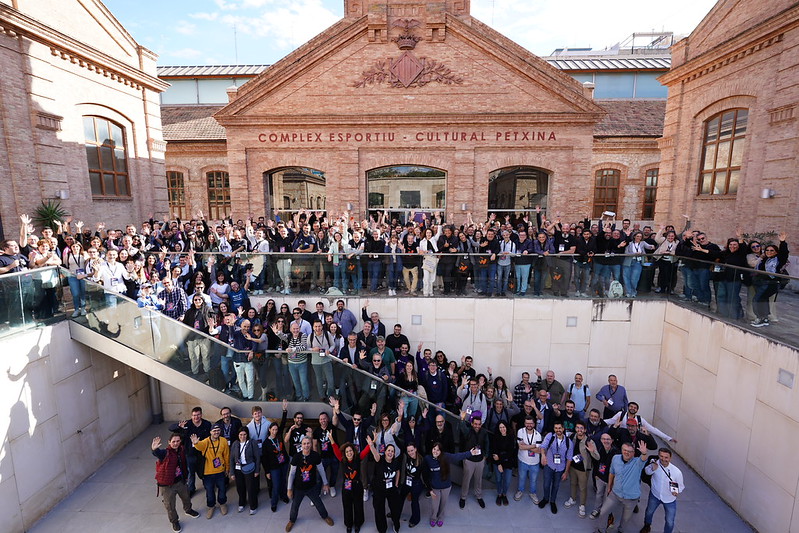

Let’s begin, this WordCamp is yours
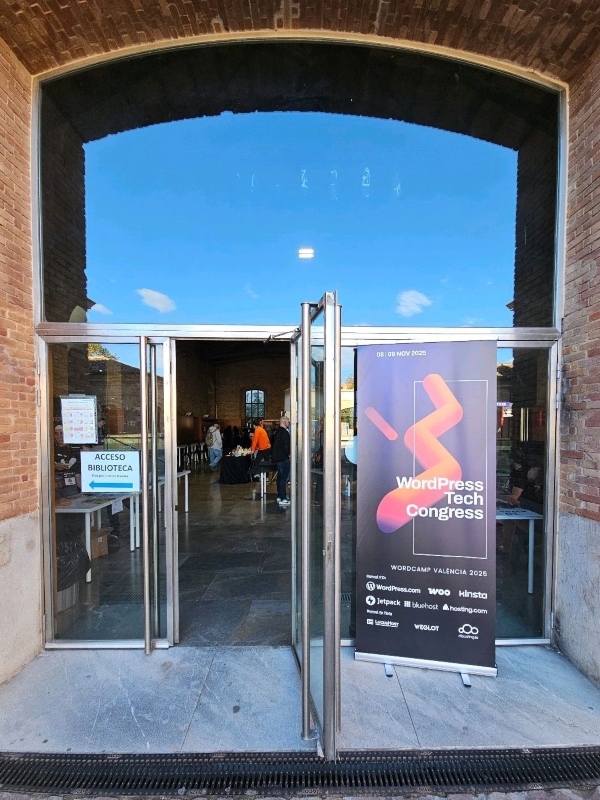
“Good morning! Welcome to WordPress Tech Congress, WordCamp Valencia 2025!”… And that’s how I began my opening speech at this fifth edition and last WordCamp of the year in Spain, held from November 8 to 9 at the La Petxina sports and cultural complex in Valencia. It was an honor to be the team leader, and I’m truly proud of what we achieved. It was an unforgettable experience in which I had the opportunity to design the event together with a great team of passionate organizers, speakers, and volunteers. In this review, I’ll tell you the details, illustrated with numerous photographs. If you were there with us, you’ll be able to relive the memories, and if you weren’t, you’ll now see how we lived that day. Let’s begin, this WordCamp is yours!




What is a WordCamp?
WordPress is an open-source CMS used by 43% of all websites. It is distributed under the GNU General Public License v2 or later. It has a very meaningful mission: “to democratize publishing on the web”, which becomes even more relevant in a digital world where more and more platforms use opaque algorithms that decide how we consume content and exploit our data in ways that are far from ethical. WordPress supports an open and neutral web, a web that belongs to people and gives us the freedom to create and share.
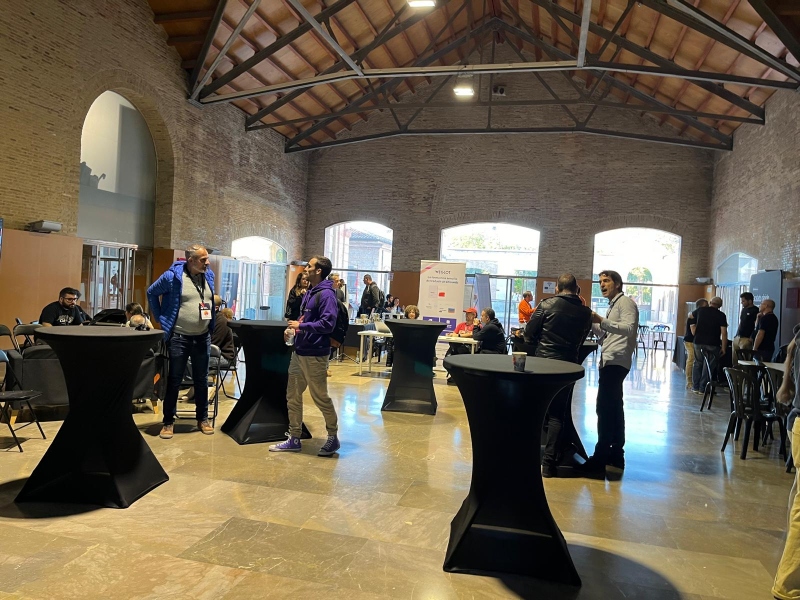
One of the driving forces behind WordPress is its community. A global ecosystem made up of hundreds of people who collaborate with their dedication to develop it and help it grow. And a WordCamp is the conference organized by the community, whose organizers and speakers are all volunteers. We get together with the purpose of learning, collaborating, networking, and also growing the community. During these days, we greet old acquaintances, interact with new people, collect swag from our fabulous sponsors, and eat. These are very special events, with a different feel from commercial conferences because of their family-like, collaborative nature. Everyone is welcome.
Talks and speakers
And that spirit was exactly what we experienced at WordCamp Valencia 2025, which, during that weekend, became the epicenter of WordPress in Spain. This year, under the title “WordPress Tech Congress”, we talked about current technological topics in the WordPress ecosystem, its tools, and associated disciplines.
In total, we had 20 long talks, three of them in English, the Light Talks format, the Speed Builder Game, and Contributor Day. We had an incredible line-up of speakers, experts who shared their experience and delivered talks of truly outstanding quality. In the reviews posted later on social media, attendees spoke of the WordCamp as a “shot of inspiration” and highlighted that “the WordPress community is more alive than ever”.
The content was organized into several categories, one of the main ones being web development. The speakers dug deep into WordPress from the perspective of senior developers.
One of our major talks was given by Ivelina Dimova, titled “Prototyping Intelligent Features for WordPress”. Ivelina is a senior WordPress developer. She has a long history in the WordPress Community and is one of the three team leaders of WordCamp Europe 2026, which will be held in Krakow from June 4 to 6. With her participation, she returned to speaking at WordCamps after a break.

She began by telling us about her participation in the Buildathon competition, an AI-only hackathon/competition in San Francisco organized by DeepLearning.ai and Andrew Ng. There, she created 6 applications in five hours using artificial intelligence tools and ended up winning in the Solo category. This experience made her reflect on how application development has evolved: “Five years ago I wouldn’t have been able to be so fast and efficient”, she told us. From this starting point, her goal was to show us how we can be just as productive in the WordPress ecosystem. She showed us specific tools, how to use them, and a TDD approach adapted to the WordPress ecosystem. In short, she shared the process of how to prototype intelligent features for WordPress, updating us with methods and tools that reveal a new era in web development.
Within this category, there was also a talk with an important piece of news by Fernando Tellado, founder of AyudaWP, very well known in WordPress for his long track record of collaboration. Fernando submitted six talks to the WordCamp, but we contacted him and asked: “Can you talk about the changes in wp-admin and bring us the latest news to the stages of WCVLC25?” And Fernando accepted!

He explained the reinvention and “The future of WordPress wp-admin”, which has gone years without significant changes. To do this, he interviewed Matías Ventura, lead architect of Gutenberg, to bring us fresh information about it. In thirty-five minutes, he explained the new vision, the three pillars of the redesign, the impact for users, and the current status of the project. A big and necessary change because, as Fernando says, “…that the machinery (referring to WordPress) underneath (page builders and dashboards) adapts to our current ways of using the internet: it’s no longer a web of clicks, but a conversational one”. To conclude, he called for participation in building the project.
“It’s your time to contribute. Now is when your voice matters. These changes will affect millions of users. Share your experience, test the prototypes, and help shape the future of WordPress”.
In this category we also had: Sulema Rocha with “From zero to WordPress site in seconds: real productivity with WP-CLI”; Juanma Garrido with “Expanding core blocks with frontend interactivity: HTML API and Interactivity API”; Álvaro Gómez with “WordPress MCP + Abilities API: Talk to your Website”; Fernando Puente with “Evaluating a cache system. Intermediate-Advanced” and Andros Fenollosa with “SASS, the preprocessor that survived the CSS apocalypse”.
Another attractive blocks for the audience was SEO & AI or traffic. Nowday, access to online content no longer depends solely on search engines. Many other entry points to the web also generate traffic and visibility. That’s why SEO experts have begun to add and study the process of discovering websites and content through new Artificial Intelligence tools.
We had Natzir Turrado on the WordPress stage for the first time with his talk “From SEO to AX: prepare your website for agentic traffic”. He is a renowned international expert in SEO and data science. His talk was the result of a year’s work, during which he reverse-engineered agents and agentic browsers to understand how they work and what difficulties they have when navigating the web.

He began with illustrative data: +4,700% increase in traffic from GenAI browsers and chat services to retail sites in the USA; a 9.4% drop in human traffic because people are already interacting directly with AI interfaces; and increasing bot traffic. Natzir explained that websites are no longer only consumed by humans, but also by artificial intelligence agents that browse them, interpret them, and act on them. He told us what these agents actually need to complete tasks, what their weak points are, and how to optimize our websites so these agents can “read”, “understand”, and “use” them.
We also had Dani Leitner with “The real future of our websites: What your SEO agency doesn’t want you to know”, a relevant topic for web designers and developers. Dani is an independent SEO consultant specialized in the DACH market (Germany, Austria, Switzerland). She is passionate about WordPress and organizes the WordPress Meetup in Zürich. She was an organizer of WordCamp Europe Basel 2025.

She started her talk by showing two possible scenarios for the future of the web: the first, with a screen and a chatbot so that the user “navigates” by means of conversations, and the second, a scenario in which there are no real users visiting websites anymore. A web suitable only for agents, which is all code and has no frontend as such, no design layer, no images. “Given current trends, everything will happen in a chatbot”, — she explains. —“For example, you can already buy on Etsy from ChatGPT, and Google does it with PayPal”. In her talk, she walked us through the change in search systems, moving from keyword-based search to conversational search. She talked about new emerging concepts and acronyms, such as LLMO, AEO, and GEO, which are linked to how machines, AI, and agents interact with websites. She recommends anticipating the new purpose of a website: not only to serve human-to-human content, but also to be ready for agents, assistants, and automated workflows that “talk” to the website.
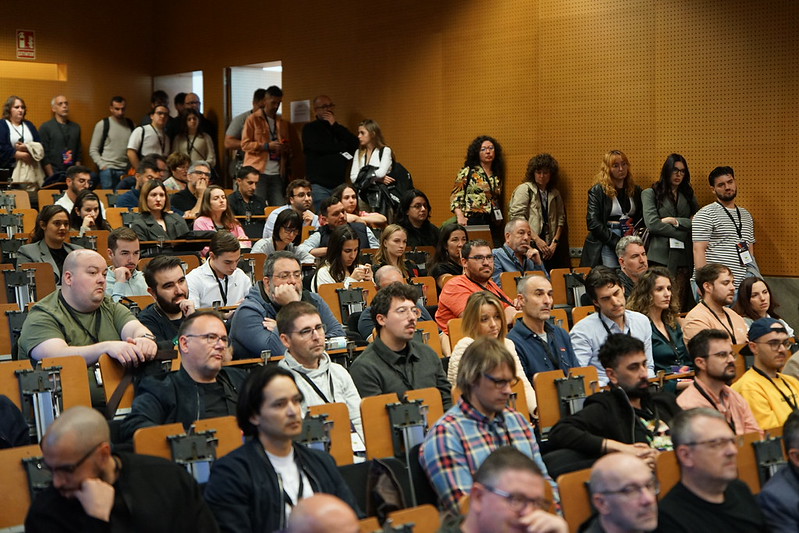
A particularly interesting talk was given by David Ayala with “How to get ChatGPT and Google’s AI to recommend you”, once again impressing the audience, who sat on the stairs of Track 2 to listen to him.
The Digital Marketing category stood out for the quality and appeal of its talks. It couldn’t be missing because many companies use WordPress to build the platforms that will later be key sales tools. Let’s see who took part in this category:
Pablo Moratinos, with “From funnel to flywheel: How to grow with WordPress”. In his day-to-day work, he leads the Data & Experimentation team at Product Hackers, is a WordPress.com brand ambassador, and co-host of Un Billete a Chattanooga. He is the author of the book “Negocios online. Data driven marketing”, published by Anaya Multimedia. He has a long history of contributions to WordPress.

In this talk, he told us how to use WordPress to implement a “flywheel”. First, he introduced the concept: an evolution of the linear acquisition-conversion (funnel) model into the flywheel approach, a continuous growth system that uses customer satisfaction to generate new sales and referrals, creating steady momentum through three phases: attract, engage, and delight. Then, from a technical perspective, he showed how WordPress is a “true growth operator” because it can implement all the phases on the same platform. He wrapped up his talk with examples. A very clear summary of WordPress’s power in digital marketing and how to save resources by having everything on a single platform.
We also had Miguel Florido and his talk: “Connect, convince, convert: The power of in-person conferences in sales”. He is the director of Escuela Marketing and Web, where he teaches specialized training in digital marketing and AI, and he is the founder and director of DSM, one of the largest Digital Marketing and AI conferences held annually in Madrid and Valencia.

It was a technical talk about how to organize a conference, which he explained through his personal and professional experience in marketing. He presented a roadmap with 7 essential points: 1. Alignment with the product, 2. Cost analysis, 3. Choice of speakers and venue, 4. Sponsorship, 5. Ticket types, 6. Event promotion phases, 7. Strategies to sell a product or service. He also showed the tools used to execute the marketing, including WordPress, and project management resources such as a Gantt chart, among others.
The most interesting thing is that, based on the resources he presented, it seems like an easy and simple process, even though it requires a lot of dedication, commitment, and understanding of the context and goals. He also pointed out the advantages of the in-person format over the digital format: spontaneous interaction, high-quality networking, and shared experiences that have a strong emotional impact. Miguel finished by emphasizing that organizing an event means designing experiences that connect emotionally, convince with the proposal, and ultimately generate business results.
Ricardo Tayar also participated in this edition of WordCamp Valencia 2025 with “5 things you must understand (and do) so that your website truly converts”. He is a renowned professional, CEO of Flat 101, a top web design agency in Spain that uses the BXOp (Business eXperience Optimization) work approach and has already been in the market for 12 years.

He began his talk with the following thesis: “if you don’t understand how we make decisions, you can’t design anything that converts”. From here he recommends understanding what the user/customer really wants and aligning it with the business objective; designing the user experience in a way that facilitates the desired action (flow, clarity, motivation); optimizing the technical and functional elements that facilitate conversion (speed, trust, relevance); measuring and analyzing the right data to understand what is working and what isn’t, and acting accordingly; and implementing changes iteratively and validated against reality, not just “because others are doing it”. He ended his talk by assuring us that at this moment, when there is so much digitalization, humanism is more important than ever: -…“touching the emotional chord, which is an art and not easy at all, is going to be the real differentiator in the coming years”.
Within this category, we also had Elena Tur with “Your store doesn’t end at the checkout: how to retain and sell more with automated email marketing from WordPress”, and Marie-Charlotte Pezé: “Earthquake-resistant content strategies” (in English), focused on content and the cultural and paradigm shift brought by Artificial Intelligence.
We also dedicated a space to Automation, as a category, where we had David Cuesta with “This is how you can use N8N on your website to automate”, an open-source tool that has revolutionized the way we work.
Another proposal with a high attendance was in Web Design. Max Camuñas, for the first time at a WordCamp, talked to us about “Designs that hook in the age of AI: tools, trends, design and strategy”. There was a lot of anticipation around this talk, and some attendees had to stand in order to attend it.
In E-commerce, we had the experienced Lidia Marbán with “Cognitive biases in ecommerce boosted with AI”.
We couldn’t fail to talk about Project Management with the experienced Daniel Primo, the mind behind the podcast Web Reactiva, with “Once you do a POC there’s no Stop: Practical AI to turn ideas into projects”.
And finally, the Showcase category, which was first used at WordCamp US 2024. The goal was to show real and successful examples of WordPress in use. For the occasion, we had Óscar Aguilera, CEO of Grupo StartGo, a digital marketing and web design agency, and Miguel Ángel Montañes, its CTO, with the talk “Beyond the CMS: advanced engineering with WordPress”.

Their presentation was divided into two parts. In the first, Óscar answers the following questions: Is WordPress a CMS or a framework? Do large companies use WordPress? Is WordPress secure? Are there projects over 50,000 euros? He gives us the key to defending a WordPress project and answering your future clients. To demonstrate the commercial reach of this CMS, he shares two real proposals, one for 20,000 euros and another for 97,000 euros. In the second part, Miguel, the CTO, walks us through a practical case: the development of a transactional portal for the administrative management of teachers at an educational center. He explains in detail the process and the different methodologies used to create a WordPress-based product that meets the client’s needs. They closed with a powerful message: “WordPress has no limits; the limits are set by us.” What’s essential is not only the software, but also the technical discipline, engineering vision, and strategy behind it.
Light Talks
A very special experimental format. Light Talks are short presentations of around 10 minutes, followed by 15 minutes for audience participation. The five participants are experts in their fields, specialized in creating quality content and skilled at sparking dialogue with their audiences. They are powerful micro-influencers you can follow on their respective channels. Let’s get to know their names:
- Yannick: presented “The WordPressero Traffic Light” and moderated the block.
- Diego Nieto de la Fuente: with “Order Returns in WooCommerce: How to solve the mess?”
- David Carrasco: with “WordPress without Borders: International SEO in the age of AI”.
- Jonathan Velez: with “How to set up your workflow system to build websites in WordPress without wasting time (or money)”.
- Lucia Rico: with “SEO for AI: what’s coming (and what your WordPress still isn’t doing)”.


Thank you so much, Yannick, Diego, David, Jonathan, and Lucía, for taking part and making it possible to implement this format. You are great communicators, and you work day in, day out, directly with your audiences. The attendees really enjoyed interacting with stars like you.
Speed Builder Game
And to close the day, we had Jamie Marsland, director of the WordPress YouTube channel, with this fun format. It was the first time it came to Spain, and we welcomed it with great excitement. The session was held in English and Spanish. We got to see his two contenders, Taisa, a web designer, and Fran Fernandez, a web developer, recreate the following website live and in 30 minutes: KOBU.co.


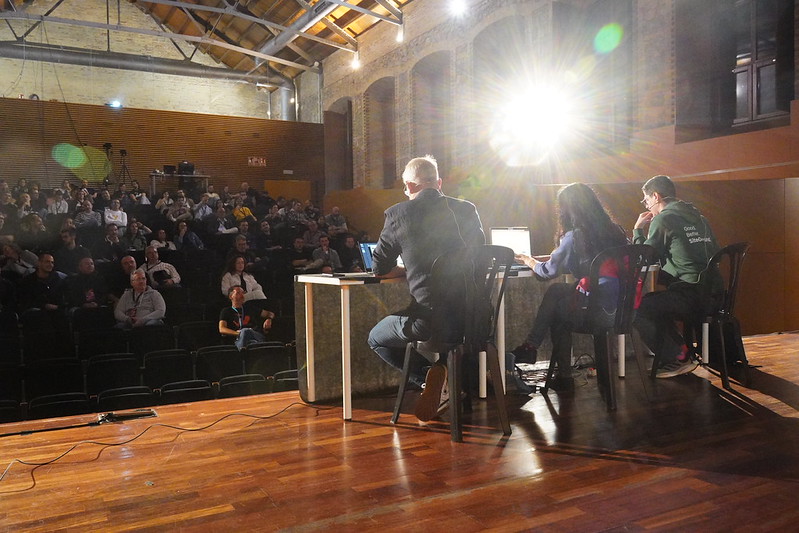

Jamie started out recreating popular websites on his YouTube channel as a personal experiment: “I had been recreating famous websites in 30 minutes”. From there, he had the idea of turning it into a competition: “What if two people compete to build the same website in 30 minutes?” That’s how the Speed Build format was born. The challenge has now gone to the stages of events such as WordCamp Europe, WordCamp Asia, and other WordPress conferences, turning it into a piece of live entertainment, with a visible countdown and direct audience participation.
It was an exciting session, with applause and nerves. In the end, both of them managed to recreate the website with the help of several technologies, including AI.
Thank you so much, Jamie, for bringing your format to WordCamp Valencia 2025. Your presence at our event made it more international and refreshed it with a totally new format on our stages.
Contributor Day
Contributor Day is a day on which we collaborate with WordPress teams, the ones that usually work remotely. During this day, they get together and work in person. In this edition, it was held on Sunday at La Pechina itself. The driving force behind this meetup was Luis Miguel Climent, who focused it on making it easier for new contributors to get involved.
A detailed explanation was given about the following teams:
- Plugins, represented by Francisco Torres.
- Marketing, represented by Carla Pumutxa.
- Development, represented by Juanma Garrido.
- Photo Directory, represented by Roberto Vázquez.
- Campus Connect, represented by Álvaro Gómez.
- Community, represented by Luis Miguel Climent.

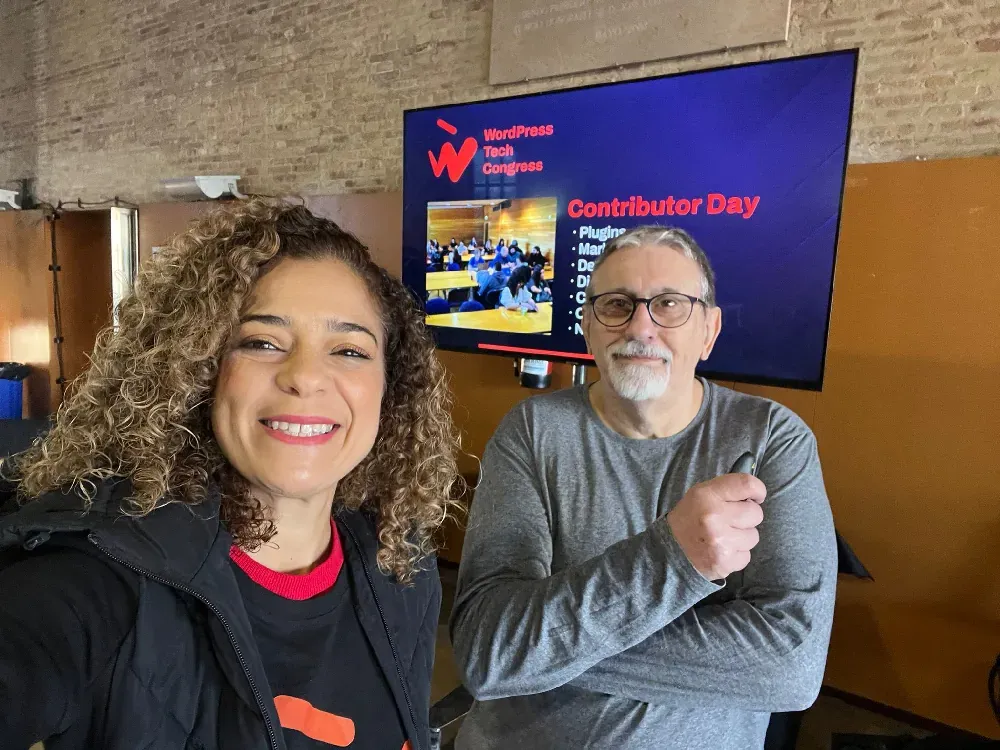



Afterwards, they gathered at their work tables, and participants’ questions were answered. At the end, a recap of the session was done, and follow-up will be carried out with the interested people to help them complete their onboarding on WordPress.org.
Kids’ area
This year, there was a major innovation at WordCamp Valencia 2025: the kids’ area, which welcomed families. Five speakers were able to attend because they had a place to leave their children, and several attendees joined because they were also able to balance childcare with attending the conference.
It’s the first kids’ area at WordCamp Valencia. This service is becoming essential for all WordCamps. At this point, more than half of the ones held in Spain and WordCamp Europe have a space for children.
Welcome, families, welcome kids, they are our future!


If the family gets together, we eat. Traditional Valencian cuisine
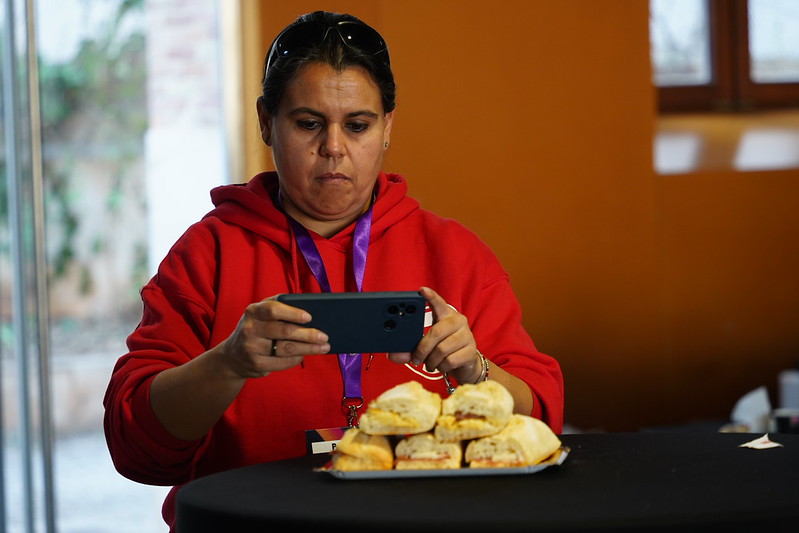
At every WordCamp in Spain, they offer some local culinary delights. In this case, our theme was traditional Valencian cuisine. We offered pastries, baked goods, and sandwiches from a local bakery, traditional rosquilletas, a delicious paella prepared by master paella chefs, traditional horchata, and fartons. To finish, pizza.
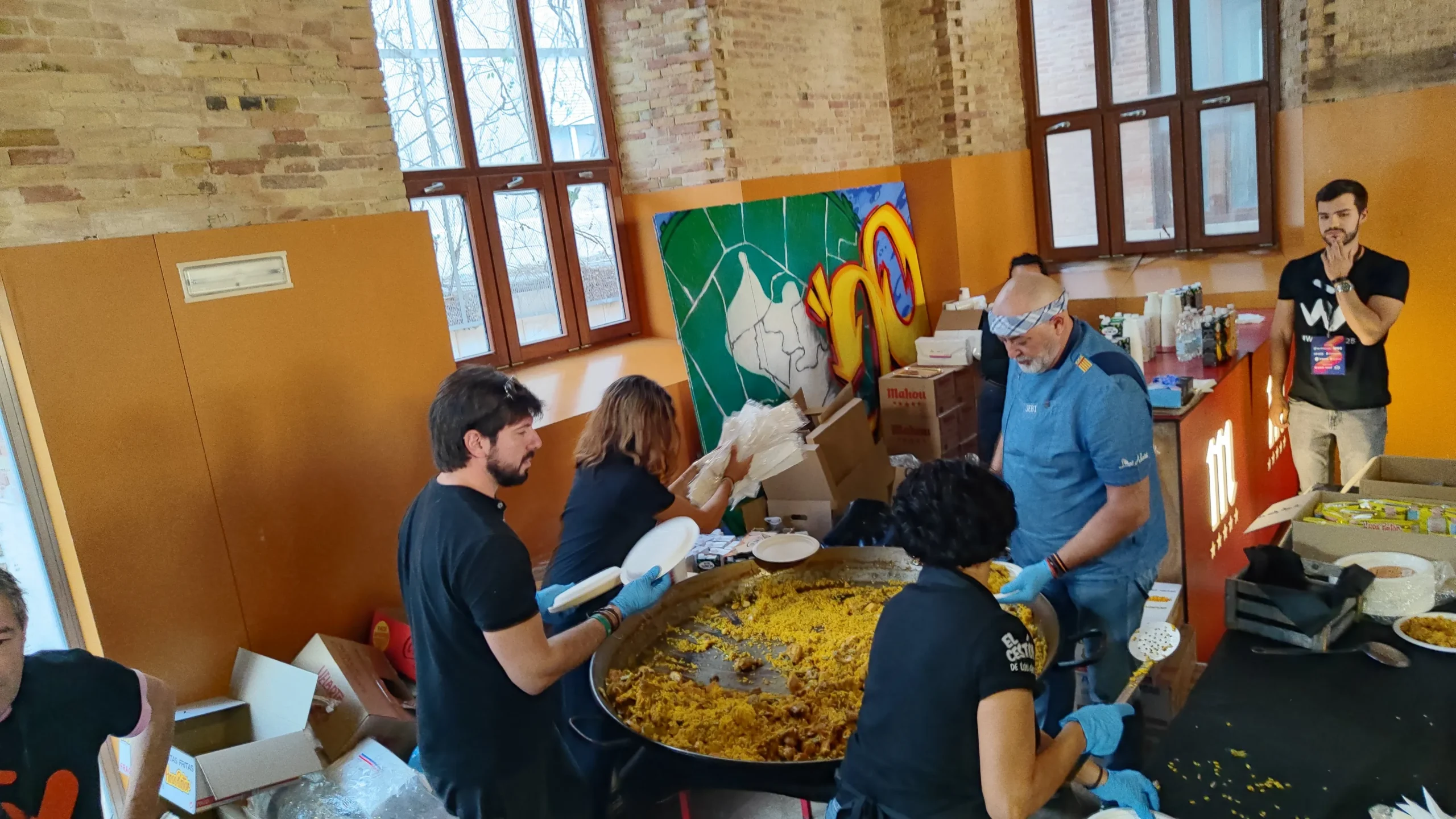


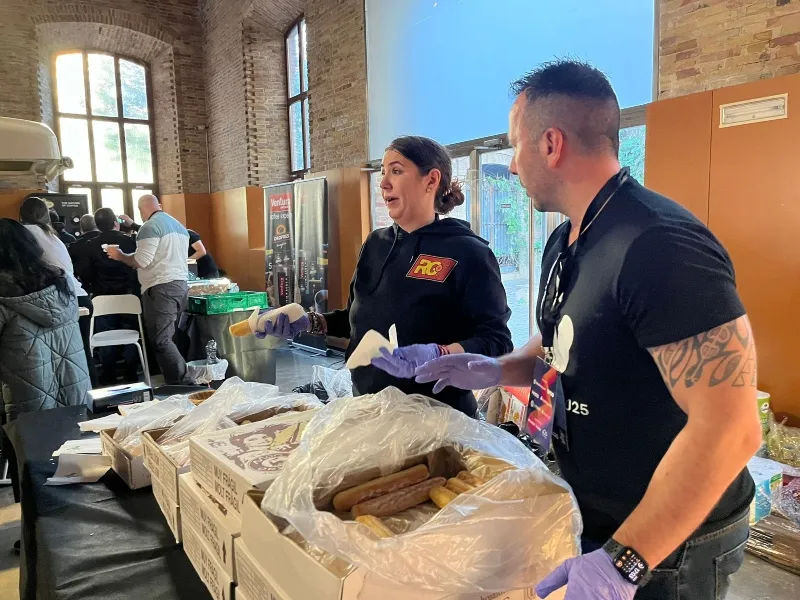


A reward for all the work involved in managing the food side, was the comments from the attendees. For some, like Sofía Ruiz, linked to the Logroño Meetup and WordCamp, it was the first time tasting horchata and fartons. Some speakers referenced the food on stage, like Natzir Turrado, who was drinking horchata during his talk and referred to it as a remarkable beverage. Also, Ricardo Tayar commented that the food was great, with the typical Valencian ice cream cone to finish. We love knowing that after this WordCamp, they now know the taste of Valencia.
A WordCamp with tradition
WordCamp Valencia now has its own tradition and a unique stamp that has been built over time through the work of the teams that brought previous editions to life. A tradition that we proudly showcased. Once again, we chose La Pechina, that emblematic jewel of Valencian architecture, which has become the venue par excellence for our last three meetups. We also continued with the name “Bunyol”, a delicious Valencian treat, to identify the sponsor levels. Likewise, we kept the foundation of the corporate identity, preserving the color orange and reinterpreting the logo and posters. It has been an honor and a challenge to maintain these details that give it a unique distinction: that of WordCamp Valencia, that of each and every one of those who have contributed over the years.
Team
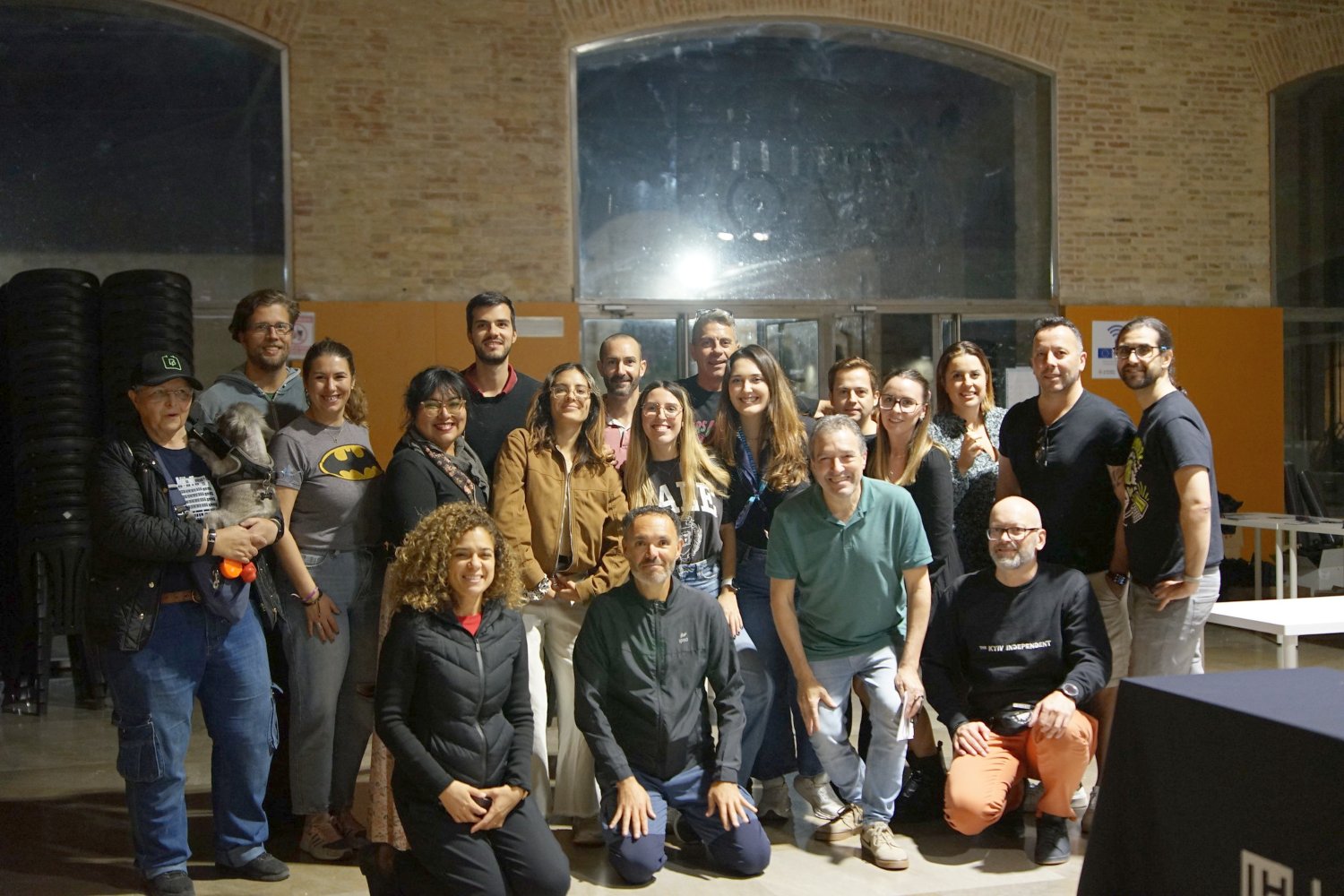
WordCamps all over the world are possible thanks to the volunteers behind them. We prepared this event with a lot of care and excitement, with the goal of bringing the community together, learning, attracting new WordPressers, and continuing to build open-source WordPress. For ten months, we dedicated many hours of our free time to completing the project. We learned, corrected, solved problems, innovated, and finally saw our WordCamp come to life.
Let’s meet the people behind the scenes: Lena Iñurrieta, Gustavo Galati, Luis Miguel CLiment, Clara Fayos, Cesar Labadia, Luis Francisco, Toya Seguí, Ricardo Vilar and Eric Seguí.
And alongside us, there was a very special figure: the mentor of WordCamp Valencia 2025. We were lucky to have Pablo Moratinos, who accompanied us, guided us, and solved key issues throughout the whole process. He has a long track record in the WordPress Community in Spain and is a benchmark for his experience and commitment. He has an impressive collaboration résumé: he has been team leader at four WordCamps, two at WordCamp Irún and two at WordCamp España Online, and co-organized four, the first being WordCamp Chiclana 2017. To date, he has mentored nine WordCamps, accompanying and supporting organizing teams with professionalism and a clear vision. He came as a mentor and a speaker.
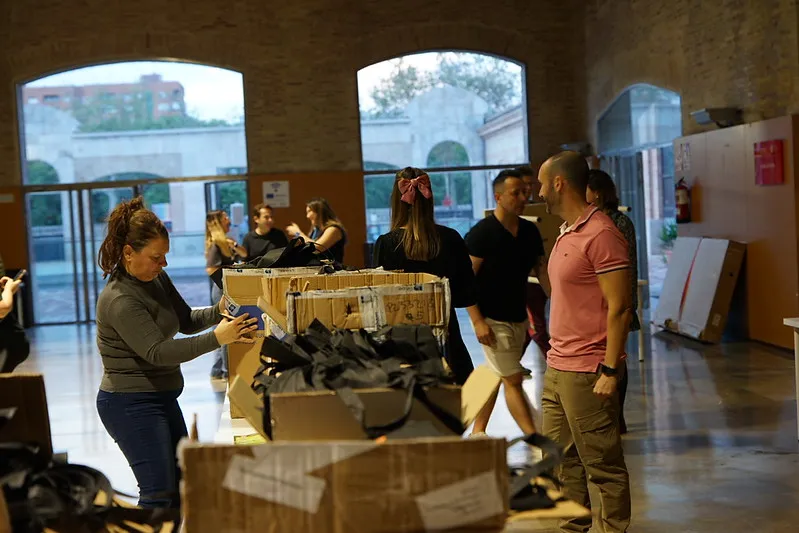
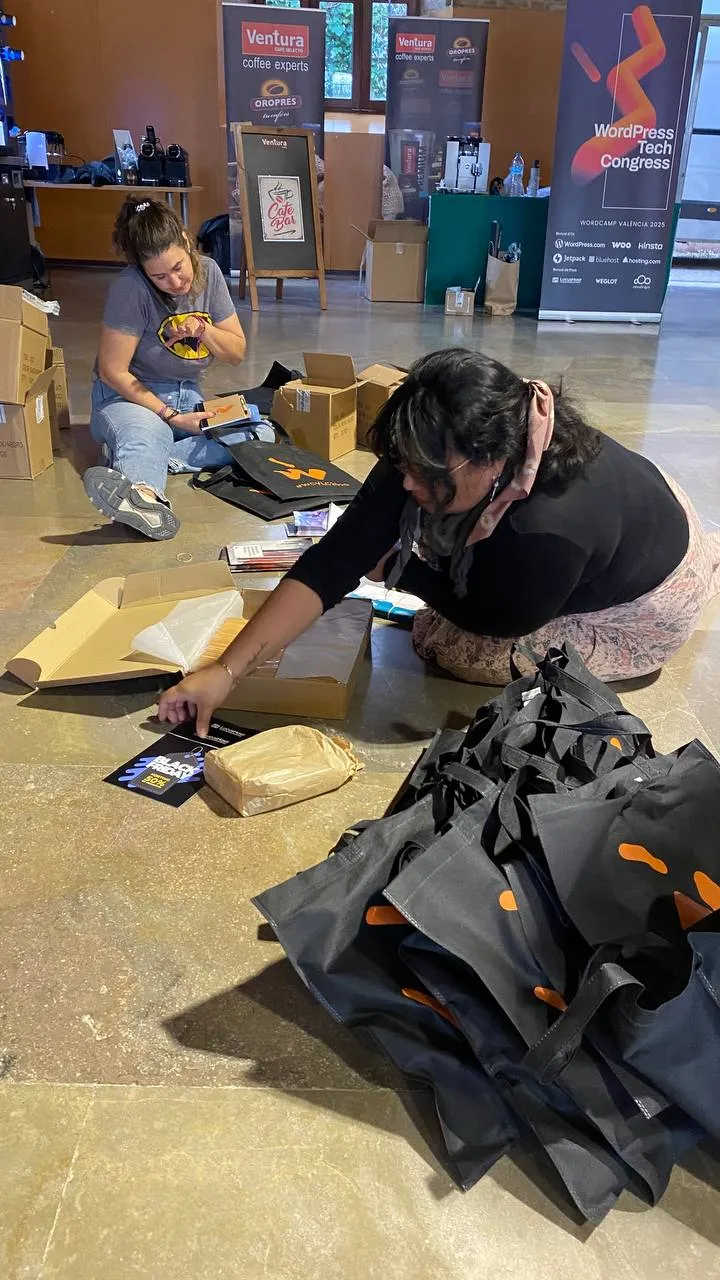
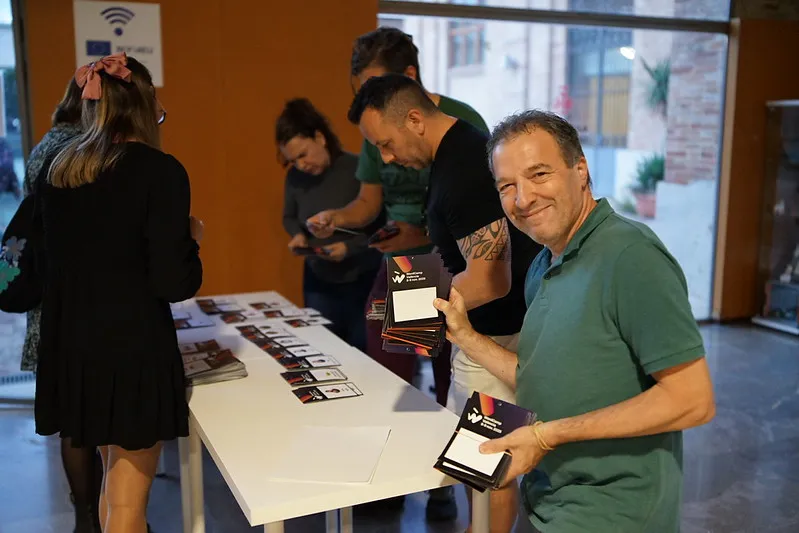
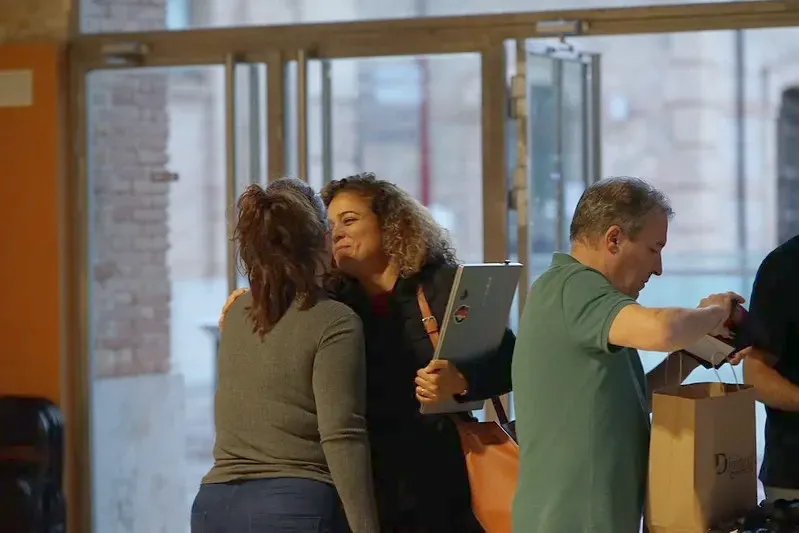
A key piece of this machinery are the volunteers, who travel from different parts of Spain to collaborate and make the WordCamp possible. Many thanks to Anabel López, Andriy Terentyev, Ariadna Santana, Carla Pumutxa, Cristina López, Daria Verdugo, Fran Trapero, Héctor Tellado, José Hilario, Lorsy Turizo, Lua Salazar, Marcin Wosinek, María Fabián, Maribel Haroon, Marlon Veásquez, Mónica Teixeira, Nilo Vélez, Rafa Villaplana, Roberto Vásquez and Ximo Tomás.




Sponsors
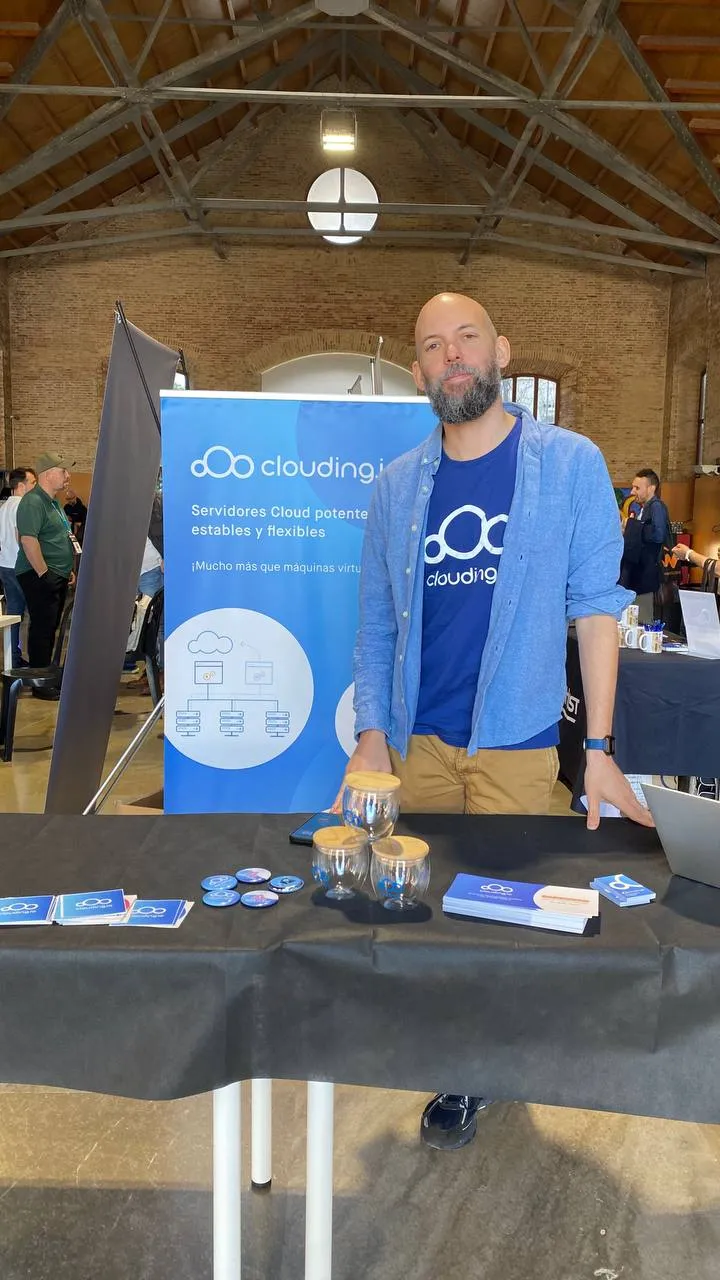
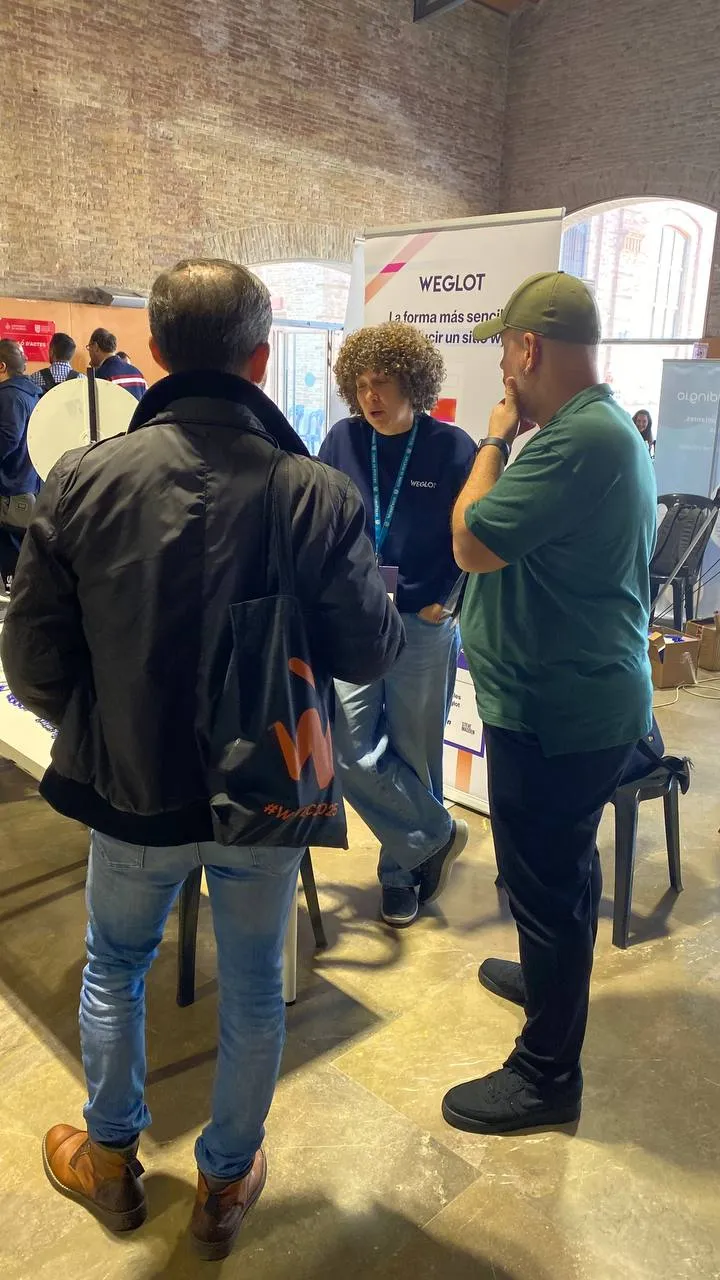
Sponsors are an important pillar of the event; they contribute with financial resources and their presence. WordCamps are not commercial events per se. The companies that join do so with the desire to contribute to the community and to connect more closely with their potential customers. In this sense, they bring special promotions and keep a close relationship with the attendees.
Thanks to the Bunyol de Oro and global sponsors: WordPress.com, Kinsta, Hosting.com, Bluehost, Woo, and JetPack.
Thanks to the Bunyol de Plata sponsors: WeGlot, Lucusthost, and Clouding.
Thanks to the Bunyol de Bronce sponsors: Raiola Networks and Dinahosting.
Thanks to the Bunyol de Carabassa sponsors: Grupo StartGo, Doowebs, Xufa.es, Zubbun, Tandem Marketing Digital, Datomedia, Acceseo, and GreenGeeks.
Thanks to the in-kind sponsors: Mohou, Café Silvestre, Café Ventura, Stickermule, Velarte, DooWebs, Desafío Digital, Grupo Billingham, SomDigitals, and Mon Orchata.
Thanks to the micro-sponsor: Wayrank.
Thank you for supporting WordCamp Valencia 2025 and making it possible.



Public reception
We had a great reception from the audience, with more than 300 highly engaged attendees throughout the day, creating a vibrant atmosphere full of energy and a strong desire to learn, share, and reconnect. In addition to new faces, the Valencia and Spain community gathered. It was amazing to see everyone together again.
After the event, attendees left many reviews on social media, especially on LinkedIn. Here are some of them.


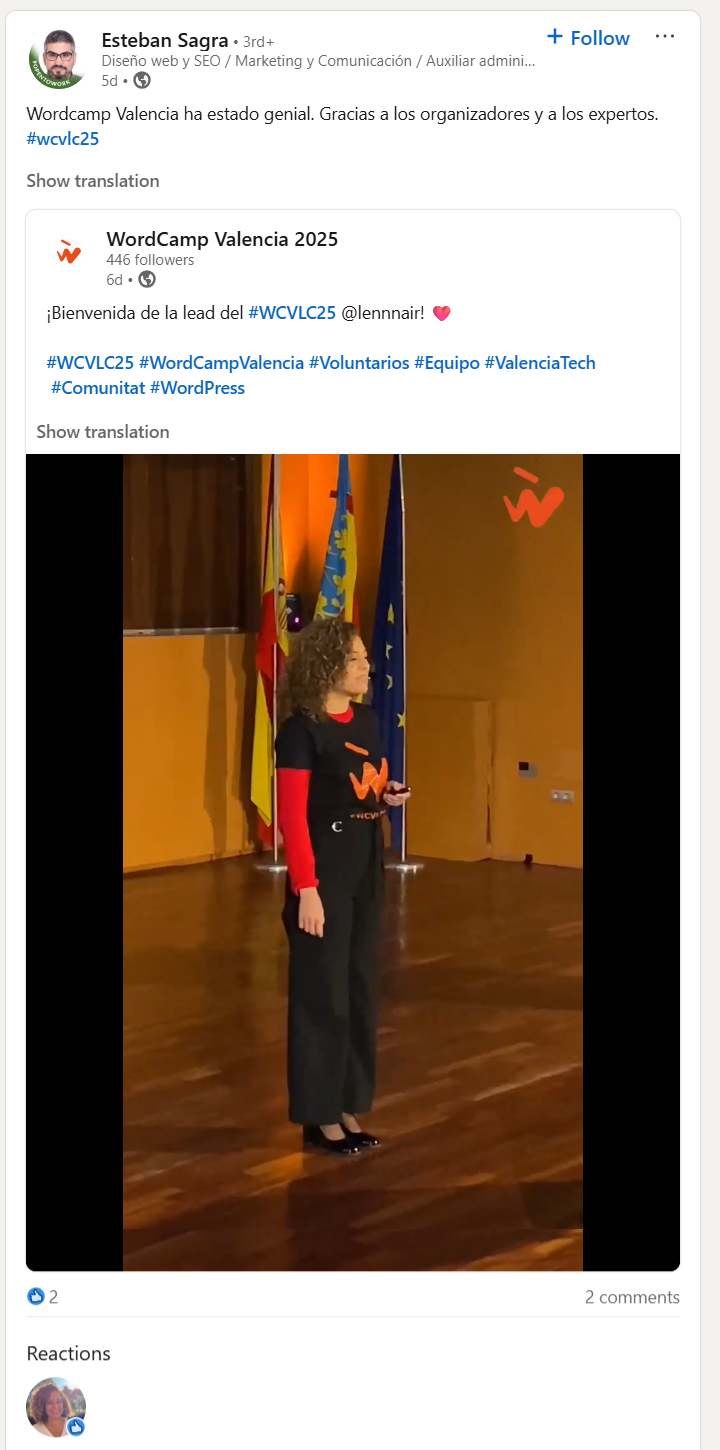


FINAL
And so we reach the end of WordPress Tech Congress, WordCamp Valencia 2025. We talked about the latest in technology and WordPress. I’ve told you many details, and I still have some left, but I think you now have a good idea of what that November 8 and 9 was like. We had talks of the highest technical and strategic level, with international speakers. We also innovated with new formats such as the Light Talks, Jamie Marsland’s Speed Builder Game, the director of WordPress’s YouTube, for the first time in the Spanish community, and a Contributor Day focused on expanding collaboration with new participants. In addition, we organized a kids’ area for the first time.
I would like to give a special thanks and send a hug to Pablo Moratinos, the mentor, for his support and help, especially at key moments in the project’s management, to Miguel Florido for his marketing advice, to Enric García from DooWebs and his team, who built the website, to Kike Rodríguez for his help animating the WordCamp poster and his promotional video of the attendee wapuu, to Susana Ibañez for her help as an experienced team leader, to Jamie Marsland, Natzir, Marie-Charlotte, Ivelina Dimova, David Carrasco, Jonathan Velez, Yannick, Rafa Villaplana, Gustavo Galati, César Labadia, Luis Miguel Climent, Clara Fayos, Eric Seguí, Toya Seguí, Luis Francisco, Ricardo Vilar… To everyone, speakers, organizers, volunteers, and sponsors, thank you very much for your work. The WordPress Community has come together once again, and it has been thanks to this collective effort.
I send you a handshake and a hug. I’d like to take these lines to say loud and clear: Thank you so much for taking part in this adventure and making it possible!
This WordCamp was yours, and I hope the magic of WordPress continues.
See you at the next WordPress adventure!
More about WordPress Tech Congress, WordCamp Valencia 2025
Photos by the photography team
Author: Lena Iñurrieta. Team leader WordPress Tech Congress, la WordCamp Valencia 2025
Photos: Nilo Velez, Roberto Vázquez, Carla Camutxa, Lena Iñurrieta
Matt: AI Disruption
Two interesting posts today, first is Nick Hamze, who ponders the case on his delightfully avant-garde site for how WordPress fits in when everything is coded up on a whim, Nobody Rips Out the Plumbing.
Separately, I was delighted to see that legendary investor Brad Feld has hooked up Claude Code to post to his WordPress site, which hammers in Nick’s point that when you can use these tools on top of existing infrastructure, you get a much stronger foundation than imagining everything from scratch.