WordPress.org blog: WordPress 7.0 Beta 1
WordPress 7.0 Beta 1 is ready for download and testing! This beta release is intended for testing and development only. Please do not install, run, or test this version of WordPress on production or mission-critical websites. Instead, use a test environment or local site to explore the new features.
How to Test WordPress 7.0 Beta 1
You can test WordPress 7.0 Beta 1 in any of the following ways:
| Plugin | Install and activate the WordPress Beta Tester plugin on a WordPress install. (Select the “Bleeding edge” channel and “Beta/RC Only” stream.) |
| Direct Download | Download the Beta 1 version (zip) and install it on a WordPress website. |
| Command Line | Use this WP-CLI command: wp core update --version=7.0-beta1 |
| WordPress Playground | Use a 7.0 Beta 1 WordPress Playground instance to test the software directly in your browser. No setup required – just click and go! |
The scheduled final release date for WordPress 7.0 is April 9, 2026. The full release schedule can be found here. Your help testing Beta and RC versions is vital to making this release as stable and powerful as possible. Thank you to everyone who contributes by testing!
How important is your testing?
Testing for issues is a critical part of developing any software, and it’s a meaningful way for anyone to contribute – whether or not you have experience. Details on what to test in WordPress 7.0 are available here.
If you encounter an issue, please share it in the Alpha/Beta area of the support forums. If you are comfortable submitting a reproducible bug report, you can do so via WordPress Trac. You can also check your issue against this list of known bugs.
Curious about testing releases in general and how to get started? Follow along with the testing initiatives in Make Core and join the #core-test channel on Making WordPress Slack. WordPress 7.0 will include new features that were previously only available in the Gutenberg plugin. Learn more about Gutenberg updates since WordPress 6.9 in the What’s New in Gutenberg posts for versions 22.0, 22.1, 22.2, 22.3, 22.4, 22.5 & 22.6.
What’s new in WordPress 7.0?
WordPress 7.0 boasts numerous upgrades in the editing and admin experience, delivering enhanced real time collaboration, refined customizability, new dashboard styles, and an expanded developer toolbox for people who create, design, and build with WordPress every day.
Working as a team just got easier with the ability for multiple users to edit together in real time, while visual revisions allow a visual comparison between page versions, adding agility to the creation and review process. Working with patterns has been simplified, making layout updates and content changes more intuitive, while view transitions smoothly move you from screen to screen as you click.
New and improved blocks and design features in 7.0 make sites more customizable, with video embed backgrounds in the Cover block, a responsive-enabled Grid block, and new Icons, Breadcrumbs and Heading blocks. An updated Navigation block makes menu changes easier and more reliable in fewer steps. Responsive, mobile-friendly controls in 7.0 allow you to hide or reveal blocks based on screen size, while client-side media handling speeds up media processing. The Font Library screen for managing installed fonts is now enabled for all themes, so site editors are always able to browse, install, and organize fonts.
For developers, it’s now easier to build modern experiences while staying aligned with Core principles. The new WP AI Client in WordPress 7.0 brings a layer into Core that allows leveraging of AI models from any provider within the WordPress framework. This means plugins and themes can tap into any AI model to expound on its endless options. 7.0 offers even more versatility with the Client Side Abilities API that introduces a standardized way to register and run “abilities” in the browser, supporting richer, more consistent workflows. Additionally, 7.0 introduces PHP-only block registration with auto-generated inspector controls, adding a new dimension to block creation, while Block Bindings updates for pattern overrides expands support to custom dynamic blocks, giving block creators more options.
Needless to say, this release offers a wide range of flexibility to creators, teams and developers, while bringing a visual refresh to the admin experience you know and love with a fresh default style.
Work together in real time
Building on the momentum started in WordPress 6.9, the ability for teams to create and edit together is more refined and robust in 7.0. With this version of WordPress multiple users can edit and collaborate on the same post or page in real time, with data syncing and stabilized notes for smoother teamwork and a more streamlined editing and review process.
- Real Time Collaboration: Teams can now edit posts and pages together live from multiple locations, with offline editing and data syncing enabled, and a new default HTTP polling sync provider with options for plugins or hosts to include websocket support. With this collaborative content creation workflow, teams can brainstorm more effectively and boost productivity. For the beta period, real-time collaboration is opt-in in order to get broader feedback and testing.
- Notes: 7.0 introduces real time syncing of notes that helps facilitate collaboration, a keyboard shortcut for new notes, and a series of quality-focused fixes that bring more stability to the Notes feature.
A Refined Admin Experience
WordPress 7.0 gives the wp-admin experience a boost with a fresh default color scheme, and a cleaner, more modern looking dashboard, while keeping the interface familiar. The upgraded dashboard enhances the editing experience with new visual revision comparisons, and smooth transitioning between screens.
- Visual Revisions: Working with revisions is even better in 7.0 with the added ability to make visual comparisons to revision versions within the editor.
- View transitions: Cross-document view transitions in the dashboard offer visual continuity with seamless movement from screen to screen.
Customizing content with ease
Creators have more flexibility in 7.0 with new tools for content and design, enhanced editing controls, and attention to mobile friendliness.
- Responsive Editing Mode: Block visibility is now more responsive and mobile-friendly, with the ability for blocks to be displayed or hidden based on screen size.
- Pattern Editing and contentOnly interactivity: WordPress 7.0 introduces pattern-level editing modes, a tree view for buttons and list blocks, and the ability to opt out of the default content only mode. The new Spotlight mode helps you isolate content in patterns and notes, while the Isolated Editor mode can be used for editing symbols and reusable pieces like synced patterns, template parts, or navigation.
- Block supports and design tools: 7.0 includes text line indent support, text column support, aspect ratios for wide and full images, dimension width and height support, and dimension presets, tools and controls.
New blocks and design options at your fingertips
7.0 delivers a series of new and improved blocks and block features, a streamlined navigation workflow, and more versatile design options like video embeds as section backgrounds.
- Navigation Block: Navigation workflow is now more intuitive and clear, with improved editing and presentation. 7.0 introduces customizable navigation overlays as template parts, including mobile version overlays that can be hidden or revealed based on custom breakpoint settings.
- Heading Block: Heading levels are now available as block variations, giving more control over page hierarchy and design.
- New blocks: 7.0 makes building pages more diverse with new Breadcrumbs and Icons blocks.
- Cover block embedded videos: Video embeds can now be used as a background in the cover block, opening up opportunities for sleeker and more creative designs.
- The Grid block is now responsive-enabled allowing grid-based layouts to adapt more smoothly across screen sizes.
- The Gallery block now has lightbox support that lets the user click through and view each gallery image.
Developer’s toolbox
Working with WordPress on the backend is now more robust for developers, with new and enhanced API features that support flexibility and lay a foundation for future advancements. The Client Side Abilities API provides a client-side registry for WordPress capabilities that allows you to tap into new and innovative website options. WordPress 7.0 offers even more by introducing the Web Client AI API to Core, enabling access to generative AI models in one central interface.
- Web Client AI API: The new AI client and API acts as a command center for accessing and communicating with generative AI models, with providers remaining external to WordPress Core, and Abilities API integration.
- Abilities and Workflows API: With the new client side abilities package users have access to new and hybrid abilities, filter and search functionality for abilities, and an improved command palette and UI.
- Blocks and patterns created on the server: WordPress 7.0 boasts the ability for PHP-only blocks and patterns to be generated server-side and auto-registered with the Block API.
- DataForm: Introducing a new details layout, new controls (combobox, adaptiveSelect), and updated trigger for panel layout (dedicated edit button). Additionally, the initial iteration for validation is complete: all controls have support, and all layouts display error messages.
- DataViews: DataViews has a new activity layout, and a foundation has been laid to be able to register 3rd party types in future releases.
- CodeMirror update: CodeMirror has been updated to version 5.65.40, aiding more flexible extensibility and library options.
Media processing in the browser
WordPress 7.0 introduces Client-side media processing, leveraging the browser’s capabilities to handle tasks, like image resizing and compression, for smoother image processing. This enables the use of more advanced image formats and compression techniques, and reduces demand on the web server; providing a more efficient media handling process for both new and existing content, and supporting smoother media workflows.
With so many options and enhancements in WordPress 7.0 Beta 1, this is still only the beginning. You can expect future releases to be even better.
Just for you: a Beta 1 haiku:
As sun kisses moon,
Beta 1 ignites in bloom…
Seven-oh lands soon.
Props to @ellatrix, @jeffpaul, @annezazu, @chaion07, @zunaid321, @audrasjb, @mukesh27, @ankit-k-gupta, @oandregal, @westonruter, @karmatosed, @bph for reviewing and collaborating on this post!
I Found the 9 Best WordPress Construction Themes (30+ Themes Tested)
When you run a construction or contracting business, your website needs to work just as hard as you do. But many construction WordPress themes make simple tasks, like adding real project portfolios, service pages, and a quote form, more complicated than they should be.
When those pages aren’t shown clearly, visitors can have a hard time finding what they’re looking for or getting in touch. Over time, this can make your business seem less professional and lead to fewer inquiries.
This is why you should choose the right WordPress theme for your website. At WPBeginner, we’ve tested many construction themes, so we know which ones are fast, easy to customize, and built to highlight real projects and services.
In this guide, I’ll share the best WordPress construction themes you can use to build a professional website that helps you attract clients and get more quote requests. 🏗️
Quick 3 Picks: Best WordPress Construction Themes
In a hurry? Here’s a quick overview of my top 3 WordPress construction theme picks:
| 🥇 First choice | 🥈 Second choice | 🥉 Third choice |
|---|---|---|
| aThemes Sydney | SeedProd | Elegant Themes Divi |
 |
 |
 |
| 🔎 Popularity: 100,000+ active installs | 🔎 Popularity: 1M+ active installs | 🔎 Popularity: 2M+ active installs |
| 🌟 Rating: 700+ 5-star reviews on WordPress.org | 🌟 Rating: 4,500+ 5-star reviews on WordPress.org | 🌟 Rating: 20,000+ reviews on Trustpilot |
| 30+ professionally-designed starter sites | 350+ site kits and starter templates | 370+ website and page templates |
| Works with WooCommerce out of the box | No-code WooCommerce builder | Seamless WooCommerce integration |
| Pre-made website sections | 90+ premium page blocks | Built-in website elements |
| Works with page builders like Elementor | Built-in page, website, and theme builder | Works with Divi Builder and other page builders |
| Read more » | Read more » | Read more » |
Why Does Your Theme Matter for a Construction Website?
Your WordPress theme plays a big role in whether visitors trust your business and decide to request a quote or contact you.
A good construction theme helps by offering:
- 🧰 Construction site-focused pre-built sections – Construction themes often include sections for services, project galleries, FAQs, contact or quote request forms, and Google Maps. These let visitors quickly see what you offer and how to reach you.
- 📱 Mobile responsiveness – Many people search for contractors on their phones, sometimes while standing on a job site or comparing options nearby. A mobile-friendly theme makes it easy for them to call you or request a quote right away.
- 🧑💻 Easy editing for non-technical staff – You or your team can easily add new projects, update services, or rotate testimonials as your work grows, without hiring a developer.
- ⚡ Speed and performance – A slow website can push potential clients away. Fast-loading pages help with SEO and keep visitors around long enough to fill out a contact or quote form.
- ⚙️ Work with popular WordPress plugins – A good theme integrates smoothly with form builders, booking tools, and live chat plugins, making it easier for visitors to ask questions and become leads.
Behind the Scenes: How I Test and Review WordPress Construction Themes
To choose the best WordPress construction themes for this showcase, I installed and tested each theme on a demo site to see how it performs in real-world use.
I focused on how well each theme would work for an actual construction business – from showcasing projects to getting more quote requests.
Here’s what I looked for:
- Clear navigation menu – I evaluate the navigation layout and site structure to ensure visitors can find services and project galleries quickly.
- Strong call-to-action areas – I review how easy it is to add buttons or sections that encourage visitors to request a quote, call the business, or send a message.
- Mobile responsiveness – I make sure the theme looks good and works properly on phones, tablets, and desktops, since many clients browse on mobile.
- Speed and performance – I test how fast the pages load because a slow site can hurt SEO and cause potential clients to leave.
- Page builder support – I check whether the theme works well with popular page builders so you can create custom pages without touching code.
I also considered different needs and skill levels – whether you’re a solo contractor, a growing construction company, or an agency building sites for clients. This way, there’s an option for different budgets, experience levels, and business goals.
Why Trust WPBeginner?
At WPBeginner, we’ve spent over 17 years building, testing, and improving WordPress websites for all kinds of businesses, including service-based and construction websites.
That hands-on experience helps us understand what a good construction theme really needs, such as clear service pages, strong project galleries, mobile-friendly layouts, and easy ways for visitors to request quotes or get in touch.
Every theme in this list was personally tested with real construction website needs in mind. Along with construction-specific features, we look at page speed, ease of editing, and overall user experience.
We take our reviews seriously, so you can trust our recommendations. You can learn more about how we do this in our editorial process.
Now, let’s take a look at the 9 best WordPress construction themes you can use for your website.
1. Sydney – Best Overall WordPress Construction Theme
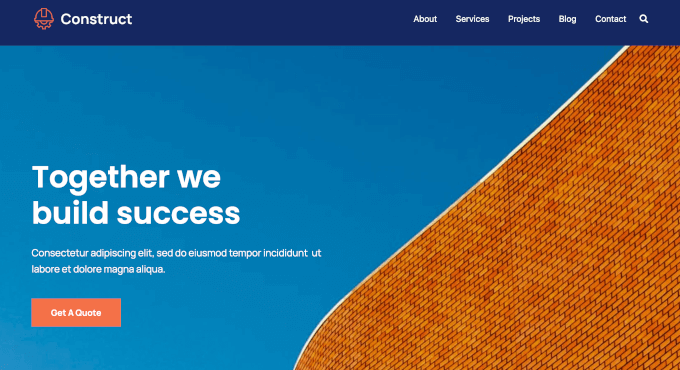
aThemes Sydney is a beginner-friendly WordPress theme with ready-made construction layouts, Elementor compatibility for drag-and-drop editing, and fast loading.
We have thoroughly tested aThemes Sydney to see how it compares to other solutions. To read more about our experience, see our complete Sydney review.
My Experience
After installing Sydney, I liked that it comes with over 30 starter sites, including several made for construction and contractor businesses.
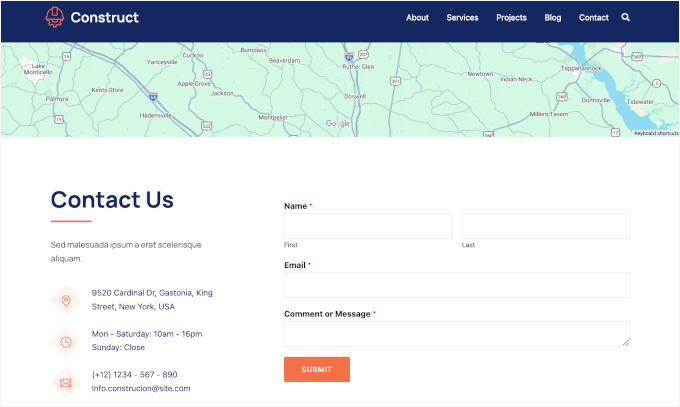
I imported a construction demo using the one-click importer, and it took under two minutes. It set up a full site with a homepage, services page, about page, contact page with a map, and the ‘Get a Quote’ call-to-action (CTA) button.
Customizing the site was easy because the homepage already includes sections for featured work and company mission.
And with the Elementor integration, I could simply drag and drop elements to adjust everything without code. I could also create a custom layout for a “Commercial Construction” service page and reuse it for other services.
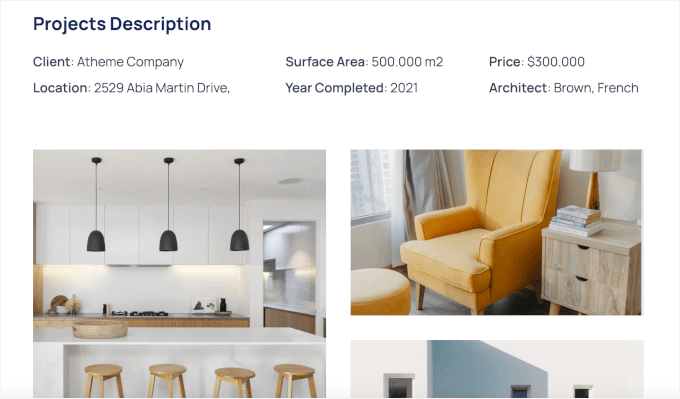
Plus, I found that adding project photos was smooth using the built-in gallery block. I found that an image gallery works well for showcasing past work.
Header and footer customization was also simple. I added a phone number and a “Request a Quote” button to the header so visitors could reach me from any page. Widget areas made it easy to add things like contact forms and business hours.
During testing, the theme felt lightweight and fast, and the mobile version adjusted automatically without extra setup.
The main downside is that advanced designs and extra starter sites are locked behind the Pro version. The free Sydney version works well for a basic construction site, but you’ll feel limited if you want more layout options or design variety.
✅ What I like about Sydney:
- 30+ importable starter sites with construction layouts
- Elementor compatibility for drag-and-drop editing
- Template builder for custom page layouts
- Pre-built sections for services, projects, and testimonials
- Customizable headers and footers
- Lightweight and fast-loading
🤔 What I don’t like about Sydney:
- Advanced features require the Pro version
⭐ Why I recommend Sydney: I strongly recommend Sydney because it’s beginner-friendly and gives you ready-made construction layouts. You can customize without code and launch quickly.
🧑💻 Get the Sydney theme today!
2. SeedProd – Best for Custom Construction Landing Pages
SeedProd stands out for its AI-powered website builder, which lets you generate a complete custom construction website in less than 60 seconds – no coding required. This makes it one of the fastest ways to get a professional construction site online with WordPress.
Using its AI Theme Builder, you can describe your business, choose your industry, and SeedProd automatically creates a full website layout for you.
You can then use the drag-and-drop builder to easily customize pages like your homepage, landing pages, and even “Request a Quote” pages or funnels.
Some of our partner brands have used SeedProd to custom-build their websites. See our detailed SeedProd review to see how it compares to traditional WordPress themes.
My Experience
I’ve used SeedProd before for landing pages, and my favorite part has always been the built-in AI tools. For this roundup, I specifically tested the full AI Theme Builder to see how well it works for a complete construction website.
The setup was impressively fast. In under a minute, I had a fully structured construction site that already looked polished and professional.
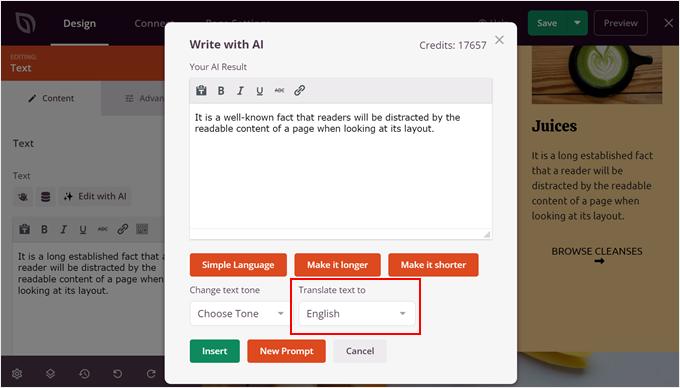
And if you struggle with writing, the AI writer can instantly create professional “About Us” content or service descriptions. There’s also an AI translator that can turn your site into multiple languages, which is great for reaching more local customers.
This is a big win if you want to get online quickly without spending hours designing layouts or writing content from scratch.
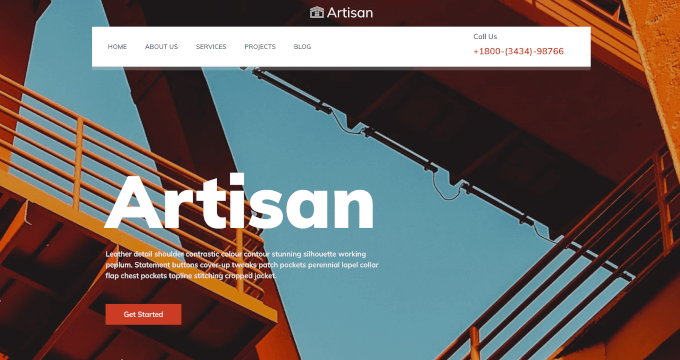
After testing the AI builder, I also explored SeedProd’s Artisan construction site kit. It comes with a ready-made homepage, services page, contact page, and more. I especially liked the floating navigation bar – it instantly made the site feel modern.
Importing the template was quick, and all pages appeared in my dashboard ready to edit.
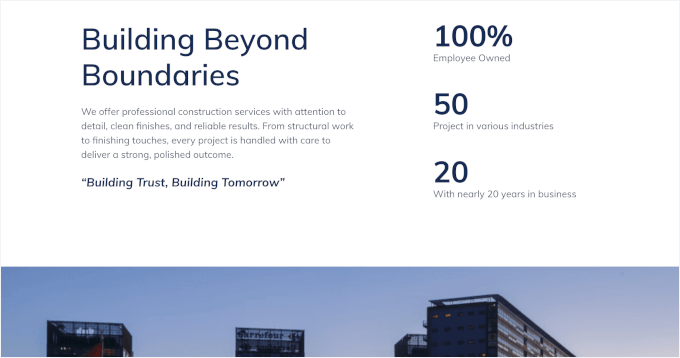
The pre-built homepage layout was well thought out, with clear sections for a short company intro, a strong call-to-action, and company stats for social proof. All these elements make the site feel professional and credible right away.
The drag-and-drop editor felt fast and intuitive. Since it’s a front-end builder, I could see changes in real time while adjusting layouts, text, and images.
For example, I built a simple quote request funnel. The homepage has a call-to-action button that links to a dedicated quote form page, created using SeedProd’s form blocks.
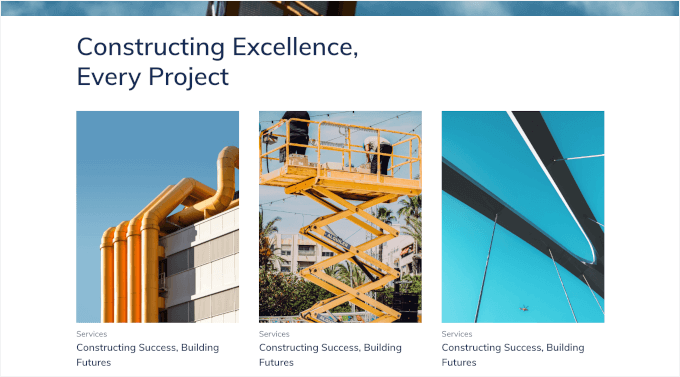
Adding a completed projects section was just as easy. I dropped in an image gallery block, uploaded photos, and arranged them into a grid without switching screens.
I also set up a sticky header with a custom logo, menu, and phone number so visitors could contact the business from anywhere on the site.
One thing to note: you’ll need the Plus plan or higher to use the full AI Theme Builder. The free version is limited to landing pages, so upgrading is necessary if you want to build a full construction website.
✅ What I like about SeedProd:
- Full AI-powered website, theme, and landing page builder
- Drag-and-drop visual builder for real-time front-end editing
- Construction-focused templates and site kits
- Custom homepage and quote funnel creation
- Built-in responsive layouts
🤔 What I don’t like about SeedProd:
- Requires Plus plan or higher for full theme builder
- No traditional WordPress theme customizer
⭐ Why I recommend SeedProd: With SeedProd, you get the speed of AI with the flexibility to build a site that looks exactly the way you want. Plus, you can fully customize every part of the design without writing any code.
3. Divi – Best for Design Flexibility and Layout Library
Divi is a multi-purpose, premium-looking WordPress theme. It’s a great option for construction firms and renovation companies that want a polished design with lots of layout flexibility.
It uses its own visual Divi builder and comes with construction-specific layouts you can import and customize. Check out our complete Divi review to learn what makes it so popular.
My Experience
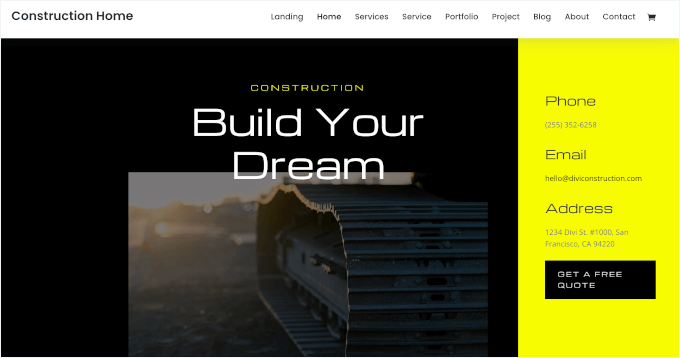
When testing out Divi, I picked the dark theme version to test if this style fits construction sites where showcasing projects visually is important.
This starter site came with an about page, services page, portfolio page, and blog page. I also liked the split-style homepage, which makes it easy to highlight your contact details and a quote call-to-action.
The blog page includes an email newsletter signup form followed by a contact form with business details. It’s a smart setup for capturing leads and making it easy for visitors to reach out.
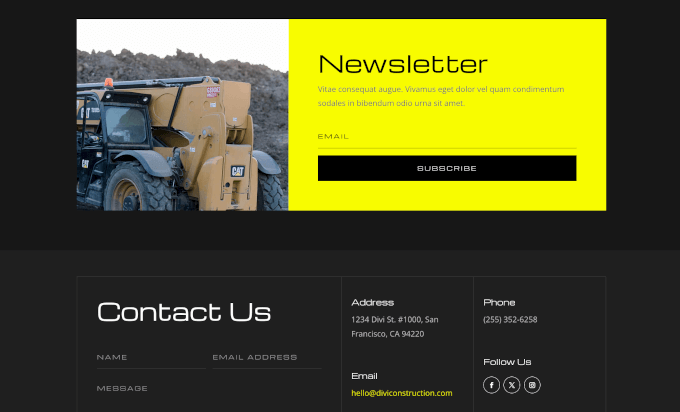
For other forms, like quote requests, you can build it using a contact form plugin and embed it through the Divi builder.
Design customization is one of Divi’s strong points. Adjusting colors, fonts, and spacing was straightforward, and I had full control over how each section looked. It was easy to match the site to a specific branding style without running into design limits.
Then, I built a project portfolio using Divi’s gallery module. I uploaded photos of completed jobs and displayed them in a grid.
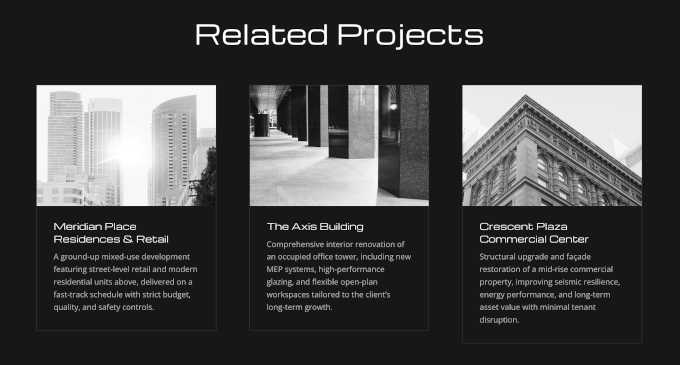
I also added a “Related Projects” section to show clients similar work that matches the scale and style of the project they’re interested in.
However, Divi is premium-only. The builder is powerful, but the number of settings can feel overwhelming at first, especially for beginners.
✅ What I like about Divi:
- Built-in Divi visual builder with front-end drag-and-drop editing
- Construction-ready layout packs
- Reusable sections and templates
- Advanced design controls for colors, fonts, and spacing
- Fully responsive layouts
🤔 What I don’t like about Divi:
- Premium-only theme with no free version
- Steeper learning curve than simpler themes
⭐ Why I recommend Divi: Divi offers complete design freedom and professional results. You can build a custom construction site that looks exactly how you want.
4. OceanWP – Great for Feature-Rich Construction Sites
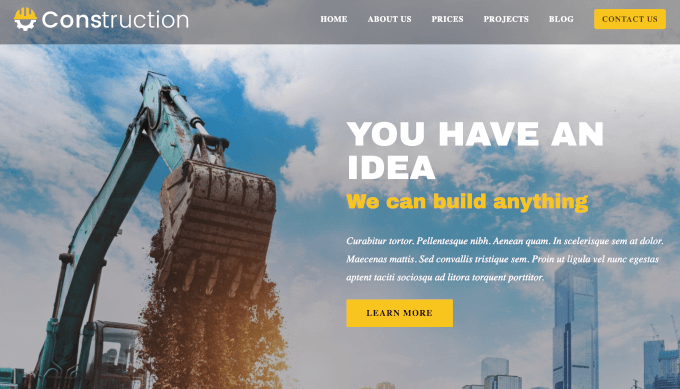
OceanWP is a popular free WordPress theme with flexible customization. It works well for growing construction companies and contractors who want more layout control, including multiple header styles and flexible page structures.
It’s fully compatible with Elementor and other page builders and offers a construction starter demo. Read our full OceanWP review for a closer look at its features.
My Experience
I started by installing the free version of OceanWP. The theme felt lightweight from the start, and pages loaded quickly during my tests.
Upon first look, I appreciated that it includes a customizable pricing table on the homepage, which makes it easier for potential clients to quickly compare available options.
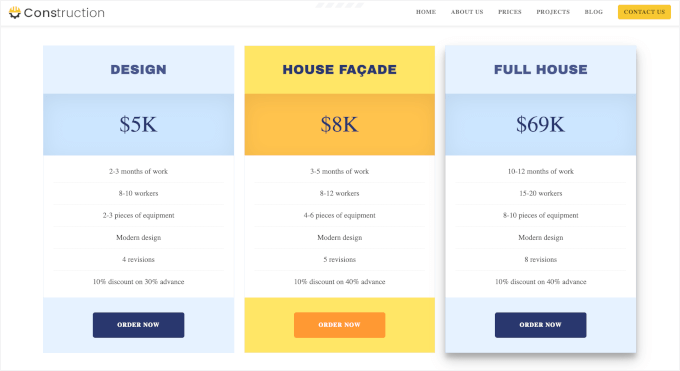
Plus, the theme offers multiple header styles. I tested a few options and chose a transparent, sticky navigation menu so visitors could see my contact button on every page.
I also liked the flexible layout options. I could choose full-width, boxed, or sidebar layouts for individual pages, which helped control how content was displayed.
Customizing the sidebar and widget areas was simple. I added recent posts and a calendar, making it easy for visitors to explore more of the company’s work and see project timelines.
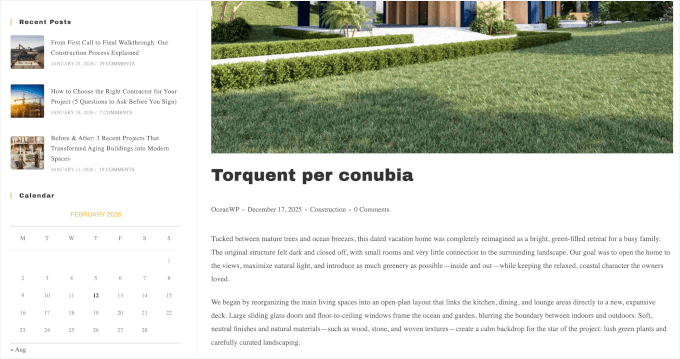
In addition, there’s gallery and lightbox support, which is well-suited for showcasing projects. Just remember to compress your images before uploading them so your site stays fast.
The main drawback is that construction demo sites are only available in the Pro version. If you want a ready-made construction layout, you’ll need to upgrade. Some advanced features also require paid extensions, which add a few extra steps.
✅ What I like about OceanWP:
- Free core theme with advanced customization
- Construction demo templates available
- Multiple headers and layout styles
- Gallery and lightbox support
- Flexible page layouts
- Elementor compatibility
🤔 What I don’t like about OceanWP:
- Some features need extensions
- Can feel complex for absolute beginners
⭐ Why I recommend OceanWP: OceanWP is free and flexible, with strong page builder support. You can upgrade later if you want construction demos.
🧑💻 Get the OceanWP theme today!
5. Ultra – Flexible Multi-Purpose Theme for Agencies and Builders
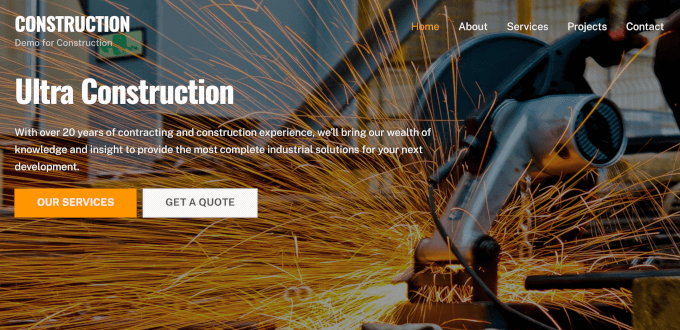
Ultra is a multi-purpose WordPress theme that can be easily used to build an agency-style site with strong visuals and structured service pages. It’s a good fit for construction agencies, design–build firms, and contractors.
This theme includes the Themify Builder and also works with builders like Elementor. You can import a construction demo and customize it easily.
My Experience
After installing Ultra, I browsed the demo sites and found several construction layouts. I imported one that included a homepage, services page, and project portfolio.
When the Themify builder opened on the front end, the drag-and-drop interface felt smooth once I understood how modules worked.
I added parallax scrolling to the homepage hero section. As visitors scrolled down, the background image moved at a different speed, which created a modern visual effect without needing custom code.
The animation effects were also easy to apply. I set project images to fade in as visitors hovered over them, which made the portfolio section feel more dynamic.
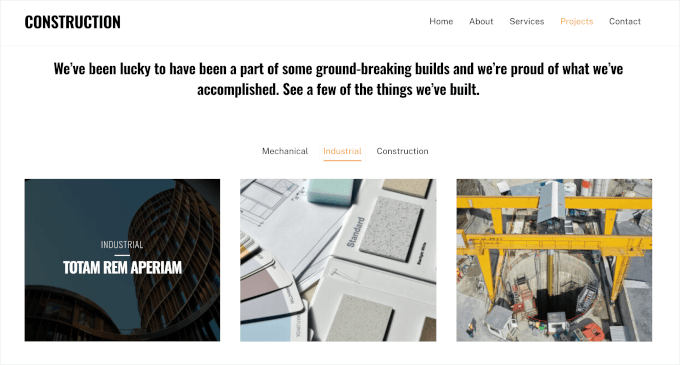
Ultra includes sliders and visual sections that work well for showcasing a before-and-after. There’s also a lightbox support, and it displayed cleanly on both desktop and mobile.
The theme works with construction and other essential WordPress plugins. I tested it with a contact form plugin and a booking plugin, and both integrated without conflicts.
One downside is that the Themify builder has a learning curve. It’s not as intuitive as Elementor at first, so beginners might need time to get comfortable. Also, if you add too many animation effects, the site can slow down, so you need to use them carefully.
✅ What I like about Ultra:
- Built-in Themify drag-and-drop builder
- Construction-ready demo sites and layouts
- Compatibility with popular page builders like Elementor
- Works with construction and business plugins
- Parallax scrolling and animation effects
- Fully responsive design
🤔 What I don’t like about Ultra:
- Themify Builder has a learning curve
- Animation effects can slow down sites if overused
⭐ Why I recommend Ultra: I like that Ultra adds visual polish with animations and parallax effects. Your project portfolio can stand out without custom development.
🧑💻 Get the Ultra theme today!
6. Neve – Lightweight & Fast for Local Construction Businesses
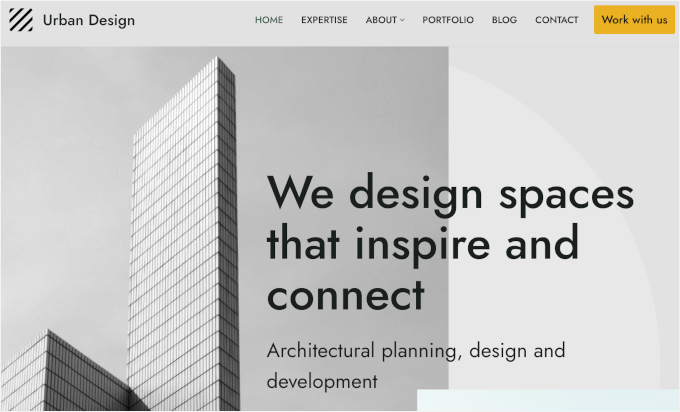
Neve is a lightweight WordPress theme. This makes it a good option for small to mid-sized construction businesses and architecture studios that care about speed, SEO, and a modern layout.
It integrates smoothly with Beaver Builder and Elementor. It also includes architecture starter sites and uses a mobile-first design for fast loading.
My Experience
During testing, I installed Neve and immediately noticed how light the theme felt. Pages loaded faster than many other WordPress themes I’d tested. I browsed the starter site library and imported a construction layout, which finished in under a minute.
Neve’s design was clean and straightforward, with a simple font that kept everything easy to read. The homepage came packed with the service section, latest projects, mission statement, and CTA sections, which work well for lead generation.
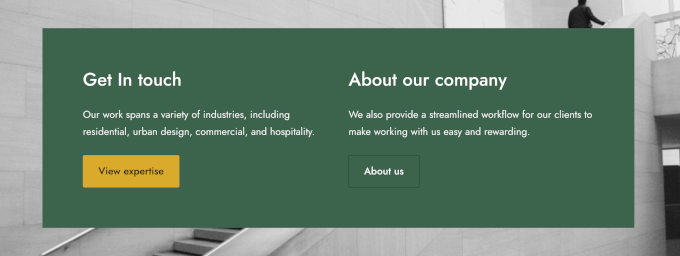
Then, I used the WordPress customizer to tweak colors, fonts, and button styles, and the changes showed up right away.
The SEO-friendly structure helped with page speed. Neve uses clean code and minimal JavaScript, which means faster load times and better performance in speed tests.
One limitation is that Neve doesn’t offer as many advanced customization options as premium themes like Divi. Some starter sites also require the Pro version to unlock. Also, Neve isn’t built for animation or parallax effects if you need those specific features.
✅ What I like about Neve:
- Lightweight and fast-loading theme
- Construction and business starter Elementor and Beaver Builder support
- Mobile-first responsive design
- Clean, SEO-friendly layouts and structure
🤔 What I don’t like about Neve:
- Some starter sites require Pro version
- Fewer advanced customization options than premium themes
- Limited animation and visual effects
⭐ Why I recommend Neve: If you want a fast and simple solution with strong page builder support, Neve is a good option. You can launch a professional construction site quickly.
7. Technico – Industry-Focused Theme for Construction Companies
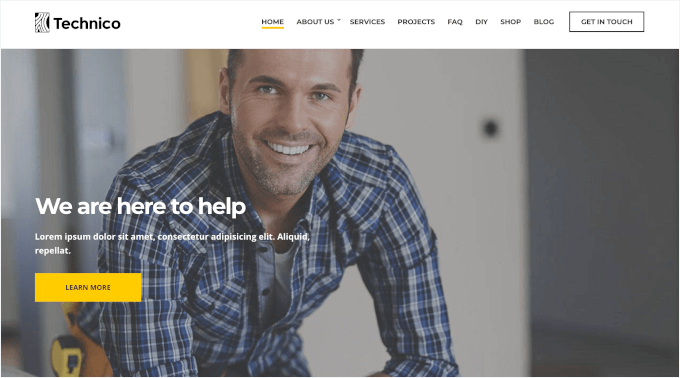
Technico is a WordPress construction theme designed for construction companies, contractors, engineering firms, and building service providers who want minimal setup.
It’s compatible with Elementor and similar builders, includes ready-made construction pages, and uses responsive layouts so your services and projects look good on any screen.
My Experience
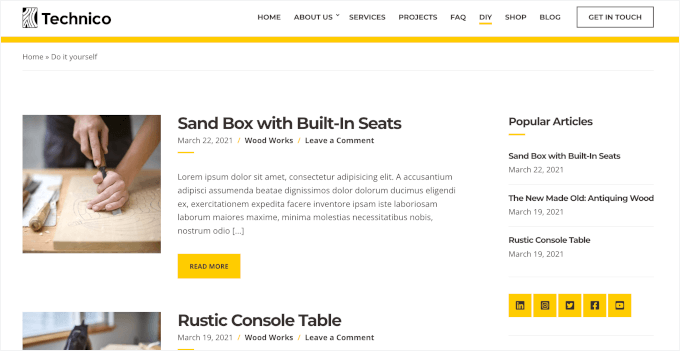
I started my Technico testing by exploring the template, which includes a homepage, portfolio, FAQ page, DIY page, blog, and even a shop layout.
The ready-made DIY page is a really nice addition if you publish educational content, such as home improvement tips, maintenance guides, or project walkthroughs. The blog layout supports thumbnails and excerpts, which makes posts easy to scan.
The homepage layout was practical and business-focused. It came with service sections, featured projects, team profiles, pricing tables, and a clear call-to-action.
There are also widget areas and sidebars, making it easy to add contact forms or extra content where needed.
For project showcases, Technico includes image gallery support in its portfolio layouts. I also tested the built-in shop page, which comes with product filters and works well if you sell tools, materials, or furniture directly from the site.
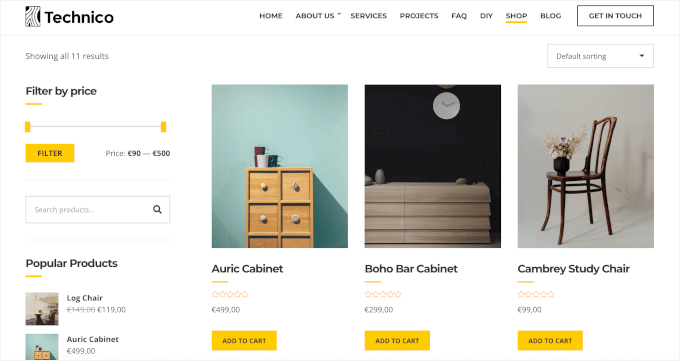
The main drawback is that Technico is premium-only. It also comes with a lot of built-in sections, so it may feel like overkill if you don’t plan to use features like the DIY section or shop.
✅ What I like about Technico:
- Industry-focused layouts designed for construction businesses
- Ready-made pages, including portfolio, FAQ, DIY, blog, and shop
- Practical homepage sections for services, teams, pricing, and CTAs
- Built-in online store layout with filtering options
🤔 What I don’t like about Technico:
- No free version
- Designed for feature-rich sites, which may not be necessary for simpler construction websites
⭐ Why I recommend Technico: Technico is a good fit if you want a complete construction website out of the box, especially if you plan to publish educational content or sell services and products alongside your portfolio.
🧑💻 Get the Technico theme today!
8. Inspiro – Best for Visual Construction Portfolios

Inspiro is a strong WordPress theme choice for construction and remodeling companies that rely on visuals and portfolios to showcase their best work. It works with Elementor and other page builders and offers a construction-focused starter site.
My Experience
Upon installing Inspiro, I really liked the video-style hero section because it gives the homepage a strong first impression.
I also noticed that the homepage layout was well thought out. It included a service grid, featured projects, company stats, blog post highlights, and CTA sections.
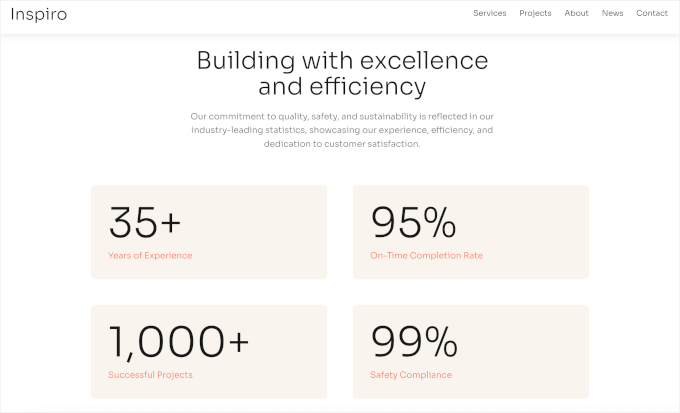
I tested the parallax effect on an image separator, and it added a subtle depth without feeling overdone. I also liked that Inspiro’s portfolio system supports both images and video.
If you want to add video-based project entries, though, I recommend embedding videos from YouTube or Vimeo instead of hosting them directly on WordPress. This keeps the site lighter and avoids performance issues.
To understand why this is critical for your site’s performance, see our guide on why you should never upload a video to WordPress.
I found that adding a contact form was straightforward. I placed it on the contact page along with a map, which works well for construction businesses that want to highlight their service area or office location.
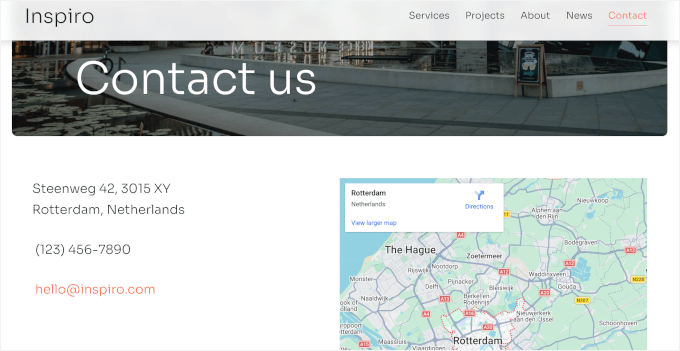
The main downside is that if you host videos directly on your site, pages can feel slower, especially on shared hosting.
✅ What I like about Inspiro:
- Clean, visual-first design for showcasing projects
- Construction demo with a strong homepage layout
- Built-in portfolio with image and video support
- Parallax effects add depth without extra plugins
🤔 What I don’t like about Inspiro:
- No free version
- Video-heavy pages can slow things down if videos are hosted locally
⭐ Why I recommend Inspiro: If your construction business relies on photos and videos to sell your work, Inspiro makes it easy to build a polished portfolio without overcomplicating the setup.
🧑💻 Get the Inspiro theme today!
9. Astra – Popular, Fast Theme With Construction Starter Templates
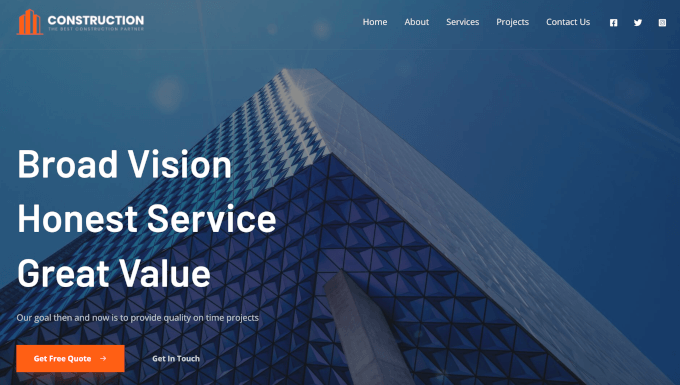
Astra is a beautiful WordPress theme for building any kind of website, including for contractors and construction companies. It’s a great option for those who want a fast-loading, widely used theme that’s easy for customize.
Read our full Astra review to see why it’s one of the most popular WordPress themes.
My Experience
In my testing, I installed Astra, selected a construction layout, clicked import, and within minutes, my site was live. The homepage felt polished immediately – it gave me a welcome message, testimonials, and team member sections that I could edit right away.
Adding a quote request form was easy using a form builder, and Astra’s clean structure kept it displaying correctly. I also tested the booking plugin integration so clients could schedule consultations directly, and it worked without issues.
Plus, Astra works smoothly with a multilingual plugin, which is helpful for contractors serving diverse communities.
I found that customizing layouts and typography was simple. I adjusted heading fonts, button styles, and spacing using the WordPress customizer, and everything updated instantly. The lightweight design kept pages fast even after I added images, forms, and additional sections.
One thing to watch out for is that the free version works well for basic sites, but you’ll hit limits if you want more design flexibility or additional templates.
✅ What I like about Astra:
- One-click import construction starter sites
- Fully compatible with Elementor and other page builders
- Works smoothly with form, booking, and translation plugins
- Lightweight and fast-loading design
- Customizable layouts and typography
- Responsive and mobile-friendly across devices
🤔 What I don’t like about Astra:
- Advanced features are locked behind paid plans
- Free version has limited design options
⭐ Why I recommend Astra: I found Astra to have a good balance of speed and customization. It has a lot of starter templates, including construction, plumbing, and roofing businesses. Plus, it integrates perfectly with essential WordPress plugins.
🧑💻 Get the Astra theme today!
🧑💻 Alternatives: You may also want to check out Avelon, Brickz, Constructo, Wilmër, and BuildGo. They offer different layouts and design styles for construction websites. Some focus on online portfolios, while others are built around business layouts.
Which is the Best WordPress Theme for Construction Websites?
Choosing the best WordPress construction theme depends on your specific needs, but here are my top picks:
- Sydney is my #1 choice because it offers a dedicated construction starter site that is easy to set up. It strikes the perfect balance between professional design and ease of use.
- SeedProd is the best option easy to create unique landing pages and lead funnels using its AI websites builder and customization templates.
- Divi is a great choice if you want complete visual control. It comes with a vast library of layouts and powerful design tools, making it ideal for agencies and detailed portfolios.
If you are just getting started, I recommend trying the free version of Sydney to get your site online quickly.
FAQs About Construction Websites
Many business owners have questions about building their first construction website. Here are some of the most common questions we hear from our readers:
What is the best free WordPress theme for construction?
You can use free versions of themes like Sydney, SeedProd, and OceanWP to build a professional construction website. These are great options for small businesses that want a professional site without upfront costs, and you can always upgrade later as you grow.
Do I need a page builder for a construction WordPress theme?
You don’t have to use a page builder, but it makes things much easier. Many construction themes like Sydney, OceanWP, and Neve are designed to work with builders like Elementor and SeedProd, letting you edit pages visually without touching code.
Can I add a project portfolio to my construction website?
Yes, most construction themes make it easy to showcase your past work. For example, Sydney, Divi, Inspiro, and OceanWP include layouts or starter sites designed for project galleries and portfolios.
You can use these sections to show completed projects, add images, and explain the work you’ve done to build trust with potential clients.
Are construction themes mobile-friendly?
Yes, modern construction themes are built to be mobile-responsive. This means your website automatically adjusts to look good on phones, tablets, and desktops.
Will construction themes work with multilingual or translation plugins?
Most well-built construction themes work with popular translation plugins like WPML and TranslatePress. SeedProd even has an AI translation feature, making it easier to create multilingual construction websites if you serve clients in different languages.
Best WordPress Guides for Construction Websites
I hope this guide has helped you find the best WordPress themes for your construction site.
But building a professional construction website goes beyond choosing the right theme. Here are some helpful WPBeginner guides to improve your site and attract more clients:
- How to Start a WordPress Blog (Step-by-Step Guide for Beginners)
- Best WordPress Plugins for Business Websites
- How to Add a Contact Form in WordPress
- Best WordPress Page Builders Compared
- How to Speed Up Your WordPress Site (Ultimate Guide)
If you liked this article, then please subscribe to our YouTube Channel for WordPress video tutorials. You can also find us on Twitter and Facebook.
The post I Found the 9 Best WordPress Construction Themes (30+ Themes Tested) first appeared on WPBeginner.
WordCamp Central: Introducing WordCamp Mukono 2026: Sustainable Growth, Building a Lasting WordPress Future
The WordPress community in Uganda is pleased to introduce WordCamp Mukono 2026, scheduled for March 13 & 14, 2026, at Murs Country Resort, Kigunga, in Mukono, Uganda.
Guided by the theme “Sustainable Growth – Building a Lasting WordPress Future,” WordCamp Mukono 2026 will bring together over 300 attendees including WordPress users, contributors, code wranglers, developers, designers, educators, and business owners to explore how sustainable practices can strengthen the WordPress project, local communities, and the broader open-source ecosystem.
A Focus on Sustainability and Long-Term Impact
The 2026 theme reflects a growing emphasis within the WordPress project on sustainability not only in technology, but also in people, communities, and contribution pathways. Sessions and discussions will focus on:
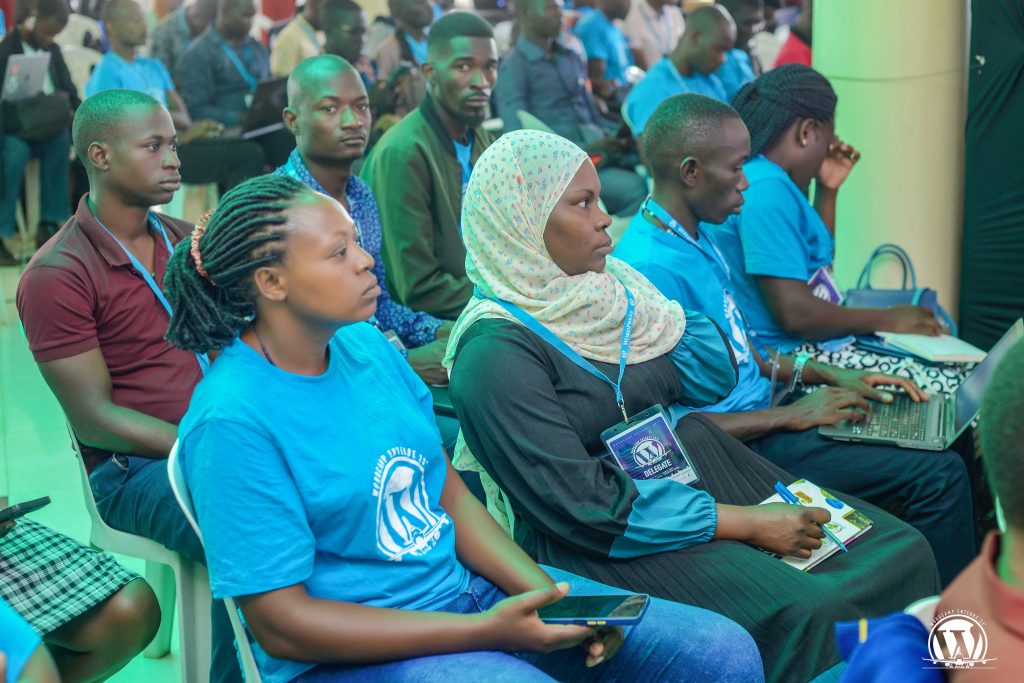


- Sustainable WordPress businesses and client practices
- Long-term community building and leadership development
- Performance, security, and maintainable WordPress solutions
- Inclusive contribution and mentorship in open source
- Content, accessibility, and responsible digital publishing
- AI tools and practices for both individuals and businesses
- An Educational track for Students and Educators
The program is designed to support both new and experienced WordPress users, offering practical insights alongside opportunities for deeper engagement with the WordPress project.
This year includes a lot of Community building activities, programs and strategies to support and grow open source communities.
Strengthening the Local and Regional WordPress Community
WordCamp Mukono has become a key gathering point for WordPress users in Mukono, Uganda, and the wider East African region. The 2026 event continues this trajectory by prioritizing local voices, first-time speakers, and contributors who are actively growing WordPress adoption through education, translation, support, and community leadership.
By hosting the event in Mukono, the organizing team reinforces WordPress’s mission to democratize publishing and ensure that open-source opportunities are accessible beyond major urban centers.
WordCamp Mukono 2026 will be hosted at the spacious and prestigious Murs Country Resort in Kigunga, Seeta, Mukono Municipality. The venue offers a variety of amenities and services that make it a beautiful home for WordCamp Mukono.
Accommodation Options at WordCamp Mukono
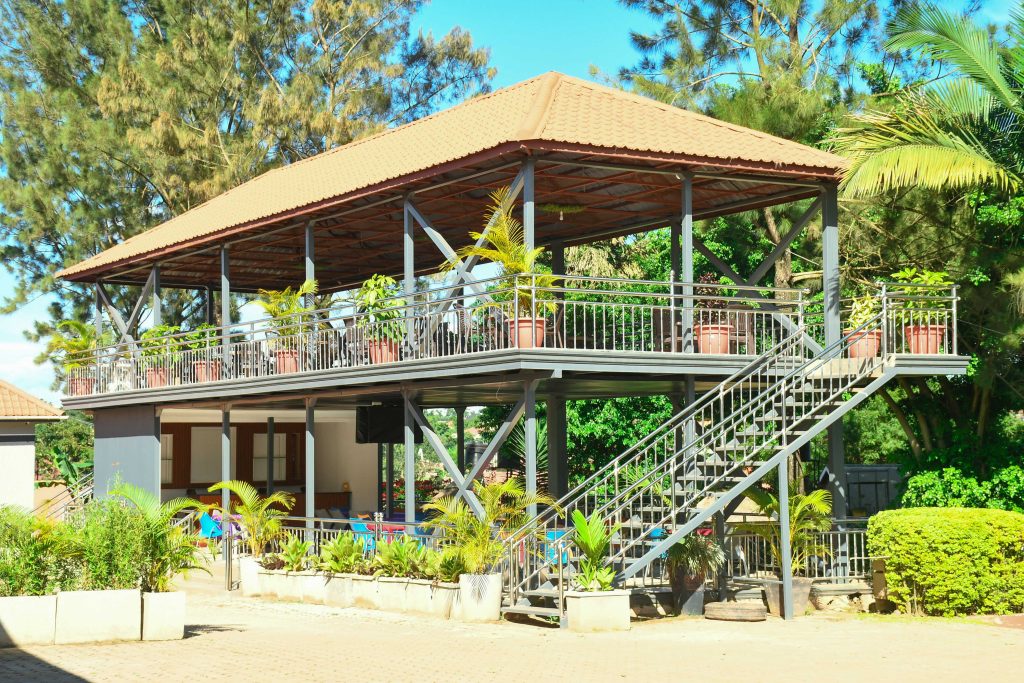
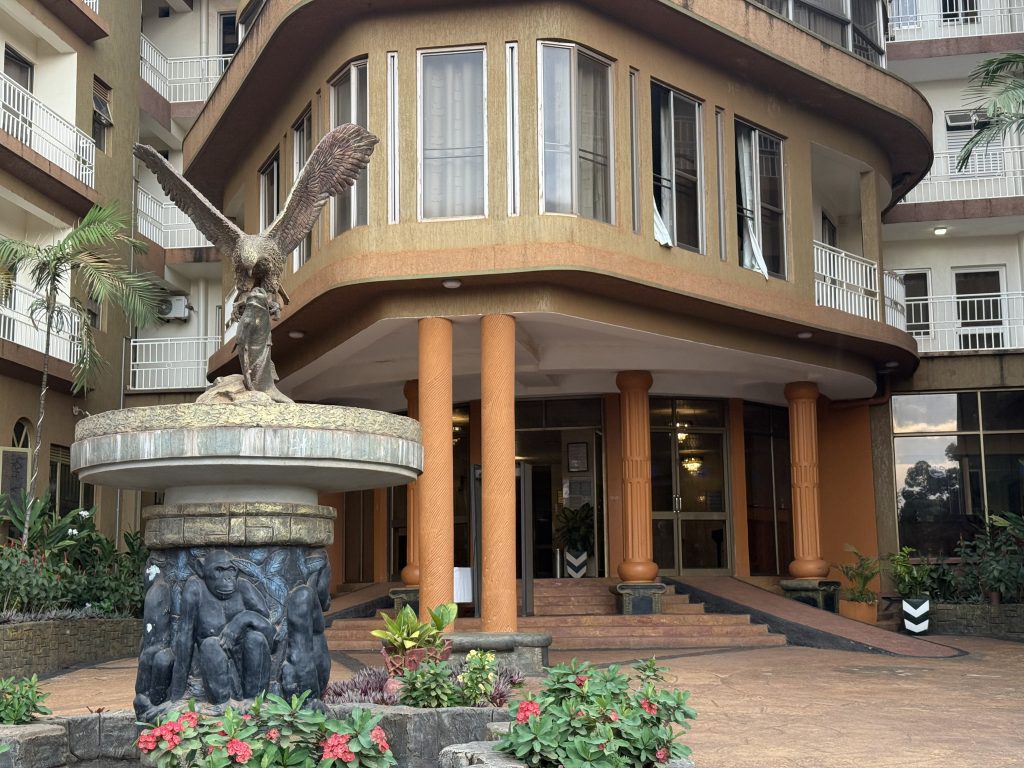
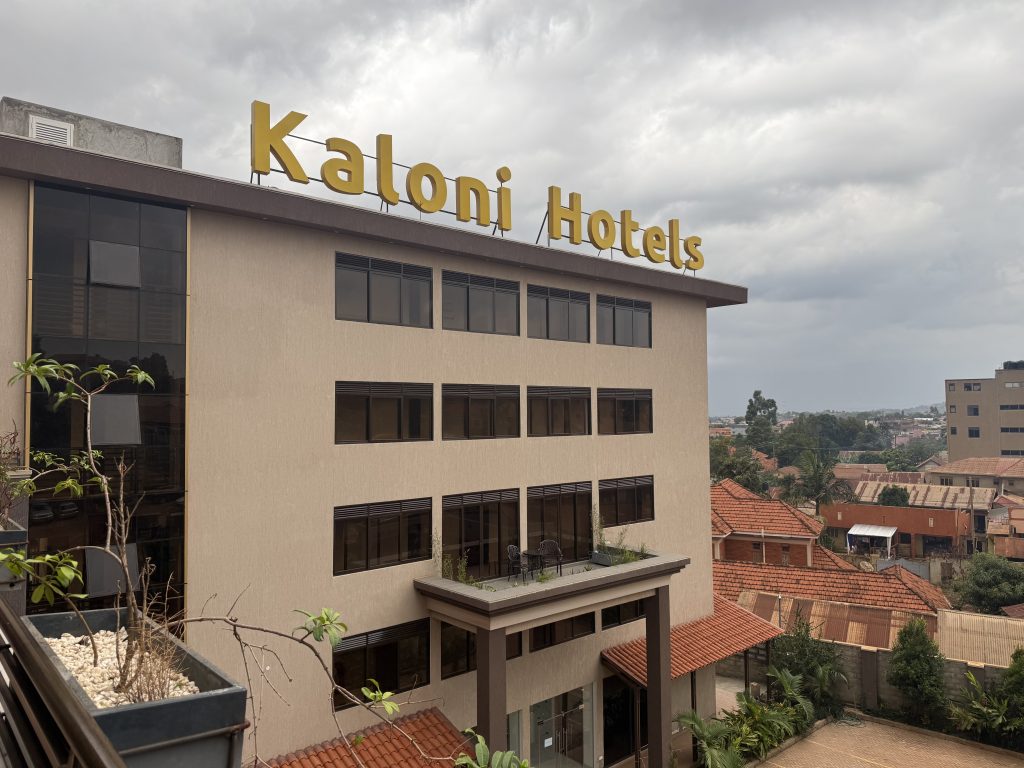
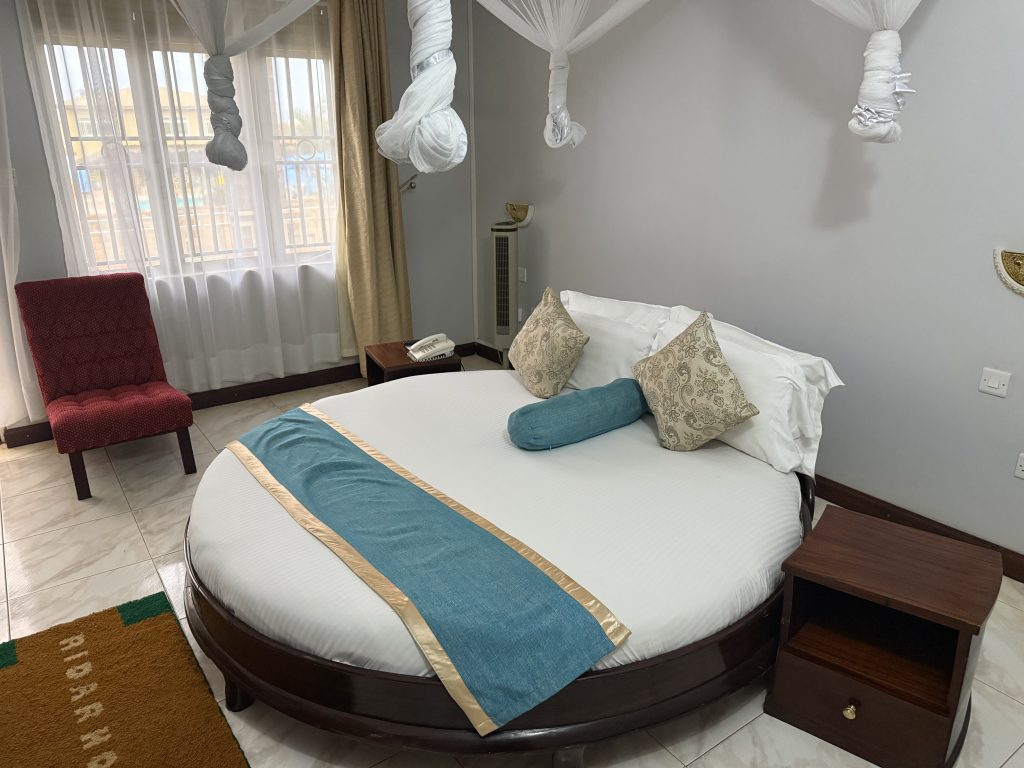
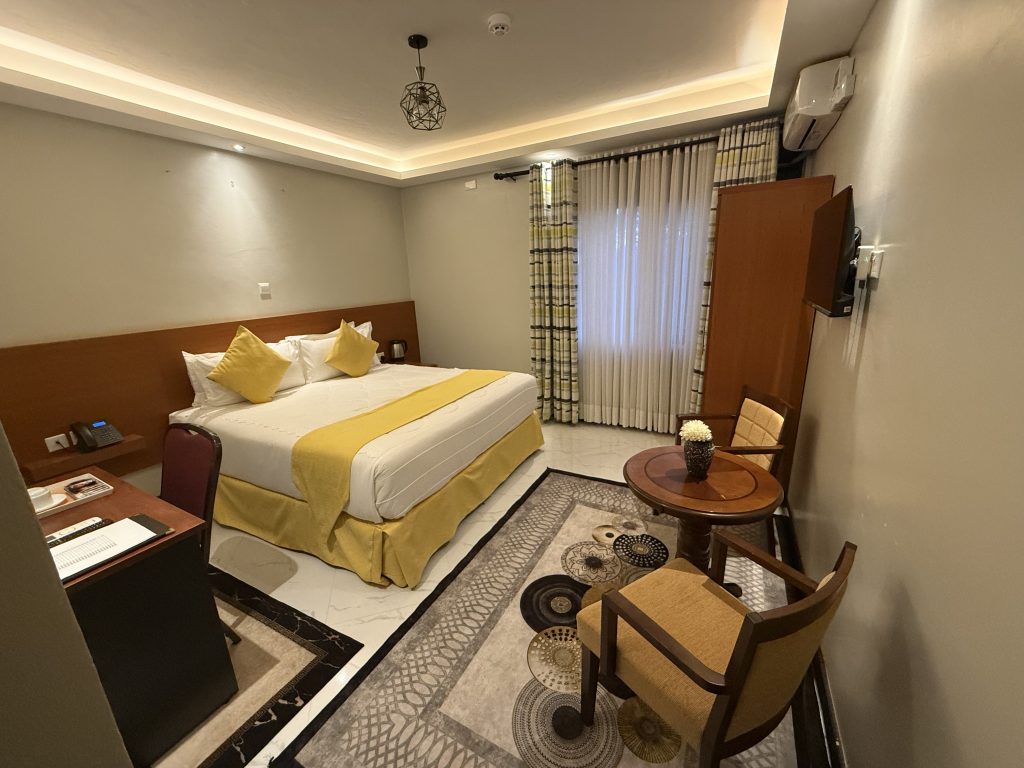
WordCamp Mukono has spoken to several hotels and Accommodation options around the Host venue including the host venue itself and Accommodations have been made available for all attendees.
Details have been shared on the website. Feel free to secure your pick as you see fit.

An Official, Community-Led WordPress Event
WordCamp Mukono 2026 is an official WordPress event, organized by a dedicated team of local volunteers and run as a non-profit. Like all WordCamps, the event is built on the principles of openness, inclusivity, and collaboration.
Over two days, attendees will participate in talks, workshops, and networking opportunities designed to foster meaningful connections and long-term contributions to WordPress.
Get Involved



Calls for speakers are open to any one with a brilliant idea they would want to share, and the sponsor call is also open. An event of this magnitude can only be made possible by the many generous individuals who contribute to open source and community initiatives. The volunteer call is now closed, and the event is already taking shape.
Ticket Sales are now open for this great experience and are the main talk on the streets. Community members from Uganda, the East African region, and beyond are encouraged to take part and contribute to an event focused on building a sustainable future for WordPress. Have no excuse! Book your space now!
Community partners are also allowed to sponsor people to get this great experience by buying a ticket for them. Sponsoring them fully or partially. Contact the Team for details
More details can be found on the official WordCamp Mukono website and on WordCamp.org as they become available. Kindly also check the Blog Section for live updates on the event.
Open Channels FM: Communicating Transparently Around Challenges
Communication isn’t just about communicating around the good things, the shiny things.